
AI agent assist for support teams
Dropbox saved 160,000 minutes of email handle time in H1 2025 with IrisAgent agent assist. Read the Dropbox case study
By Palak Dalal Bhatia, CEO & Co-founder, IrisAgent · Updated September 5, 2026


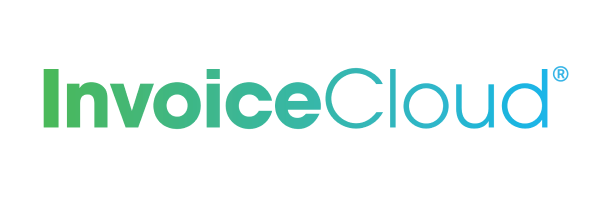



See AI Resolution in Action
Suggested Resolution is grounded in your knowledge base, past tickets, and matching SmartOps procedures.
Resolve common issues quickly with AI
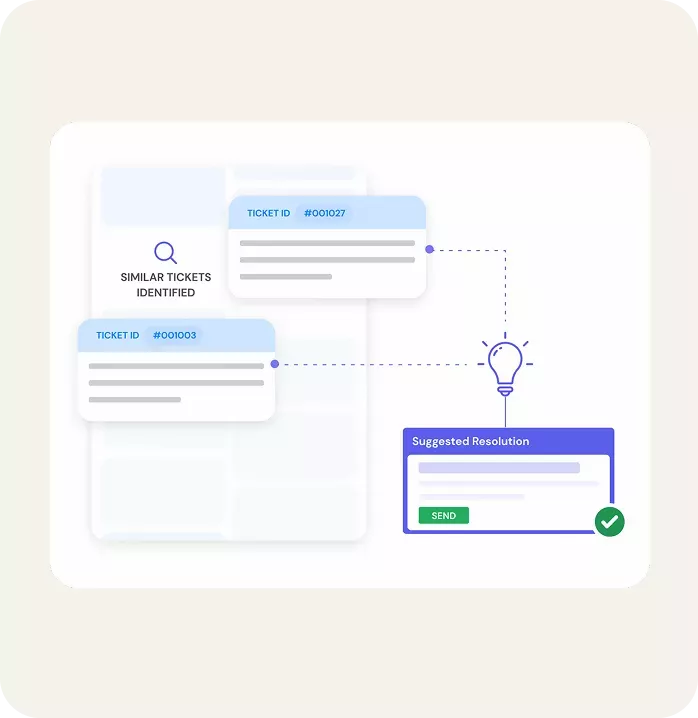
Highly accurate multilingual answers with citations
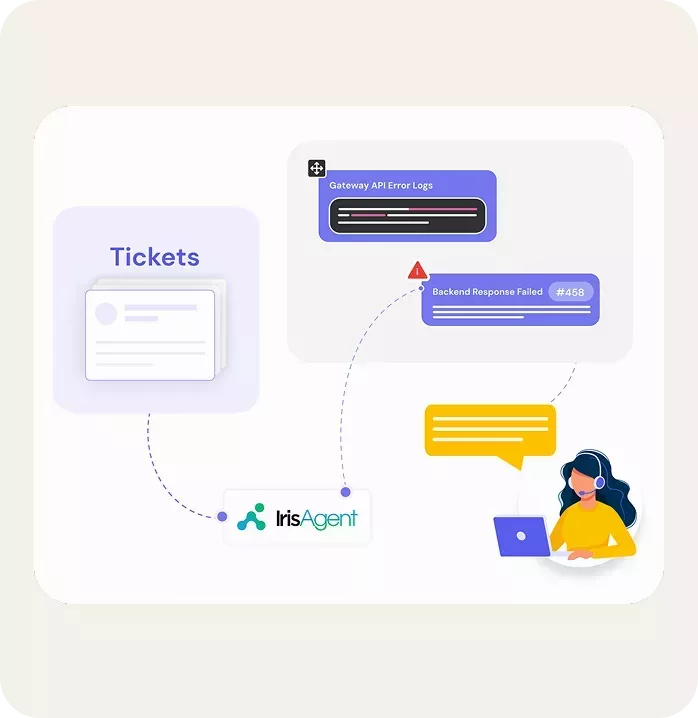
One engine for the sidebar, auto-respond, and the bot

Get new agents productive in days, not weeks
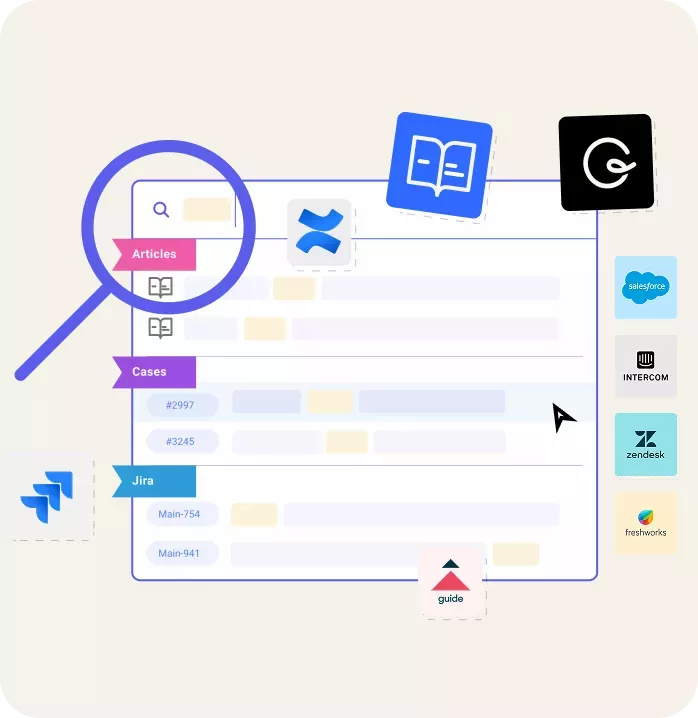


operations
What is AI agent assist?
AI agent assist is software that works alongside a human support agent in real time, reading the live ticket or conversation and surfacing the next best action: a suggested reply, the exact knowledge base passage, a summary of the customer's history, or an automated workflow. Unlike a customer-facing chatbot, agent assist keeps a person in the loop and speeds them up rather than replacing them, which is why it is the fastest way to cut average handle time without sacrificing answer quality.
What AI agent assist does
- Drafts grounded, citation-backed replies. On Zendesk, Refine the tone then Send to Draft in the ticket composer
- Surfaces the right knowledge base article before the agent goes looking for it
- Summarizes long ticket threads so context transfers instantly on handoff
- Triggers automated actions and workflows without leaving the helpdesk
- Learns continuously from agent edits and feedback to stay accurate over time
Agent Assist runs the same SmartOps procedures as IrisGPT Chat. It also pairs with AI ticket automation and full AI customer support. See it applied to bug report triage, or compare IrisAgent to other AI support platforms.
AI agent assist vs AI agent vs chatbot
These labels get used interchangeably and they are not the same thing. Agent assist helps a human answer faster. An AI agent resolves with the customer (with or without a human in the loop). A chatbot is the customer-facing self-service surface. Copilot is a broader category that includes assist, but assist is the AI helpdesk workspace product buyers mean for this query.
| Dimension | Agent assist | AI agent (autonomous) | Customer-facing chatbot |
|---|---|---|---|
| Who it talks to | The support agent | The customer, with optional human takeover | The customer, directly |
| Who owns the answer | The agent, who edits before sending | The AI, with escalation rules | The model, unsupervised in the moment |
| Blast radius of a wrong answer | Low. A human catches it first | Medium to high, depending on confidence gates | High. It reaches the customer |
| Primary KPI | Average handle time, first contact resolution | Resolution rate and handoff quality | Containment with real resolution quality |
| Right first deployment when | Your knowledge base is incomplete or answers are high-stakes | Intents are documented and confidence thresholds are proven | Your top intents are repetitive and well documented |
The practical sequencing advice: if you are not confident your knowledge base is accurate enough to answer customers unsupervised, start with agent assist. It gives you the same grounding work, the same procedures, and the same retrieval quality, but every answer passes a human before it reaches a customer. The thumbs up and thumbs down data you collect in that phase is exactly what tells you which intents are safe to automate later, which depends on solid intent classification for support tickets. Teams that skip this step and launch a bot first usually end up rebuilding their knowledge base anyway, just with unhappy customers along the way. For the full breakdown, read AI agent vs chatbot vs copilot. For the full breakdown of assist vs autonomous agents, read agent assist vs AI agents.
Guides for AI agent assist
- Agent assist vs AI agents - when to keep a human in the loop vs go autonomous
- Best AI agent assist tools - vendor shortlist criteria
- Making agent assist actually work - implementation playbook
Commercial page owns the head term ai agent assist. These guides support; they do not replace this hub.
How AI agent assist works, step by step
Deployment is measured in days, not quarters, because agent assist rides on systems you already run. Here is the sequence most teams follow.
- Connect your helpdesk. Install the marketplace app for Zendesk, Salesforce, Intercom, Freshworks, or Jira. No code is required. Most teams finish this in under a day.
- Sync knowledge and ticket history. Point IrisAgent at your knowledge base and your past tickets. The ticket history matters more than most teams expect: in a typical support org, the majority of genuinely useful answers were never written up as an article. They live in closed tickets, written once by a senior agent and never reused. That same synced history is what IrisAgent's AI context management carries into every suggested reply, so an agent's tenth reply on a ticket is as grounded as their first.
- Encode your procedures. The workflows agents follow by hand become SmartOps procedures, including Custom API steps such as checking an order status, validating a licence, or issuing a refund. This is the step that separates a search tool from an assist tool. Retrieval alone tells the agent what the policy says. A procedure tells them what to do next and can take the action.
- Run in suggest-only mode. Keep the human in the loop while agents rate drafts. Treat the thumbs down as your roadmap: each one is either a knowledge gap, a stale article, or a procedure that does not match reality. Fixing those is what makes later automation safe.
- Measure, then expand. Compare handle time, first contact resolution, and ramp time against a baseline you captured before go-live. Promote only the procedures with consistently high confidence and positive agent feedback into ticket auto-respond.
What to measure, and what good actually looks like
Agent assist is easy to measure badly. The most common mistake is reporting adoption, the share of tickets where the sidebar was opened, and calling it impact. Opening a panel is not a result. Measure the four things below against a baseline captured before go-live, and segment by intent, because a 10% handle-time gain on your highest-volume intent is worth far more than a 40% gain on a rare one.
| Metric | How to measure it | Realistic first-quarter change |
|---|---|---|
| Average handle time | Median, not mean, per intent. Means get wrecked by a handful of multi-day tickets | 15% to 30% reduction on documented intents |
| First contact resolution | Share of tickets closed without a reopen or a second inbound reply | 5 to 12 point lift |
| New agent ramp time | Days until a new hire hits the team median on handle time and CSAT | 30% to 50% faster, the largest single effect |
| Draft acceptance rate | Share of suggested resolutions sent with light or no editing | Below 40% means a knowledge problem, not a model problem |
Ramp time is consistently the biggest and least-forecast win. Most buyers build the business case on handle time, then find the durable value is that a new hire is productive in two weeks instead of six. If your team has meaningful attrition, model that line first. For the measurement mechanics, see how to calculate average handle time and the wider set of customer support metrics worth tracking.
Agent assist tools that integrate with your CRM
An assist tool that lives in a separate browser tab does not get used. The integration test that matters is whether the agent can go from reading the ticket to sending a grounded reply without leaving the helpdesk, and whether the tool can read the customer record, not just the article corpus. Two agents handling the same question about a failed payment need different answers depending on plan, region, and account age, and that context lives in the CRM.
- Zendesk: sidebar app with Refine and Send to Draft directly into the ticket composer, plus recommended macros
- Salesforce Service Cloud: console component with access to the case and the related account record
- Intercom, Freshworks, Zoho: native sidebar with suggested resolution and similar-conversation lookup
- Jira: linked-issue surfacing so support sees the engineering state of a bug without asking
- Slack and Microsoft Teams: for internal escalation channels, where a lot of tier-two support actually happens
See the full list on the integrations page. If you run a regulated or air-gapped environment, agent assist can also be deployed on premise, which is often the deciding factor for teams that cannot send ticket content to a third-party model.
Where agent assist falls short
Worth being straight about the limits, because most of the failed deployments we see fail for one of four reasons, and none of them are model quality.
It cannot invent knowledge you never wrote down
If the answer to a question exists only in one senior agent's head, no retrieval system will find it. Grounding is a feature, not a limitation, but it means the tool is bounded by what your articles and tickets actually contain. Draft acceptance below 40% is almost always this problem rather than a model problem. The fix is a knowledge pass, and the thumbs down data tells you exactly which gaps to fill first. Some of that can be closed with automatic knowledge generation from resolved tickets, but it is still work.
It does not help much on tickets that are slow for non-answer reasons
A ticket waiting three days on an engineering fix, a refund approval, or a customer reply does not get faster because the draft arrived sooner. Agent assist compresses the time an agent spends composing and searching. If your handle time is dominated by wait states and handoffs, the ceiling on improvement is low and you should look at routing and escalation design instead. Segment your handle time by where it is actually spent before you build a business case.
Agents will ignore it if it is wrong early
Adoption is a trust curve, and the first two weeks set it. An agent who gets three confidently wrong drafts in a row stops reading the panel, and getting them back is much harder than earning the trust in the first place. This is the argument for launching on a narrow set of well-documented intents rather than switching it on across the whole queue on day one.
It is not a headcount plan on its own
Agent assist makes each agent faster. It does not remove tickets from the queue, which is what actually changes staffing. If reducing volume is the goal, agent assist is the safe first phase, and customer-facing deflection is the phase that moves the number. Teams that treat assist as the whole strategy tend to report a good handle-time result and an unchanged budget.
How to evaluate agent assist software
Most agent assist demos look identical, because every vendor demos the same happy path: a common question with a well-written article behind it. Ask for these instead.
- Run it on your own worst tickets. Bring 20 real tickets your team found hard, not the vendor's sample set. Ambiguous, multi-issue, and angry tickets are where assist tools separate.
- Ask what happens when there is no good answer. A tool that always produces a confident draft is worse than one that says it does not know. Check whether it abstains, and what the agent sees when it does.
- Check citation granularity. Linking to a 4,000 word article is not a citation. The agent needs the passage, so they can verify in seconds rather than reread the doc.
- Test on ticket history, not just published articles. Ask the vendor to answer a question that is only answered inside old tickets. Many tools cannot.
- Confirm it can take actions. Reading is half the job. Ask whether it can call your APIs to check an order, reset a licence, or issue a credit, and what the approval model is.
- Ask how the same logic reaches the bot. If the assist tool and the customer-facing bot use separate answer engines, you will maintain two sets of knowledge and they will drift apart.
- Get the security posture in writing. Data residency, retention, whether your tickets train a shared model, and whether an on-premise option exists.
For a vendor-by-vendor view, see the best AI agent assist tools for customer support, or compare IrisAgent against other AI support platforms.
Answer suggest, escalation, and QA without vanity claims
Agent assist starts with a source-cited suggested reply. When confidence is low or the customer is escalating, the sidebar keeps the human in control and packages context for the next owner. For scoring interactions after the fact, use AutoQA as a separate module, not as an Assist launch story.
- Answer suggest: grounded draft from KB, similar tickets, and SmartOps procedures
- Side-by-side QA: agents verify citations before send; thumbs up/down trains the model
- Escalation: hand the ticket with summary and sources instead of a blank slate
- AutoQA: score coverage across channels on the AutoQA product page
On Zendesk, Assist is an overlay beside the ticket. You keep Zendesk and review suggested replies in the agent workspace. See AI customer support software and AI for Zendesk for overlay deploy detail, or book a Zendesk demo. Ticket triage handoff lives on AI ticket automation.
Any questions?
We got you.
New to knowledge bases? Read our guide on surfacing the right knowledge base article to agents.
Agent assist is one of the fastest ways to reduce average handle time without cutting corners on quality.
Still comparing vendors? See the best AI agent assist tools for customer support, or read how real-time agent assist works inside a live conversation.

The best assist is the ticket your agents never open. See how teams automate account recovery so the highest-volume request in the queue resolves without an agent touching it.





Agent assist is one half of the stack. Read our guide to customer service automation for the key steps to automate routine tickets while agents focus on complex ones.