
Best AI Knowledge Base Software: 8 Tools Compared (2026)
Last updated: September 2026
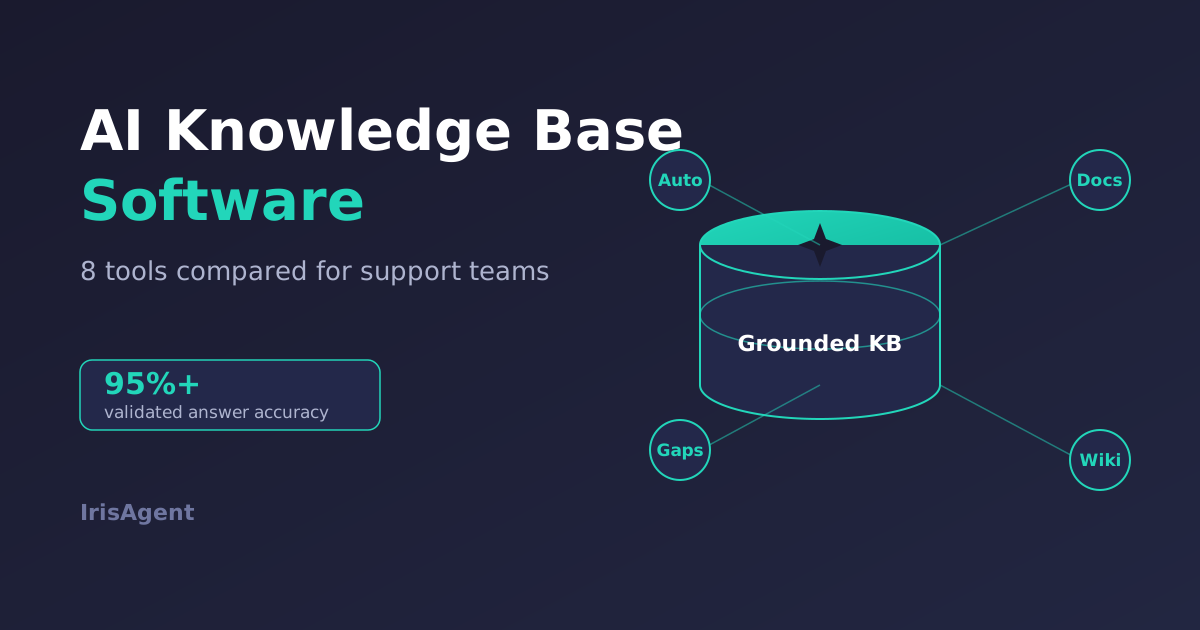
AI knowledge base software uses AI to create, organize, and surface support content so customers and agents get accurate answers faster. The best AI knowledge base tools in 2026 are IrisAgent AutoKB, Guru, Document360, Zendesk Guide, Notion AI, Stonly, Tettra, and Helpjuice. IrisAgent's Hallucination Removal Engine holds validated accuracy above 95%, and AutoKB writes new articles straight from resolved tickets, so your knowledge base fills its own gaps instead of going stale.
Picking the right tool is harder than it looks. Some of these products are internal team wikis. Some are public help centers. A few generate knowledge automatically, and most still expect a human to write every article by hand. This guide breaks down what each tool actually does, where it wins, and where it falls short, so you can match the software to the job you need done.
What Is AI Knowledge Base Software?
AI knowledge base software is either an authoring system that helps teams write and organize articles, or an AI layer that reads your KB, tickets, and connected systems to answer and resolve real questions. IrisAgent AutoKB and Assist sit in the second camp: they use verified knowledge in production, not only a prettier help center. It goes beyond a static help center in three ways: it can draft articles from existing content, flag gaps and outdated pages, and answer questions in natural language instead of returning a list of links.
The category splits into two jobs. The first is knowledge management: where your articles live, how they are written, and how teams keep them current. The second is knowledge activation: how an AI reads that knowledge to resolve a real customer question. A few tools do both well. Most specialize in one. Strong AI knowledge management for support connects the two, so the content you write actually powers the answers customers receive.
How We Evaluated These Tools
We scored each tool against the criteria that matter to a support leader rolling out AI, not a generic feature checklist. Here is what we weighed:
Automatic content generation. Can the tool create new articles from resolved tickets or existing docs, or does every article start as a blank page?
Answer accuracy and grounding. Does the AI answer from your verified content, and does it cite the source, or can it hallucinate?
Gap and freshness detection. Does it flag missing or outdated articles based on real ticket trends?
Customer-facing vs internal. Is it built for a public help center, an internal agent wiki, or both?
Integrations. Does it connect to your help desk (Zendesk, Salesforce, Intercom, Freshdesk) and existing tools?
Time to value. How long before it produces something useful?
Pricing transparency. Is pricing public and predictable, or quote-only?
No single tool tops every category. The right pick depends on whether your priority is writing docs faster, running a polished help center, or resolving tickets with AI that does not make things up.
The 8 Best AI Knowledge Base Tools
IrisAgent AutoKB
IrisAgent approaches the knowledge base from the resolution side. AutoKB converts resolved support cases into structured, ready-to-publish articles automatically, so the knowledge base grows from the work your team already does. It analyzes ticket trends to detect missing or outdated content, prioritizes the high-volume issues, and syncs new articles into Zendesk, Salesforce, and other systems without manual effort.
The bigger differentiator is what happens next. The same grounded knowledge powers IrisAgent's AI for customer support, which automates 50%+ of tickets with answers validated against your source content. The Hallucination Removal Engine keeps validated accuracy above 95%, compared with the 15% to 30% hallucination rate of ungrounded models. Dropbox used the platform to save 160,000 agent minutes.
Where it fits: support teams that want their knowledge base to write itself from tickets and directly feed an AI agent. Where it does not: teams looking only for a standalone internal wiki or a documentation authoring tool, with no interest in ticket automation. IrisAgent is a support resolution platform first, and the automatic knowledge generation is one part of it.
Guru
Guru is an AI knowledge management tool built for the flow of work. It lives inside Slack, Chrome, and your other apps, surfacing verified answers without making people switch tabs. Its standout feature is a verification workflow that assigns owners and expiration dates to cards, so internal knowledge stays trustworthy. Guru's AI assistant answers questions in natural language across that content.
Where it fits: internal enablement, where the goal is getting agents and employees the right answer fast. Where it falls short: Guru is priced per user and leans internal, so it is a weaker fit if your main need is a customer-facing help center or auto-generating articles from tickets.
Document360
Document360 is a dedicated knowledge base platform for public help centers, product docs, and internal wikis. Its Eddy AI assistant answers questions from your published content, and the authoring experience is strong, with category management, versioning, and analytics that show which articles work. It is a clean choice when documentation quality is the priority.
Where it fits: teams that need a polished, well-organized help center and care about the writing and publishing experience. Where it falls short: the AI is mostly an answer layer on top of content you still write yourself, so it does little to fill gaps automatically from ticket data.
Zendesk Guide
Zendesk Guide is the native knowledge base for Zendesk. Its Content Cues feature analyzes ticket trends and suggests articles to create or update, and Zendesk's AI agents answer customers from that knowledge directly inside the help desk. For a team already standardized on Zendesk, the tight integration is the main draw.
Where it fits: Zendesk customers who want their knowledge base and AI answering in one ecosystem with no extra integration work. Where it falls short: it is built for Zendesk, so the value drops sharply if you run Salesforce, Intercom, or a mixed stack, and resolution-based AI pricing can climb with volume.
Notion AI
Notion AI brings question-answering to the Notion workspace many teams already use for docs, wikis, and project notes. It can search across your pages and answer in natural language, draft content, and summarize. If your knowledge already lives in Notion, the AI turns it into something you can query conversationally.
Where it fits: teams that run on Notion and want an internal AI that knows their docs. Where it falls short: Notion is a general-purpose workspace, not support software. It has no customer-facing help center out of the box, no ticket-driven gap detection, and no help-desk integration for resolving customer issues.
Stonly
Stonly takes a different format. Instead of long articles, it builds interactive, step-by-step guides and decision trees, with an AI knowledge base layered on top. The guided approach shines for complex troubleshooting, where a static article fails and a customer needs to be walked through branching steps. Stonly can deflect tickets through these guides and embed them in your product.
Where it fits: products with involved, multi-step troubleshooting that benefits from guided walkthroughs. Where it falls short: the interactive format takes more upfront setup than writing standard articles, and it is a narrower tool than a full help center plus resolution platform.
Tettra
Tettra is a simple internal knowledge base and Q&A tool aimed at smaller teams. It integrates tightly with Slack, lets people ask questions and route them to the right expert, and its Kai AI assistant answers from your documented knowledge. The appeal is low friction: it is easy to set up and easy for a team to actually use.
Where it fits: small and mid-size teams that want a lightweight internal wiki with Slack-native Q&A. Where it falls short: it is internal-only and SMB-focused, with no customer-facing help center and limited depth for high-volume or enterprise support operations.
Helpjuice
Helpjuice is a long-running, dedicated knowledge base platform known for deep customization and strong search. It supports public and internal knowledge bases, detailed analytics, and a Swifty AI assistant that answers from your content. Teams that want full control over the look and structure of their help center tend to like it.
Where it fits: organizations that want a highly customizable, standalone knowledge base with solid analytics. Where it falls short: like other authoring-first tools, it expects humans to write the content, so it does not generate articles from tickets or resolve cases inside your help desk.
AI Knowledge Base Software: Quick Comparison
A fast way to narrow the field by primary job:
Auto-generates knowledge from tickets: IrisAgent AutoKB and, to a lesser degree, Zendesk Guide Content Cues.
Best public help center authoring: Document360 and Helpjuice.
Best internal team wiki and Q&A: Guru, Tettra, and Notion AI.
Best guided, interactive troubleshooting: Stonly.
Best for resolving tickets with grounded AI: IrisAgent, with validated accuracy above 95%.
A knowledge base earns its cost in tickets that never arrive. Our guide to reduce ticket volume with a knowledge base sets out the deflection channels in order of measured lift.
How Each Tool Syncs and Refreshes Knowledge
Sync is where these tools actually diverge. Two questions decide it: how content gets in, and what happens when the source changes underneath an answer the AI has already cached. Where a vendor does not publish a refresh interval, we say so rather than estimate one.
IrisAgent AutoKB: ingests resolved cases from the connected help desk, so new knowledge arrives as a by-product of the work. Detects missing and outdated articles from ticket trends, and validates every answer against its cited source before sending, which keeps validated accuracy above 95%.
Guru: browser extension plus app integrations. Refresh is owner-driven rather than automatic: each card carries a named owner and an expiration date, and a card past its date is flagged for re-verification.
Document360: authored in-platform, so the source is the article itself. Eddy AI answers from published content only, and versioning is manual. Refresh cadence is whatever your writers commit to.
Zendesk Guide: native to Zendesk tickets. Content Cues surfaces article suggestions from ticket trends, but a human still writes and publishes each one, so the gap between a trend appearing and an answer existing is entirely process time.
Notion AI: indexes your existing Notion pages. There is no ticket signal at all, so the knowledge base only refreshes when someone edits a page for an unrelated reason.
Stonly: guides are authored as decision trees. Updating one means editing a branch, which is slower than editing a paragraph but keeps the walkthrough correct end to end.
Tettra: Slack-native Q&A. Unanswered questions are routed to a named expert, so the refresh trigger is a human asking rather than a ticket trend.
Helpjuice: authoring-first with strong analytics. The analytics show which articles underperform, but closing the gap is still a manual writing task.
The pattern is consistent. Seven of the eight refresh only when a person decides to write something. If your constraint is writer time rather than tooling, that is the number that matters, and it is the reason automatic knowledge generation changes the economics rather than just the interface.
How to Choose AI Knowledge Base Software
Match the tool to the outcome you are accountable for, not the feature list. Work through these questions in order:
Customer-facing or internal? If customers will read it, rule out internal-only tools like Tettra and Notion AI early.
Do you want the KB to write itself? If your articles are perpetually out of date, prioritize tools that generate content from tickets, like IrisAgent AutoKB, over blank-page authoring tools.
How important is no-hallucination accuracy? If the AI will answer customers directly, grounding and validation are not optional. Ask every vendor how they prevent hallucinations and whether answers cite a source. IrisAgent validates every answer against your content and keeps AI-ready knowledge structured for retrieval.
What is your help desk? A Zendesk-only shop gets real value from Zendesk Guide. A mixed or Salesforce stack needs a platform-agnostic tool.
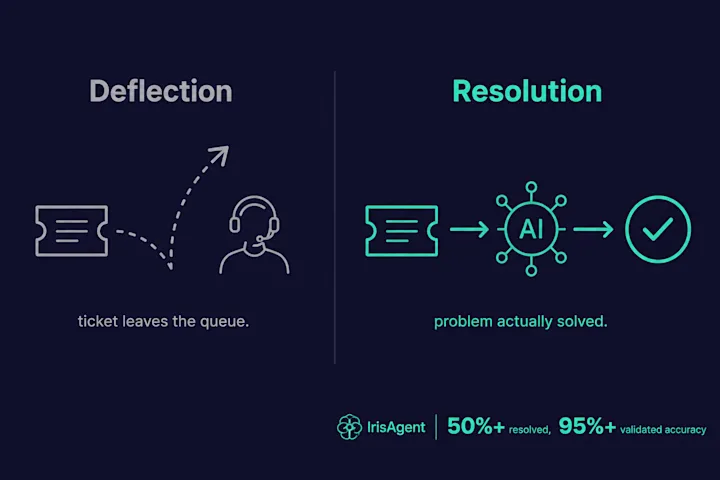
Resolution or just deflection? Decide whether you want a knowledge base that shows articles or a system that actually closes tickets. That single choice eliminates half this list.
2026 buyer checklist
Before you shortlist, confirm three non-negotiables for 2026:
Ticket-to-article sync. Does the tool turn resolved cases into draft or publishable articles, or does every page still wait on a writer?
Source citation in agent assist. When an agent or AI answers, can the customer-facing reply point back to the KB or ticket source?
Helpdesk overlay. Will it layer onto the help desk you already run (for example Zendesk), or does it force a rip-and-replace?
Skip vendors that only polish authoring if your goal is fewer tickets. Keep support agent assist in the evaluation when humans still own complex cases.
Prefer tools that refuse to send ungrounded answers; IrisAgent pairs AutoKB with the same Hallucination Removal approach used across Assist and automation.
The common mistake is buying an authoring tool when the real problem is resolution, then wondering why ticket volume never drops. A prettier help center does not resolve tickets. Knowledge that an AI can read, trust, and act on does.
Next Steps
The best AI knowledge base software depends on the job in front of you. To recap:
For auto-generating knowledge from tickets and resolving cases with grounded AI, IrisAgent leads.
For a polished public help center, Document360 and Helpjuice are strong.
For internal team knowledge, Guru, Tettra, and Notion AI fit well.
For guided troubleshooting, Stonly stands out.
When the job is accurate order answers rather than article polish alone, add accurate order details automation to the shortlist next to support agent assist.
If your goal is fewer tickets and not just nicer docs, start with the resolution side. See how IrisAgent turns resolved cases into a self-updating knowledge base and automates 50%+ of tickets in a 20-minute demo of AI for customer support.
Frequently Asked Questions
What is the best AI support tool for syncing with a knowledge base platform?
It depends on which direction you need the sync to run. Guru, Notion AI, Tettra, and Helpjuice read from content you already wrote, so the sync is one-way ingestion. Zendesk Guide reads ticket trends and suggests articles, but a human still writes each one. IrisAgent AutoKB syncs both ways: it ingests from the connected help desk, writes articles from resolved cases, and validates every answer against its cited source before sending. If your constraint is writer time rather than search quality, that two-way sync is the difference that matters.
Which AI platforms dynamically update FAQs from resolved cases?
Only two of the eight tools we compared do this. IrisAgent AutoKB converts resolved support cases into structured, ready-to-publish articles automatically and detects missing or outdated content from ticket trends. Zendesk Guide does a lighter version through Content Cues, which surfaces article suggestions from ticket patterns but still requires a person to write and publish each one. Guru, Document360, Notion AI, Stonly, Tettra, and Helpjuice all expect a human to author every article by hand.
Which knowledge base tools integrate with Intercom or Zendesk?
Integration depth varies more than the yes-or-no answer suggests. Zendesk Guide is native to Zendesk and does not serve a mixed stack. Document360 and Helpjuice offer article sync into help desks but stay read-only. Guru surfaces cards inside the agent workflow through a browser extension. IrisAgent installs into Zendesk, Salesforce, Intercom, Freshdesk, and Jira Service Management in under 24 hours and works in-ticket, so it reads the knowledge base and resolves the ticket rather than only displaying an article.
What is the best AI knowledge base software?
The best AI knowledge base software depends on the job. For auto-generating knowledge from resolved tickets and resolving cases with grounded AI, IrisAgent AutoKB leads, with validated accuracy above 95%. For a polished public help center, Document360 and Helpjuice are strong. For internal team knowledge, Guru, Tettra, and Notion AI fit well. For guided, step-by-step troubleshooting, Stonly stands out. Zendesk Guide is the natural pick for teams already on Zendesk.
What is AI knowledge base software?
AI knowledge base software is either an authoring system for writing and organizing articles, or an AI layer that reads your KB, tickets, and connected systems to answer and resolve real questions. The strongest tools ground every answer in verified content so they do not invent policies or order facts.
How is an AI knowledge base different from a regular knowledge base?
A regular knowledge base is a static library that people write and search by keyword. An AI knowledge base adds three things: it can generate or update articles automatically, detect missing content from ticket trends, and answer questions conversationally in natural language. The biggest difference is activation. A regular KB shows a customer an article to read, while an AI knowledge base can read that content, validate an answer, and resolve the ticket directly.
Can AI generate knowledge base articles automatically?
Yes. Tools like IrisAgent AutoKB convert resolved support cases into structured, ready-to-publish articles automatically, then detect and prioritize gaps based on real ticket volume. Zendesk Guide Content Cues also suggests articles to create or update from ticket trends. Most other knowledge base tools, including Document360, Helpjuice, and Notion AI, use AI to answer from content you still write yourself, so they speed up authoring rather than generating articles from scratch.
How do I choose AI knowledge base software?
Match the tool to the outcome you own, not the feature list. First decide whether it is customer-facing or internal, since that rules out internal-only tools early. Then ask whether you want the knowledge base to write itself from tickets, how important no-hallucination accuracy is, what help desk you run, and whether you want a system that shows articles or one that actually resolves tickets. That last question eliminates roughly half the market.
Can an AI knowledge base answer order status without live OMS data?
No. A knowledge base alone is stale for order details: line items, address, payment state, and fulfillment stage change after the article was written. Pair KB answers with a live system lookup. See accurate order details automation and ecommerce support AI.

Loading the form. Prefer email? Reach us at info@irisagent.comor call +1 617 249 3312.