
Chatbot CRM: How a CRM-Connected AI Chatbot Works (and Why It Matters)
What is a chatbot CRM?
A chatbot CRM is an AI support chatbot connected to your customer relationship management system, so the bot can read customer context from the CRM before it answers and write the outcome of the conversation back to the CRM when it is done. Instead of treating every chat as an anonymous, first-time interaction, a CRM chatbot knows who it is talking to: their plan, their order history, their open tickets, and what happened the last time they reached out.
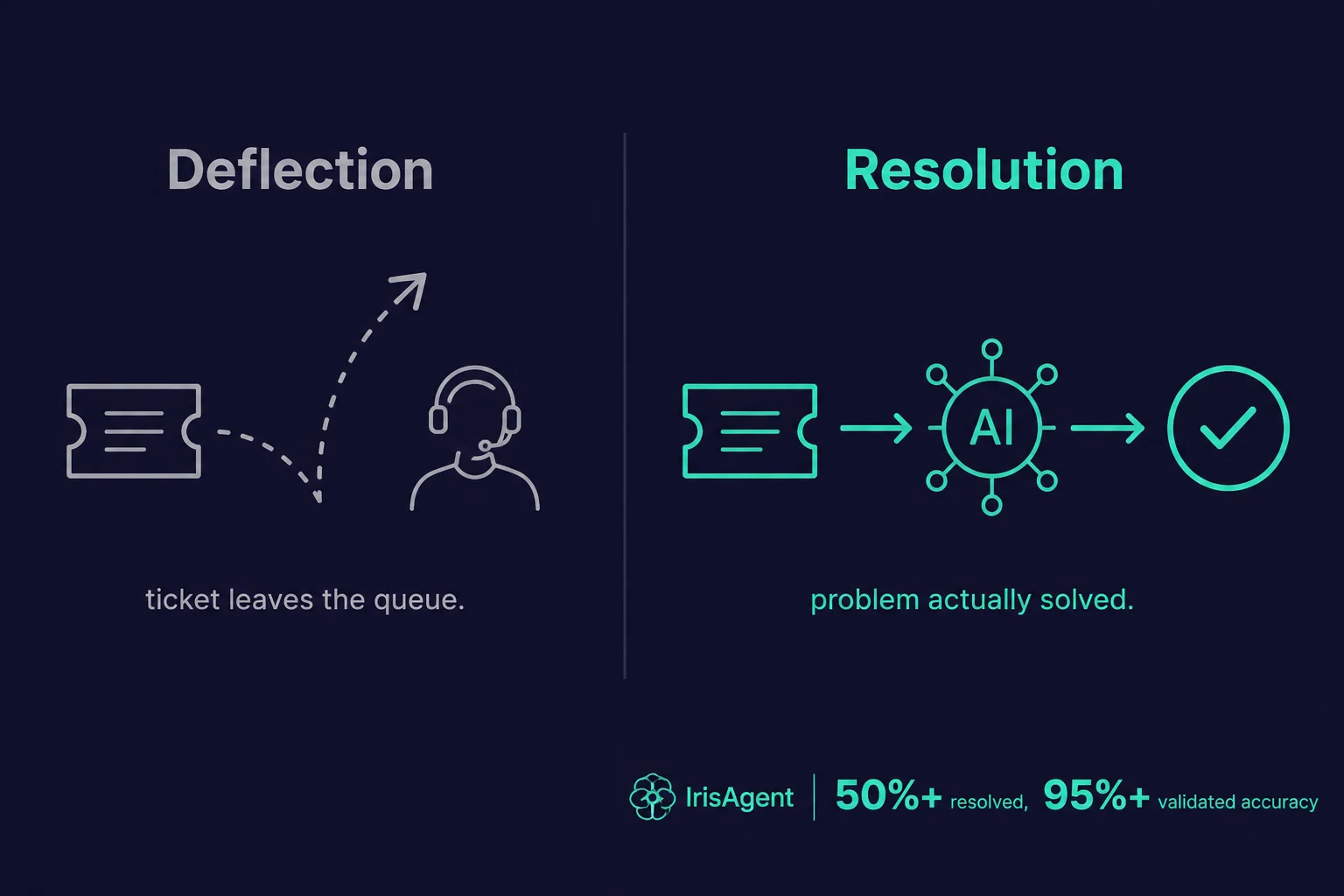
That connection is the whole difference. A standalone chatbot answers questions from a knowledge base. A chatbot CRM answers questions using the same record your human agents see, which means it can resolve account-specific issues (“where is my order,” “why was I charged twice,” “upgrade my plan”) instead of just deflecting them to a person. The term covers any AI chatbot CRM integration, whether the CRM is Salesforce, HubSpot, Zendesk, or another platform, and whether the bot lives on your website, in your app, or inside a messaging channel.
In this guide I will walk through how a CRM chatbot actually works, what data moves between the two systems, the use cases that justify the integration, and how IrisAgent approaches it.
Why connect an AI chatbot to your CRM
For most support teams the chatbot and the CRM already exist as two separate tools. The bot handles deflection on the website. The CRM is the system of record where agents work tickets and track customers. Leaving them disconnected is the most common reason chatbots underperform, and connecting them is the single biggest lever on resolution rate.
Here is why the integration matters so much:
Context beats scripts. A disconnected bot can only answer generic questions. The moment a customer asks something account-specific, it has to escalate. A chatbot CRM pulls the customer's live record and answers the specific question, so a far larger share of conversations end without a human.
The CRM stays the source of truth. When the bot logs every conversation, tags the issue, and updates ticket status back in the CRM, your reporting stays accurate and your agents pick up exactly where the bot left off. No copy-paste, no lost context on handoff.
Personalization without extra work. Because the bot already knows the customer's tier, history, and sentiment, it can prioritize, route, and tone-match automatically. A frustrated enterprise customer and a curious free-trial user get different handling, with no rules written by hand.
One feedback loop, not two. CRM data tells you which issues drive the most tickets. Feeding that back into the bot's knowledge and configuration is how it keeps improving instead of going stale.
The cost of skipping the integration is quiet but real: a bot that looks busy, deflects a lot of traffic, and still leaves customers frustrated because it could never actually see their account.
How a CRM chatbot works
A capable AI chatbot CRM integration runs through four stages on every conversation.
Identify. The bot resolves who it is talking to, by authenticated session, email, order number, or account lookup, and pulls the matching CRM record. This is the step that turns an anonymous visitor into a known customer.
Read context. It loads the relevant fields: subscription or plan, recent orders, open and past tickets, entitlements, and prior conversation history. Good systems read this in real time at conversation start, not from a stale nightly sync, so the bot never acts on outdated data.
Resolve. Grounded in both the CRM record and your knowledge base, the bot answers the question or takes the action: checks an order status, processes a return, updates a field, or walks the customer through a fix. When it cannot resolve safely, it escalates with the full context attached.
Write back. The bot logs the transcript, tags the intent, sets ticket status, and records the outcome in the CRM. The record stays current whether the bot resolved the issue or handed it off.
The write-back stage is the one teams underestimate. A bot that reads but never writes still leaves your CRM half-blind. A true chatbot CRM closes the loop in both directions.
What data flows between a chatbot and a CRM
The value of the integration comes down to which fields move, and in which direction. Here is the typical exchange.
Direction | Data | What it enables |
|---|---|---|
CRM to chatbot | Customer identity, plan or tier, entitlements | Account-specific answers and access control |
CRM to chatbot | Order and purchase history | Order status, returns, billing questions |
CRM to chatbot | Open and past tickets, conversation history | Continuity, no “please repeat your issue” |
CRM to chatbot | Customer sentiment and priority | Smart routing and tone matching |
Chatbot to CRM | Full transcript and resolution outcome | Accurate reporting and clean handoffs |
Chatbot to CRM | Intent tags and issue category | Trend detection and analytics |
Chatbot to CRM | Updated ticket status and fields | The CRM stays the source of truth |
The principle is simple: the CRM gives the bot the context to answer well, and the bot gives the CRM a complete, structured record of what happened. Read-only integrations capture half the value. The strongest CRM chatbot setups are bidirectional.
Chatbot CRM use cases
Connecting the two systems unlocks resolutions a standalone bot simply cannot reach.
Order and shipping status. The bot reads the order record and answers “where is my package” instantly, instead of routing it to a queue.
Billing and subscription questions. With entitlements and plan data from the CRM, the bot explains a charge, processes an upgrade, or applies a credit within policy.
Account updates. Address changes, plan changes, and preference updates get written straight back to the CRM record.
Personalized troubleshooting. Because the bot sees the customer's product, version, and past tickets, it skips the generic steps and goes to the fix that fits their setup.
Smart escalation. When a human is needed, the bot hands off with the full record and a summary attached, so the agent never starts cold.
Proactive outreach. CRM signals (a failed payment, an at-risk renewal, a spike in tickets) can trigger the bot to reach out before the customer has to.
Each of these moves a conversation from “deflected” to “resolved,” which is the metric that actually correlates with cost savings and customer satisfaction.
Chatbot CRM vs a standalone chatbot
Dimension | Standalone chatbot | Chatbot CRM |
|---|---|---|
Customer knowledge | Anonymous, no history | Knows the customer's record and history |
Question types it can solve | Generic, knowledge-base only | Account-specific and transactional |
Personalization | Same answer for everyone | Tailored to plan, tier, and sentiment |
System of record | Bot logs live in a silo | Everything written back to the CRM |
Handoff to agents | Cold, customer repeats themselves | Warm, full context attached |
Reporting | Bot analytics only | Unified in the CRM |
The gap is not subtle. A standalone bot is a deflection tool. A chatbot CRM is a resolution engine.
How IrisAgent approaches the chatbot CRM
IrisAgent is built to sit on top of the CRM and helpdesk you already use rather than replace it. Its AI customer support agent connects to platforms like Salesforce, Zendesk, HubSpot, and more through native integrations, so the bot reads live customer context at the start of every conversation and writes the resolution, tags, and status back when it is done.
Because the AI chatbot is grounded in both the customer's CRM record and your knowledge base, it can resolve account-specific issues, not just answer FAQs, and it escalates with full context when a human is the right call. Every conversation is tagged and logged in the CRM automatically, which keeps your system of record clean and your reporting honest. The result is the closed loop a chatbot CRM is supposed to deliver: the bot uses your customer data to resolve issues, and it feeds structured data back so the whole system keeps getting smarter.
IrisAgent's Hallucination Removal Engine validates every answer against the CRM record and the knowledge base before it sends, which is why validated accuracy holds above 95% across enterprise deployments including Dropbox, Zuora, and Teachmint. A chatbot that reads the CRM but skips that validation step will still resolve “where is my order” correctly most of the time. It is the account-specific edge cases, a mid-cycle plan change, a partial refund already in progress, where an ungrounded bot guesses and a validated one checks the record first. That is the practical difference between a chatbot that is merely connected to a CRM and one that is safe to let resolve tickets unsupervised.
If you are weighing platforms, it helps to think in terms of how the bot connects, not just how it chats. A few related reads: best AI chatbots for Salesforce Service Cloud, top CRM platforms for AI routing integration, and the difference between an AI agent, a chatbot, and a copilot.
Frequently Asked Questions
What is a chatbot CRM?
A chatbot CRM is an AI support chatbot connected to your CRM so it can read a customer's context (plan, order history, open tickets, past conversations) before it answers and write the outcome back to the CRM afterward. The connection lets the bot resolve account-specific issues instead of just deflecting them.
Why connect a chatbot to your CRM?
Connecting the two gives the bot the live customer context it needs to answer account-specific questions, keeps the CRM as the single source of truth by writing every conversation back, and enables personalization and smart routing with no extra rules. It is the biggest lever on a chatbot's resolution rate.
What data flows between a chatbot and a CRM?
From the CRM to the chatbot: customer identity, plan or tier, entitlements, order history, open and past tickets, and sentiment. From the chatbot back to the CRM: the full transcript, the resolution outcome, intent tags, and updated ticket status. The strongest integrations are bidirectional.
Which CRMs can an AI chatbot integrate with?
A modern AI chatbot CRM integration supports common platforms like Salesforce, HubSpot, and Zendesk, typically through native connectors. IrisAgent connects to the CRM and helpdesk you already use so the bot reads and writes the same records your agents do.
Is a CRM chatbot different from a standalone chatbot?
Yes. A standalone chatbot answers generic, knowledge-base questions and logs to its own silo. A CRM chatbot knows the individual customer, resolves account-specific and transactional issues, personalizes its answers, and writes everything back to the CRM, so handoffs are warm and reporting stays unified.
Loading the form. Prefer email? Reach us at info@irisagent.comor call +1 617 249 3312.