
Support Automation ROI for SaaS Teams
Support automation ROI for SaaS is the measurable return a SaaS team gets from deploying AI to resolve support tickets automatically, calculated across three buckets: direct labor savings from deflected tickets, recovered revenue from faster resolution and lower churn, and capacity freed for higher-value work. The honest version of the formula is simple: take the tickets the AI resolves without a human, multiply by your fully loaded cost per ticket for the savings, then add the revenue you protect by resolving billing and churn-risk issues faster. For SaaS teams this matters because support is usually modeled as a pure cost center, which undersells automation by ignoring the revenue half. IrisAgent customers like Zuora and Dropbox use automation to both cut support cost and protect recurring revenue, which is where the real return lives.
That is the short version. The rest of this guide is the operator's version: the actual formula, the inputs that matter, the revenue lines most teams forget, and how to avoid fooling yourself with a vanity deflection number.
Key takeaways - Support automation ROI has two halves: cost saved (deflected tickets times cost per ticket) and revenue protected (faster billing resolution, recovered involuntary churn, higher retention). Most teams only count the first half. - The core inputs you need are monthly ticket volume, fully loaded cost per ticket, the share the AI resolves end to end, and your average revenue per account. - Deflection rate alone is a vanity metric. A resolved ticket only counts if the customer did not just reopen it or escalate. Measure true resolution, not deflection. - The biggest line in most SaaS ROI cases is not headcount savings, it is retained revenue: billing tickets resolved before a customer churns and involuntary churn recovered. - Track three numbers: cost per ticket, true automated-resolution rate, and the revenue tied to automated billing and retention workflows.
Why SaaS support automation is mis-modeled as pure cost savings
Walk into most SaaS budget reviews and support automation gets justified one way: we will deflect X percent of tickets, each ticket costs Y, so we save X times Y. That math is real, but it is the smaller half of the return, and leading with it frames support as a cost to be minimized rather than revenue to be protected.
The reason this undersells automation is structural. In a SaaS business, support sits directly on top of recurring revenue. A billing ticket that drags on for two days is not just a labor cost, it is a renewal at risk. An involuntary churn event the AI could have recovered is pure lost MRR. A frustrated onboarding user who never activated is acquisition spend wasted. None of those show up in a deflection-times-cost calculation, and all of them are larger than the labor line.
Research from Zendesk and others on cost per contact gives you the labor number. But the methodology that captures the full picture, like Forrester's Total Economic Impact approach, always pairs cost savings with revenue impact and risk reduction. For SaaS, the revenue impact is the headline.
The cost-of-doing-nothing math
Take a SaaS company doing 18,000 support tickets a month at a fully loaded cost of roughly nine dollars per ticket. That is about $162,000 a month in direct support labor. If automation resolves 40 percent of tickets end to end, the labor savings alone is about $65,000 a month. Real, but only the start.
Now add the revenue half. If even a small share of those tickets were billing or renewal questions that, resolved instantly instead of after a two-day wait, kept accounts from churning, and if the AI recovers a slice of involuntary churn that would otherwise have silently lapsed, the protected revenue often exceeds the labor savings. That is the number that changes how the CFO sees the project.
The support automation ROI formula for SaaS
Here is the model worth presenting, built in two parts.
Part 1: cost saved
Cost saved per month equals monthly ticket volume, times the share the AI truly resolves, times your fully loaded cost per ticket. Fully loaded means agent salary plus tooling, overhead, and management, not just hourly wage. Use your real number, not a vendor's.
Part 2: revenue protected
Revenue protected has three common lines for SaaS:
Faster billing and renewal resolution. Billing tickets resolved in under a minute instead of over days keep at-risk renewals from slipping. The mechanics are covered in the subscription billing automation guide.
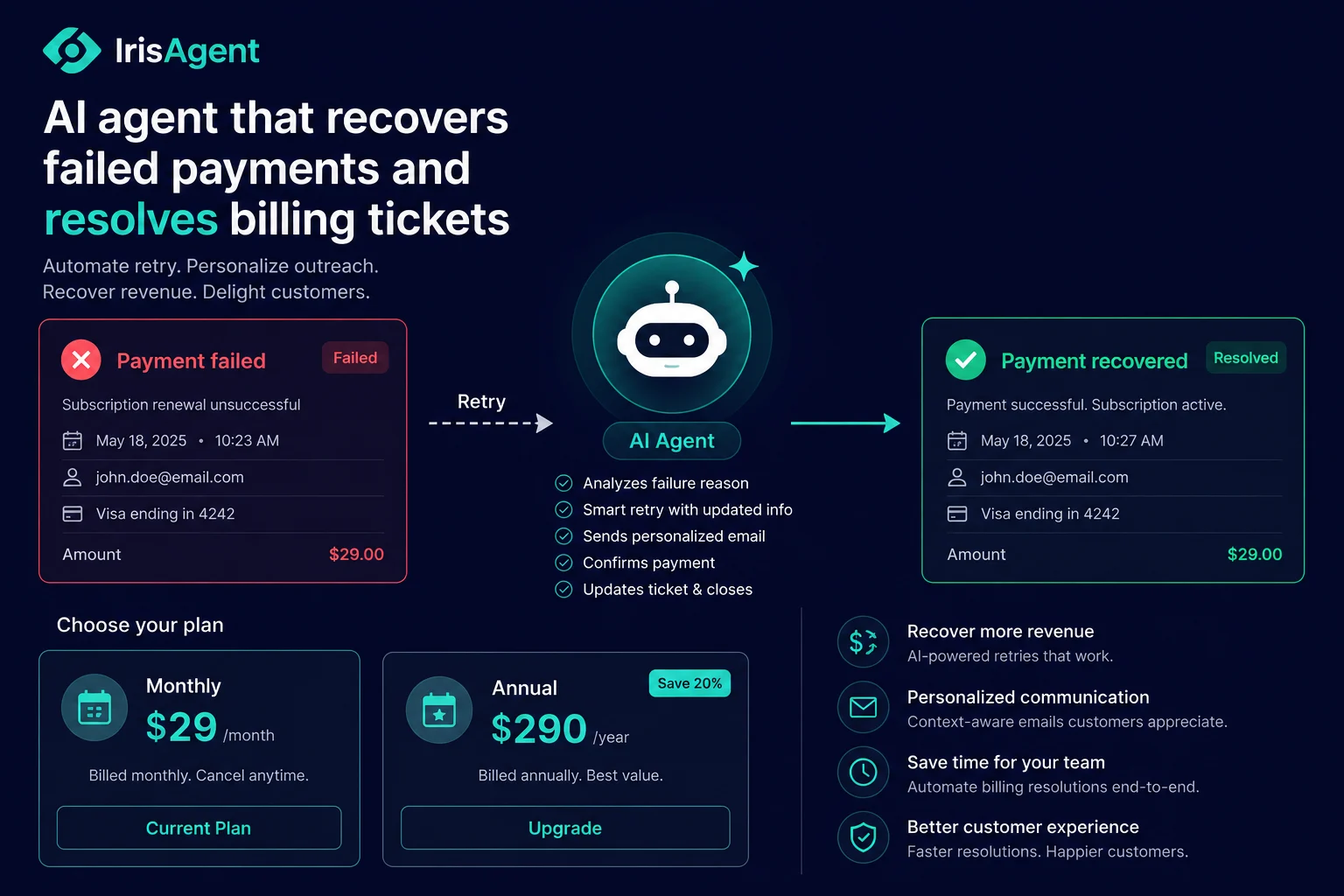
Recovered involuntary churn. When a card fails, an AI that proactively fixes the payment method recovers MRR that would otherwise vanish. This is frequently the single largest line.
Retention from faster, better support. Catching at-risk accounts early, through workflows like detecting at-risk customers, protects renewals that a slow queue would have lost.
Total ROI is cost saved plus revenue protected, against the cost of the platform. The ROI calculator lets you plug in your own volume, cost per ticket, and account value to model both halves.
The deflection-rate trap, and what to measure instead
The most common way SaaS teams fool themselves on automation ROI is counting deflection instead of resolution. A bot that "handles" a ticket but leaves the customer unsatisfied has not saved anything. The customer reopens it, escalates it, or churns, and you have added cost, not removed it.
Measure true automated-resolution rate: the share of tickets the AI closed where the customer did not reopen or escalate within a set window. That is the number that belongs in the ROI model. A grounded, agentic system that actually resolves issues, the kind described on the agent assist and AI for customer support pages, earns a real resolution rate. A surface-level FAQ bot earns a deflection number that evaporates on contact with reality.
What to measure
Three numbers tell you whether your support automation is actually returning what the model promised.
Cost per ticket: your fully loaded number, tracked over time. As automation absorbs routine volume, your blended cost per ticket should fall even as your team handles more complex work.
True automated-resolution rate: the share of tickets the AI resolved without a human and without a reopen or escalation. This is the input that makes or breaks the cost-saved half of the model.
Revenue tied to automated workflows: the renewals protected and the involuntary churn recovered through automated billing and retention flows. This is the revenue half, and for most SaaS teams it is the bigger half.
How ROI compounds across the SaaS support stack
The return on support automation is not a one-time deflection saving, it compounds. The same agentic AI that resolves an onboarding question also resolves the billing ticket, recovers the failed renewal, and flags the at-risk account, all from the same knowledge and integrations. Each workflow you automate adds to both halves of the model, and they reinforce each other: faster onboarding lifts activation, which raises retention, which compounds with the involuntary churn you recover later.
Teams like Zuora and Dropbox, running support at scale on top of recurring and usage-based revenue, treat automation as a revenue-protection investment, not just a cost cut. The strategic view of how this scales across the SaaS support journey lives on the AI customer support for SaaS hub. Model your own numbers with the ROI calculator and present both halves, because the revenue half is usually what wins the budget.
Frequently Asked Questions
How do you calculate the ROI of support automation for a SaaS team?
Calculate it in two parts. Cost saved equals monthly ticket volume times the share the AI truly resolves times your fully loaded cost per ticket. Revenue protected adds faster billing and renewal resolution, recovered involuntary churn, and retention gains. Total ROI is both halves against the platform cost, and for SaaS the revenue half is usually larger.
What is a realistic deflection or resolution rate for SaaS support automation?
A grounded, agentic system commonly resolves a large share of routine tickets end to end, but the number that matters is true resolution, not deflection. Measure the share of tickets closed where the customer did not reopen or escalate, since a deflection that bounces back saves nothing.
Why is revenue protection part of support automation ROI?
Because in SaaS, support sits on top of recurring revenue. Billing tickets resolved instantly keep renewals from slipping, recovered involuntary churn protects MRR, and faster support lifts retention. These revenue lines are often bigger than the labor savings, so leaving them out understates the real return.
What inputs do I need to model support automation ROI?
You need monthly ticket volume, your fully loaded cost per ticket, the share the AI resolves end to end, and your average revenue per account. With those four inputs you can model both the cost-saved and revenue-protected halves, which is what the ROI calculator does.
Loading the form. Prefer email? Reach us at info@irisagent.com or call +1 617 249 3312.