
What Are AI Evals? A Plain-English Guide With Examples
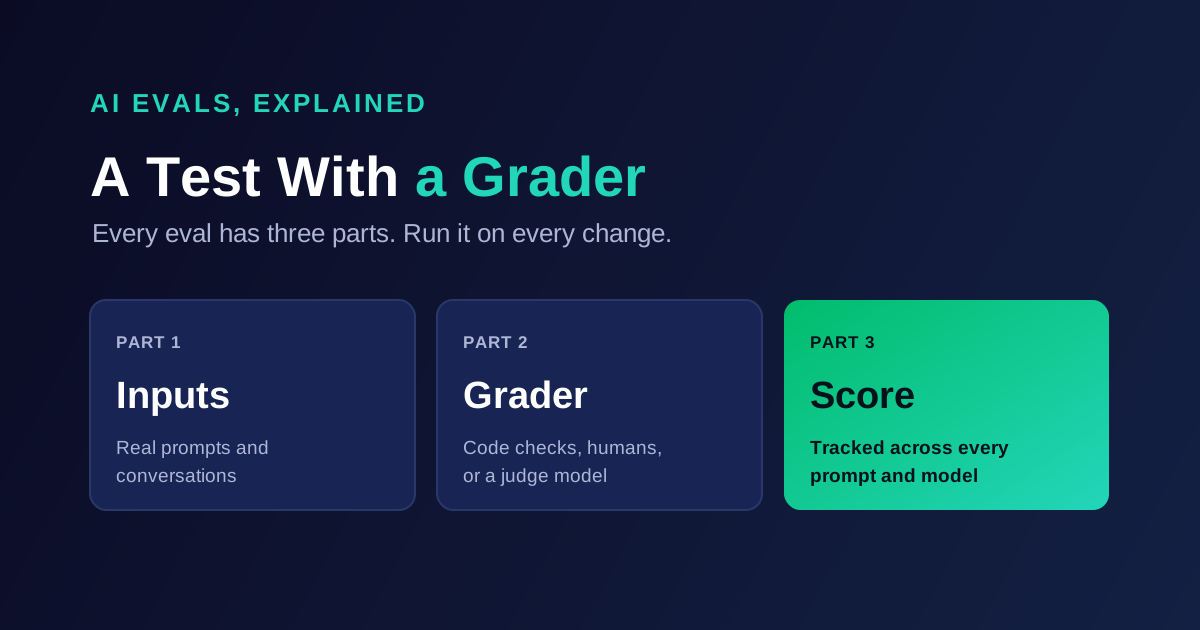
AI evals are repeatable tests of an AI system's output. Each eval has three parts: a set of inputs, a way to grade every output, and a score you track over time. They tell you whether a prompt change, model upgrade, or new workflow made your product better or worse.
Here is why one score is never enough. On IrisAgent's Support Model Arena, Gemini 3 Flash answered 98.8% of answerable support tickets correctly. On tickets it should have declined, it held back only 70% of the time. A single accuracy eval would have ranked it near the top. A second eval caught the fabrications.
If you lead a product or engineering team, you keep hearing the word "evals" in planning meetings. This guide explains what they are, how they differ from the tests your team already writes, and what they look like for real AI workflows.
Key Takeaways
An eval is a test with a grader. Inputs, a way to grade each output, and a score you compare across versions.
AI outputs vary, so exact matching rarely works. Most evals need a rubric, a judge model, or both.
There are three kinds of grader: code-based checks, human review, and LLM-as-a-judge. Strong eval suites use all three.
Run evals offline before a change and on production traffic after it. Each catches failures the other misses.
Score each failure mode separately. A model can top one eval and fail the next, as the Arena data shows.
What Is an AI Eval?
An AI eval is a fixed procedure for measuring how well an AI system does a specific job. You run the same inputs through the system, grade each output the same way, and record the result. Then you change something and run it again. If the score drops, you caught a regression before your customers did.
People use "evals" for both the test and the practice. When someone says "we need better evals," they usually mean they cannot tell whether last week's prompt edit helped. LLM evals are the same idea applied to large language model apps, which is where most teams meet the term today.
Every eval has the same three parts:
Part | What it is | Support example |
|---|---|---|
Inputs | The prompts or conversations you test on | 200 real customer tickets, redacted |
Grader | The rule or judge that decides pass or fail | "Answer matches the cited help article and invents no policy" |
Score | The number you track across versions | 94% pass rate on version 12, 91% on version 13 |
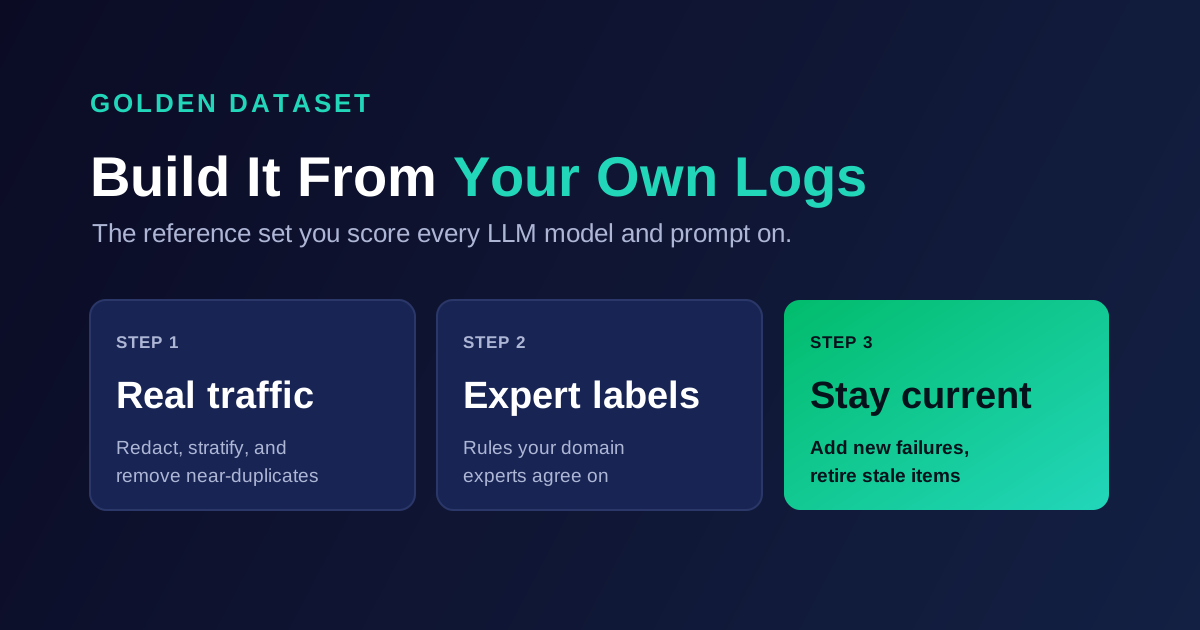
The inputs usually live in a golden dataset, the reference set you score every version against. We cover how to build that set in our guide to building a golden dataset from production logs, so this post focuses on the other two parts.
How Evals Differ From Unit Tests
Evals borrow the idea of automated testing from software, but the grading works differently. A unit test checks that a function returns an exact value. Run it a thousand times and you get the same answer. An LLM can phrase a correct answer a hundred ways, and it can phrase a wrong answer persuasively.
Unit test | AI eval | |
|---|---|---|
Output | Deterministic | Varies between runs |
Pass rule | Exact match or assertion | Rubric, judge model, or check on structure |
Result | Pass or fail | A pass rate or score across many inputs |
Target | 100% pass | A threshold your team sets per workflow |
When it runs | Every code change | Every prompt, model, or data change, and on live traffic |
So a single example rarely tells you much. Evals work on volume: hundreds of inputs, each graded, rolled into a rate. Hamel Husain, an ML engineer who has written widely on the topic, makes the same point in his practical guide to evals: start with cheap assertion-style tests and move to model and human review as the product matures.
Some checks still look like unit tests. "Is the output valid JSON?" has one right answer. Most evals that matter, though, ask questions like "is this answer correct and grounded?", which need a rubric.
The Three Types of AI Evals
The type of an eval mostly comes down to who, or what, does the grading.
Grader type | How it works | Strengths | Limits | Best for |
|---|---|---|---|---|
Code-based checks | A script checks the output: exact match, regex, JSON schema, a tool call's arguments | Fast, cheap, perfectly consistent | Cannot judge meaning or tone | Formats, labels, tool calls, required fields |
Human review | Domain experts read outputs and grade them against a rubric | Highest quality, catches subtle errors | Slow, costly, reviewers disagree | Calibration, edge cases, new workflows |
LLM-as-a-judge | A separate model grades each output against a rubric and explains why | Scales to every output, handles open-ended text | Has its own biases, needs calibration | Answers, summaries, replies, conversations |
OpenAI's evaluation best practices describe the same three groups. They also warn that judge models can favor longer answers or the answer shown first, and they recommend pass or fail verdicts and side-by-side comparisons over open-ended scoring. Anthropic's guide to building evals adds that many automatically graded items beat a few hand-graded ones, and that a judge should be a different model from the one it grades.
In practice, you combine them. Code checks catch the cheap failures, a judge model grades meaning at scale, and humans grade a sample to keep the judge honest. For a support-specific version of that layering, see our guide on how to test AI customer service agents.
Want to see evals on your own calls? Get a free AutoEval sample report by sending 10 to 20 example calls. We grade them against default rules and yours, then replay them on leading models, with price.
Offline Evals vs. Evals on Production Traffic
Evals run in two places, and they answer different questions.
Offline evals | Evals on production traffic | |
|---|---|---|
Inputs | A fixed set, the same every run | Live calls as they happen |
Question answered | "Is version B better than version A?" | "Is quality holding up right now?" |
When it runs | Before a prompt, model, or data change ships | Continuously, after launch |
Grader | Labels, rubrics, judge model | Mostly judge model and code checks, since live calls have no labels |
Catches | Regressions from your own changes | Drift, new question types, upstream model changes |
Offline evals are your release gate. Because every candidate runs on identical inputs, the comparison is fair. Evals on production traffic are your smoke alarm. They grade real outputs against rules, so you learn about a broken workflow the day it breaks.
You need both. An offline set can't show you a question type that started last Tuesday. Production grading can't compare two models fairly, because each live call only ran on one of them. Feed failures from production back into your offline set, and the two loops improve each other.
AI Eval Examples Across Four Workflows
The three-part structure stays the same across use cases. What changes is the grader. The examples below are illustrative, not drawn from a specific customer.
Example 1: Grounded Answers
A support assistant answers questions from a help center.
Part | Example |
|---|---|
Input | "Can I get a refund if I cancel my annual plan in month three?" |
Grader | Judge model with the retrieved article: is the answer correct, complete, and supported by the article? |
Must-decline twin | "Do you price-match competitors?" when no policy exists. Pass means the assistant declines or hands off. |
Score | Answer accuracy and hallucination resistance, reported separately |
The twin matters. Without must-decline inputs, a model that guesses confidently scores the same as one that knows when to stop.
Example 2: Classification and Routing
A model tags incoming tickets with one of 40 categories.
Part | Example |
|---|---|
Input | A ticket body and the tag catalog |
Grader | Code-based exact match against the label a senior agent chose |
Score | Accuracy per tag, plus a list of which tags get confused with each other |
This is the closest an eval gets to a unit test. No judge needed.
Example 3: Agents and Tool Use
An agent looks up an order and issues a refund when policy allows it.
Part | Example |
|---|---|
Input | "My order 48213 arrived broken. Can you refund it?" |
Grader | Code checks on the trace: right tool, right order ID, refund amount within policy. Judge model on the final reply. |
Score | Task completion, wrong-tool rate, and steps taken |
Grade the actions, not only the words. A polite reply means nothing if the agent refunded the wrong order.
Example 4: Voice and Multilingual Conversations
A voice agent serves customers who switch between Hindi and English mid-sentence.
Part | Example |
|---|---|
Input | One agent turn from a transcript, with the conversation before it |
Grader | Judge model with a rule: "reply in the language or mix of languages the user used" |
Score | Turn accuracy, language fidelity, and response time |
Public benchmarks rarely test code-switching like this, which is exactly why teams with multilingual users need their own evals.
What the Support Model Arena Shows About Evals
IrisAgent runs a public eval of its own: the Support Model Arena, which scores leading LLMs on real support work. It splits the job into five evals: answer accuracy, hallucination resistance, cited sources, intent routing, and ticket tagging. The board below reflects the run dated October 15, 2026.
Model | Answer accuracy | Hallucination resistance | Overall | Output price per 1M tokens |
|---|---|---|---|---|
Gemini 3 Flash | 98.8% | 70% | 86.9 | $3 |
GLM 5.3 Flash | 97.6% | 100% | 94.4 | $0.50 |
Claude Fable 5 | 100% | 95% | 94.4 | $50 |
Two lessons for any eval program come out of this table.
First, one eval hides failure modes. Gemini 3 Flash nearly aced the answerable tickets but made up an answer on almost a third of the tickets it should have declined. A team that only measured accuracy would ship it.
Second, evals change cost decisions. GLM 5.3 Flash tied Claude Fable 5 on the overall score at one hundredth of the output price. Only an eval on your own work can tell you whether a cheaper model clears your bar.
Scores move as the suites are re-run, so read the shape of the board rather than any single percentage.
How to Write Your First AI Eval This Week
You do not need a platform to start. You need one workflow, a spreadsheet, and a few hours with the person who knows what a good answer looks like.
Pick one workflow and one decision. For example: "Can we switch the ticket tagger to a cheaper model?" A clear decision tells you what to measure.
Pull 50 to 100 real inputs. Take them from recent logs, redact personal data, and include a few known failures. Our golden dataset guide covers sampling and sizing in depth.
Write down what "good" means. Two to five plain-English rules per workflow, such as "cites the help article it used" or "never promises a refund amount."
Choose the grader for each rule. Use a code check wherever a rule has one right answer, and a judge model for the rest.
Grade 30 outputs by hand first. Then run the judge on the same 30. Where it disagrees with you, rewrite the rubric until it agrees.
Record a baseline. Score your current production prompt and model, and save the result with the date and dataset version.
Run the eval on every change. Every prompt edit and model candidate runs on the same set, and nothing ships below the baseline without a reason.
Add every new production failure. When a customer reports a bad answer, it becomes a test case so the bug can't return silently.
Use binary pass or fail verdicts to start. They are faster to label, easier to agree on, and easier to read than a 1 to 10 scale.
Common Mistakes With AI Evals
Most eval programs stall for the same few reasons:
Writing the set once. A set written for the pilot stops matching production within months. Plan to add items every week.
Trusting an uncalibrated judge. If no human has checked the judge's verdicts, its score is a guess with a decimal point.
Reporting one blended number. An average hides the slice that broke. Report by workflow, language, and failure mode.
Testing only the happy path. Include must-decline inputs, adversarial prompts, and the long, messy tickets real customers send.
Choosing models from public leaderboards. Benchmarks are useful for a shortlist, but they don't know your policies, formats, or languages.
Where AutoEval Fits
Disclosure: IrisAgent makes AutoEval, so weigh this section accordingly.
There are several good ways to run evals. Open-source frameworks such as DeepEval, Ragas, and promptfoo suit engineers who want code-first tests in CI. Observability platforms such as Braintrust, LangSmith, Langfuse, and Arize trace production calls and give your team tools to build datasets and scorers. If your team wants to own that process, those are often the better fit.
AutoEval is for teams that want evals on their own traffic without building and maintaining the eval set. It generates a golden eval set from your LLM call logs and keeps it current as traffic changes. A judge model grades every output for correctness on a 0 to 5 scale, with an explanation, plus pass or fail on custom rules you write in plain English. You can then replay the set on any model, including your own fine-tuned ones, with cost and latency next to every score. It runs on a copy of your logs, never on your request path, and it recommends whether to ship or hold a model without switching anything on its own.
Next Steps
AI evals turn "this feels better" into a number your team can defend. To recap:
An eval is inputs, a grader, and a score you track across versions.
Use code checks where there is one right answer, a calibrated judge for the rest, and humans to keep the judge honest.
Run evals offline as a release gate and on production traffic as an alarm.
Score each failure mode on its own, because one blended number hides what broke.
This week, pick your highest-volume AI workflow, pull 50 real inputs, and write three rules with the person who knows what a good answer looks like. You will learn more from grading those 50 outputs by hand than from any leaderboard.
Rather not build the eval set yourself? Send 20 example calls for a free AutoEval sample report. We grade them against default rules and yours, then replay them on leading models, with price.
Frequently Asked Questions
What does "evals" mean in AI?
"Evals" is short for evaluations: repeatable tests that measure how well an AI system produces the output you want. Each eval combines a set of inputs, a grading method, and a score you track over time. Teams use evals to decide whether a prompt change, model upgrade, or new feature made the product better or worse. The term is most common with large language model apps, where outputs vary and simple exact-match tests usually fall short.
What is the difference between AI evals and benchmarks?
A benchmark is a public, shared test that ranks models on generic tasks, such as math or coding. An eval tests your own application on your own inputs, rules, and languages. Benchmarks help you build a shortlist of models to try. Evals tell you which of those models actually works for your users. A model can lead a public leaderboard and still fail your refund policy, so treat benchmark results as a starting point, not a decision.
What are LLM evals?
LLM evals are AI evals applied to apps built on large language models. They grade model outputs such as answers, summaries, classifications, and agent actions against defined criteria. Common graders include code checks for structure, human review for nuance, and LLM-as-a-judge for scale. Because the same prompt can produce different outputs, LLM evals usually report a pass rate across many inputs rather than a single pass or fail result.
How many examples do you need for an AI eval?
Start with 50 to 100 real examples for one workflow. That is enough to spot large regressions and to calibrate a judge model against human grades. To detect smaller differences between models, you need more: at 90% accuracy, 100 items gives a margin of about 6 points, and 1,000 items brings it to about 2. Size the set to the smallest score gap that would change your decision.
What is LLM-as-a-judge?
LLM-as-a-judge means using one language model to grade another model's output against a rubric. It suits open-ended outputs with no single right answer, such as support replies or summaries. The judge returns a verdict and an explanation, which makes failures easy to review. Judges have biases, such as favoring longer answers, so check their verdicts against human grades on a sample before you trust them, and use a different model from the one being graded.
Who should write AI evals?
Domain experts should define what "good" means, and engineers should automate the grading. In customer support, that means senior agents or QA leads writing the rules and labeling a sample, while engineers set up the code checks and judge model. Evals written only by engineers tend to test format and miss policy errors. Evals written only by experts tend to stay in a spreadsheet and never run on each change.
How often should you run AI evals?
Run offline evals on every prompt change, model candidate, and knowledge base update, before anything ships. Run evals on production traffic continuously, so drift shows up the day it starts. Refresh the eval set itself at least monthly by adding new production failures and retiring items that no longer match your product. A model provider can also change behavior without notice, so a scheduled weekly run is a sensible floor.
Loading the form. Prefer email? Reach us at info@irisagent.com or call +1 617 249 3312.