
Best Zendesk Alternatives in 2026: 8 Helpdesks Compared
Last updated: October 2026
The best Zendesk alternative depends on why you are leaving. If the bill keeps climbing as AI resolutions and add-ons stack up, an AI-first helpdesk such as the IrisAgent Helpdesk gives you every channel in one inbox at a flat seat price, with an AI agent doing the first pass on every conversation. If you want the lowest cost per agent, look at Freshdesk or Zoho Desk. Chat-first SaaS teams lean toward Intercom, HubSpot users toward Service Hub, Shopify stores toward Gorgias, and small email-first teams toward Help Scout. And if Zendesk itself works fine and the real problem is ticket volume, you may not need to switch at all.
Why Teams Look for Zendesk Alternatives
Zendesk is a capable, mature helpdesk, and for many multi-team support organizations it is still the right system of record. The reasons teams start shopping are usually the same few:
The bill is bigger than the seat price. Suite plans include a limited allotment of automated AI resolutions. Usage beyond it, advanced AI, and workforce management are billed separately, so cost rises with every ticket the AI closes.
Admin overhead. Years of triggers, macros, views, and fields pile up, and small teams end up needing a part-time admin just to keep routing working.
AI that suggests more than it resolves. Teams want an AI agent that actually finishes routine requests across every channel and hands off cleanly, not just reply suggestions.
Channel gaps. WhatsApp, SMS, and phone often mean extra add-ons or third-party apps before they land in the same queue as email and chat.
There are two ways to fix these problems: replace Zendesk with a different helpdesk, or keep it and add an AI layer on top. This guide covers both.
Zendesk Alternatives at a Glance
Prices are list prices on annual billing from vendor pricing pages or widely reported figures as of October 2026. Helpdesk pricing changes often and is negotiable at volume, so confirm current pricing with each vendor.
Tool | Best for | Starting list price |
|---|---|---|
IrisAgent Helpdesk | AI-first support across chat, WhatsApp, email, phone, and SMS in one inbox | $35/agent/month (12-month term); AI features priced separately |
Freshdesk | Growing teams that want automation at a low seat price | Growth about $19/agent/month |
Intercom | Chat-first SaaS and digital businesses | Essential about $29/seat/month plus $0.99 per Fin resolution |
Zoho Desk | Budget-conscious teams and Zoho users | Free for 3 agents; Standard about $14/agent/month |
HubSpot Service Hub | Teams already on HubSpot CRM | Professional about $90/seat/month |
Gorgias | Shopify and DTC brands | Pro about $300/month for 2,000 tickets |
Help Scout | Small, email-first teams | Free for 5 users; Standard about $25/user/month |
Salesforce Service Cloud | Enterprises that run sales and service on Salesforce | Enterprise about $175/user/month |
The 8 Best Zendesk Alternatives in 2026
1. IrisAgent Helpdesk: the AI-first helpdesk for every channel
Best for: support teams that want a modern helpdesk where an AI agent resolves the repetitive volume and humans handle the rest, without a heavyweight rollout.
The IrisAgent Helpdesk puts live chat, WhatsApp, email (Gmail or Microsoft Outlook, including shared mailboxes), phone, and two-way SMS into one inbox. The AI agent answers first on every channel, grounded in your knowledge base, past tickets, and procedures, so it answers from what you have actually documented instead of guessing. When a customer asks for a person, or a question falls outside your knowledge, sentiment turns negative, or a conversation matches a rule you marked for human review, the AI hands off with the full transcript and captured details. Agents can take over a live chat in one click, and the AI steps back on that thread.
It is still a full helpdesk: statuses, owners, and priorities on every conversation, triggers and assignment rules, tags and custom fields, private notes, sentiment and aging alerts, CSAT surveys, AI-drafted replies with sources, AutoQA that scores every AI and human conversation, and topic analytics that flag new and trending issues. IrisAgent is SOC 2 Type II compliant, and your data is never used to train shared models.
Pricing: $35 per agent per month on a 12-month term, or $45 month-to-month, covering ticketing across email, chat, WhatsApp, and phone plus CSAT, triggers, and analytics. AI features such as the AI agent, voice AI, and agent assist are priced separately. Phone carrier and WhatsApp messaging fees are passed through at cost with no markup.
Where it is not the right fit: if you depend on a large third-party app marketplace or years of deeply customized enterprise workflows, staying on Zendesk or Salesforce and adding IrisAgent's AI on top may be the better move (see the keep-Zendesk option below).
2. Freshdesk: automation for growing teams at a low seat price
Freshdesk covers ticketing, a knowledge base, SLAs, canned responses, and automation rules, with skills-based routing and CSAT on higher tiers. Freddy AI adds an agent copilot and a self-service AI agent. Growth is about $19, Pro about $55, and Enterprise about $89 per agent per month; Freddy Copilot is about $29 per agent extra and the Freddy AI Agent is billed by session. Watch for: the features most Zendesk switchers need start at Pro, and chat and phone sit in separate Omni plans. See IrisAgent vs Freshdesk.
3. Intercom: chat-first support with the Fin AI agent
Intercom pairs a messenger, shared inbox, help center, and proactive messaging, built around conversations rather than email tickets. Seats run about $29, $85, and $132 per month across Essential, Advanced, and Expert, and Fin is billed at $0.99 per resolution. Watch for: at 2,000 automated resolutions a month, Fin alone is about $1,980 before seats, and email-heavy or phone-heavy teams may find the messenger-first model a poor fit. See IrisAgent vs Intercom.
4. Zoho Desk: the best value per agent
Zoho Desk offers departments, SLAs, blueprints for step-by-step processes, a help center, and reporting at a price well below the market leaders, with Zia AI for sentiment and reply suggestions. It is free for three agents, then about $14, $23, and $40 per agent per month. Watch for: telephony needs a separate Zoho Voice subscription, and it is strongest inside the Zoho ecosystem.
5. HubSpot Service Hub: support on the same CRM as sales
Service Hub adds a help desk, knowledge base, customer portal, and workflows to HubSpot's CRM, so agents see the same contact and deal records as sales. Professional is about $90 per seat per month, and most features Zendesk teams rely on (SLAs, routing, playbooks) start there. If you do not use HubSpot CRM elsewhere, a dedicated helpdesk is usually better value.
6. Gorgias: the ecommerce helpdesk for Shopify stores
Gorgias pulls Shopify order data into every ticket so agents can refund or edit orders in place. It charges by ticket volume rather than seats: Pro is about $300 per month for 2,000 tickets, with AI resolutions costing roughly $0.90 to $1.00 each on top. Watch for: costs climb fast in peak season, and B2B or SaaS teams will find little of its value applies. See IrisAgent vs Gorgias.
7. Help Scout: a simple shared inbox for small teams
Help Scout feels like email, with shared mailboxes, saved replies, a knowledge base, and a chat Beacon. It is free for up to five users, then about $25, $45, and $75 per user per month, with AI Answers at about $0.75 per resolution. Watch for: teams that need complex routing, multiple brands, or phone support usually outgrow it.
8. Salesforce Service Cloud: service on the same platform as sales
Service Cloud is the most customizable option, with Flow, omnichannel routing, entitlements, and Agentforce for AI agents. Enterprise is about $175 per user per month, and Agentforce is priced separately. Watch for: total cost runs well above the license once you add implementation and admin time. It is a lateral move from Zendesk in complexity, not a simplification.
What a Zendesk Alternative Costs for a 20-Agent Team
Estimated monthly cost on annual billing, before taxes, implementation, and negotiated discounts:
Tool and plan | Pricing model | Estimated monthly cost |
|---|---|---|
Zoho Desk Professional | Per agent | About $460 |
IrisAgent Helpdesk | Per agent, all channels included; AI features separate | About $700 plus AI usage |
Help Scout Plus | Per user | About $900 |
Zendesk Suite Team | Per agent, plus AI resolutions over the allotment | About $1,100 plus AI usage |
Freshdesk Pro (plus Freddy Copilot) | Per agent, plus AI add-on | About $1,100, or about $1,680 with Copilot |
HubSpot Service Hub Professional | Per seat | About $1,800 |
Intercom Advanced plus 2,000 Fin resolutions | Per seat plus per resolution | About $1,700 plus about $1,980 for Fin |
Salesforce Service Cloud Enterprise | Per user | About $3,500 before implementation |
The cheapest seat is not the cheapest system. AI fees, channel add-ons, and admin time usually matter more than the license, so model all three at the volume you expect a year from now.
The Other Option: Keep Zendesk and Add AI
If your team is happy with Zendesk's ticketing and the real problem is volume, handle time, or AI that does not finish the job, migrating may cost more than it saves. IrisAgent also runs as an AI layer inside Zendesk: it resolves conversations up front, grounded in your knowledge, and creates tickets with full context in Zendesk for everything it hands off. Your macros, triggers, and reports stay where they are. Compare the two approaches in IrisAgent vs Zendesk AI and Keep Your Helpdesk, Add IrisAgent.
How to Migrate Off Zendesk Without Losing Context
Inventory what you actually use: active triggers, macros, views, ticket fields, groups, SLAs, and help center articles. Retire anything unused before you move it.
Export your history: tickets, users, organizations, and articles, and confirm how each vendor imports them.
Turn macros into knowledge: the best macros and help center articles become the grounded sources your AI agent answers from. Fix gaps and outdated policies first.
Rebuild routing simply: start with a few assignment rules by channel, topic, and language rather than copying years of triggers.
Decide the handoff rules: which conversations always go to a person, and who owns them.
Run in parallel: move one channel or one team first, measure resolution quality and CSAT against your Zendesk baseline, then cut over.
Which Zendesk Alternative Fits Your Team
You want AI to resolve the repetitive volume on every channel at a flat seat price: IrisAgent Helpdesk.
You want the lowest cost per agent: Zoho Desk or Freshdesk.
Most support happens in your product's chat: Intercom.
Sales and marketing already live in HubSpot: HubSpot Service Hub.
You run a Shopify store: Gorgias.
You are a small team supporting customers by email: Help Scout.
Zendesk works and you just need AI that finishes the job: keep Zendesk and add IrisAgent.
Whichever you choose, judge it on a short pilot with your own tickets: read the AI's answers, not just its deflection count, check every handoff, and price your real volume in writing.
Learn More
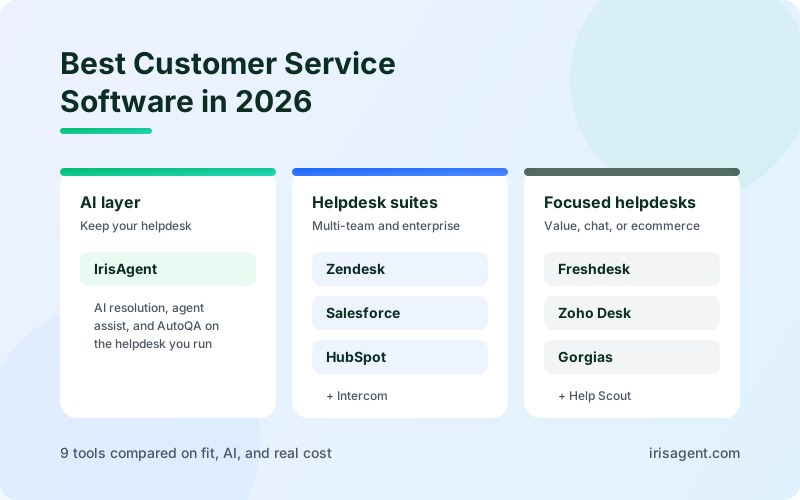
See the IrisAgent AI Helpdesk with pricing, or compare more tools in Best Customer Service Software in 2026 and Best AI Customer Service Software. Already on Zendesk? Start with IrisAgent for Zendesk.
Frequently Asked Questions
What is the best Zendesk alternative in 2026?
It depends on why you are leaving. For AI-first support across chat, WhatsApp, email, phone, and SMS at a flat seat price, the IrisAgent Helpdesk is $35 per agent per month on a 12-month term. For the lowest cost per agent, Zoho Desk and Freshdesk lead. Intercom fits chat-first SaaS teams, HubSpot Service Hub fits teams on HubSpot CRM, Gorgias fits Shopify stores, and Help Scout fits small email-first teams.
Why do teams switch away from Zendesk?
The most common reasons are a bill that grows beyond the seat price as AI resolutions and add-ons stack up, admin overhead from years of triggers and macros, AI that suggests replies more than it resolves requests, and extra add-ons needed before channels like WhatsApp, SMS, and phone land in the same queue.
Do I have to leave Zendesk to get better AI?
No. IrisAgent can run as an AI layer inside Zendesk. It resolves conversations up front, grounded in your knowledge base, and creates tickets with full context in Zendesk for everything it hands off, so your macros, triggers, and reports stay where they are.
How do I migrate off Zendesk?
Inventory the triggers, macros, fields, and articles you actually use, export ticket and article history, turn your best macros and articles into the knowledge your AI agent answers from, rebuild routing with a few simple rules, decide which conversations always go to a person, and run the new helpdesk in parallel on one channel or team before cutting over.
Loading the form. Prefer email? Reach us at info@irisagent.com or call +1 617 249 3312.