
Best Customer Service Software in 2026: 9 Tools Compared
Last updated: October 2026
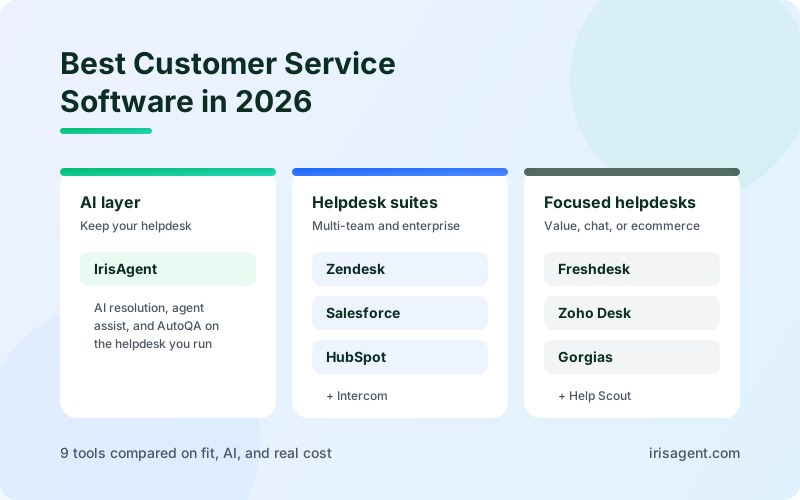
The best customer service software in 2026 depends on whether you need a new helpdesk or a better way to run the one you already have. For an AI-first helpdesk, the IrisAgent Helpdesk puts live chat, WhatsApp, email, phone, and SMS in one inbox at $35 per agent per month, with an AI agent answering first on every channel. Among traditional helpdesks, Zendesk and Salesforce Service Cloud lead at mid-market and enterprise scale, Freshdesk and Zoho Desk offer the most value per agent, Intercom fits chat-first teams, HubSpot Service Hub fits teams already on HubSpot CRM, Gorgias fits Shopify stores, and Help Scout fits small teams that want a simple shared inbox. If your helpdesk works and the problem is volume, handle time, or quality, IrisAgent also adds AI resolution, agent assist, and automated QA on top of it without a migration.
Customer service management software is the system your team uses to receive, track, route, and resolve customer requests across email, chat, phone, and social channels. Most products in the category now bundle AI, so the useful differences are narrower than the feature lists suggest: how the tool fits your team's size and channels, what the AI can actually finish on its own, and how the bill grows as you add agents and automation. This guide compares nine tools on those points.
Two kinds of customer service software
Before comparing vendors, separate the two categories. Mixing them up is the most common reason a shortlist goes wrong.
Helpdesks (ticketing systems). The IrisAgent Helpdesk, Zendesk, Salesforce Service Cloud, Freshdesk, Intercom, HubSpot Service Hub, Zoho Desk, Gorgias, and Help Scout are the system of record. They hold your tickets, customer history, routing rules, macros, knowledge base, and reports. Choosing one means moving your team and your data into it.
AI layers. IrisAgent can also run on top of the helpdesk you already have. It resolves routine requests, assists agents on the tickets that need a person, and scores the quality of every conversation, without replacing your ticketing system.
If you are starting from email inboxes and spreadsheets, or your current helpdesk cannot handle your channels or reporting, you are buying a helpdesk. If your helpdesk is fine and your team is drowning in repetitive tickets, start with an AI layer. Many teams end up with one of each. For a deeper look at how the two fit together, see Keep your helpdesk, add IrisAgent.
How we evaluated the tools
We compared each tool on six factors that separate a good demo from a good rollout:
Fit for team size and structure. Does it work for one queue, or for several teams that need their own workflows but shared reporting?
Channel coverage. Email, chat, phone, social, and messaging, and whether each channel lands in the same ticket view.
Routing and automation. Rules, skills-based routing, SLAs, and macros that remove repeat work.
AI that finishes work. Whether the built-in AI only suggests replies, or can resolve a request and hand off cleanly when it cannot.
Reporting and quality. Whether managers can see trends and review conversation quality without sampling by hand.
Pricing model. Per agent, per ticket, or per AI resolution, and how predictable that is at your volume.
Prices below are list prices on annual billing, taken from vendor pricing pages where available and widely reported figures where not. Helpdesk pricing changes often and is negotiable at volume, so treat every number as a starting point and confirm it with the vendor.
Customer service software comparison at a glance
Tool | Type | Best for | Starting list price |
|---|---|---|---|
IrisAgent Helpdesk | AI-first helpdesk | One inbox for chat, WhatsApp, email, phone, and SMS, with an AI agent answering first | $35/agent/month (12-month term); AI features priced separately |
IrisAgent (AI layer) | AI layer | Adding AI resolution, agent assist, and AutoQA to your current helpdesk | Free plan; Standard from $500/month |
Zendesk | Helpdesk | Multi-team support that needs one taxonomy and one reporting layer | Suite Team about $55/agent/month |
Salesforce Service Cloud | Helpdesk and CRM | Enterprises that run sales and service on Salesforce | Enterprise about $175/user/month |
Freshdesk | Helpdesk | Growing teams that want automation at a low seat price | Growth about $19/agent/month |
Intercom | Helpdesk and messenger | Chat-first SaaS and digital businesses | Essential about $29/seat/month plus $0.99 per Fin resolution |
HubSpot Service Hub | Helpdesk on HubSpot CRM | Teams already using HubSpot for marketing and sales | Professional about $90/seat/month |
Zoho Desk | Helpdesk | Budget-conscious teams and Zoho users | Free for 3 agents; Standard about $14/agent/month |
Gorgias | Ecommerce helpdesk | Shopify and DTC brands | From $10/month for 50 tickets; Pro about $300/month for 2,000 tickets |
Help Scout | Shared inbox | Small teams that want simple email support | Free for 5 users; Standard about $25/user/month |
The 9 best customer service software tools in 2026
1. IrisAgent: an AI-first helpdesk, or AI on top of the helpdesk you already use
Best for: support teams that want AI to resolve routine requests, either in IrisAgent's own helpdesk or inside the one they already run.
The IrisAgent Helpdesk is a full helpdesk with AI built in. Live chat, WhatsApp, email (Gmail or Microsoft Outlook, including shared mailboxes), phone, and two-way SMS land in one inbox. The AI agent answers first on every channel, grounded in your knowledge base, past tickets, and procedures, and escalates under rules you control: when a customer asks for a person, the question falls outside your knowledge, sentiment turns negative, or a conversation matches a procedure marked for human review. Every handoff carries the full transcript, and agents can take over a live chat in one click while the AI steps back.
Your team gets the helpdesk tools they expect: statuses, owners, and priorities, triggers and assignment rules, tags and custom fields, private notes, sentiment and aging alerts, CSAT surveys, and AI-drafted replies with sources. AutoQA scores every AI and human conversation, and topic analytics flag new and trending issues. IrisAgent is SOC 2 Type II compliant.
Already on another helpdesk? IrisAgent also works as an AI layer on the helpdesk you already run, including Zendesk, Salesforce, Intercom, HubSpot, Gorgias, and Freshworks. Its AI agent resolves routine requests across chat, email, voice, and SMS, grounded in your knowledge base, past tickets, and SOPs. When it is not confident, it hands the conversation to a person with the context attached, so the customer does not start over.
The part most helpdesk AI misses is policy. With Smart Operating Procedures, a support lead writes a rule in plain English (for example, when a refund is allowed and what to check first) and the AI follows it as a workflow: it checks the policy, takes the allowed action through connected systems, confirms with the customer, and escalates anything outside the rule.
For the tickets that still need a person, IrisAgent runs agent assist, automatic tagging, and routing inside the helpdesk. AutoQA scores every AI and human conversation against your own rubric, so managers review all of the work instead of a small sample. AutoKB drafts knowledge base articles from resolved tickets to close content gaps.
Pricing: the IrisAgent Helpdesk is $35 per agent per month on a 12-month term, or $45 month-to-month, covering ticketing across email, live chat, WhatsApp, and phone plus CSAT, triggers, and analytics. AI features such as the AI agent, voice AI, and agent assist are priced separately, and phone carrier and WhatsApp messaging fees pass through at cost. As an AI layer on your existing helpdesk, the Free plan includes the IrisGPT chatbot, AI Search, CRM connectors, and automated tagging. Standard starts at $500 per month and adds voice AI, agent assist, Support Analyst, AutoQA, routing, and Smart Operating Procedures. Pricing is flexible, with usage-based or resolution-based options. See IrisAgent pricing.
Where it is not a fit: if your team depends on a large third-party app marketplace or years of heavily customized enterprise workflows, keep that helpdesk and run IrisAgent as the AI layer on top of it instead of migrating.
2. Zendesk: flexible helpdesk for multi-team support
Best for: mid-market and enterprise teams where several support groups need one ticket taxonomy and one reporting layer.
Zendesk is the default helpdesk for a reason. It handles email, chat, messaging, voice, and social in one agent workspace, with triggers, automations, SLAs, macros, a help center, and a large app marketplace. Its strength is structure: billing, technical support, and account teams can each run their own queues while reporting through the same fields and groups. Zendesk AI adds intelligent triage, agent copilot features, and AI agents for automated resolution.
Pricing: Suite Team is about $55 per agent per month and Suite Professional about $115 on annual billing. Plans include an allotment of automated AI resolutions, with usage beyond it billed separately, and advanced AI and workforce management are add-ons.
Watch for: the seat price is rarely the whole bill. Model the AI resolution meter and add-ons at your real volume. Before migrating, map your current ticket fields, groups, and reports, and test whether one structure works for every team without making simple requests harder to route. If you already run Zendesk and mainly want stronger AI, compare its native AI with an overlay; see IrisAgent vs Zendesk AI.
3. Salesforce Service Cloud: service on the same platform as sales
Best for: enterprises that already run sales on Salesforce and need deep case management, entitlements, and custom workflows.
Service Cloud puts support on the same customer record as sales, so agents see account, opportunity, and contract data next to every case. It is the most customizable tool on this list, with Flow for multi-step processes, omnichannel routing, entitlements and service contracts, field service, and Agentforce for AI agents.
Pricing: Enterprise is about $175 per user per month on annual billing, the lowest tier that most service teams find workable. Agentforce and other AI capabilities are priced separately.
Watch for: total cost runs well above the license once you include implementation, admin time, and add-ons. Service Cloud rewards teams with a Salesforce admin or partner; smaller teams often find it heavy. Teams that want AI resolution without a large Agentforce build can add IrisAgent to Salesforce.
4. Freshdesk: automation for growing teams at a low seat price
Best for: small and midsize teams that want solid ticketing and automation rules without enterprise pricing.
Freshdesk by Freshworks covers ticketing, a knowledge base, SLAs, canned responses, and automation rules that route and update tickets without agent effort. Higher tiers add round-robin and skills-based routing, CSAT surveys, custom roles, and sandboxes. Freddy AI adds a copilot for agents and an AI agent for self-service.
Pricing: Growth is about $19, Pro about $55, and Enterprise about $89 per agent per month on annual billing. Freddy AI Copilot is an add-on at about $29 per agent per month, and the Freddy AI Agent is billed by session.
Watch for: the features most growing teams need (advanced routing, CSAT) start at Pro, and chat and phone sit in the separate Omni plans. Keep your first automation rules narrow: pick repeat requests with clear owners and test what happens when a ticket lands with missing details. See IrisAgent vs Freshdesk for how an AI layer compares with Freddy.
5. Intercom: chat-first support with the Fin AI agent
Best for: SaaS and digital businesses where most support happens in the in-app messenger.
Intercom combines a messenger, shared inbox, help center, and proactive messaging, built around conversations rather than email tickets. Its Fin AI agent answers questions from your help content and can run multi-step procedures, and it can also be deployed on top of other helpdesks.
Pricing: Essential is about $29, Advanced about $85, and Expert about $132 per seat per month on annual billing. Fin is billed separately at $0.99 per resolution.
Watch for: per-resolution pricing means the bill rises with every ticket Fin closes. At 2,000 automated resolutions a month, Fin alone is about $1,980 a month before seats. Email-heavy and phone-heavy teams may find the messenger-first model a poor fit. See IrisAgent vs Intercom and our Fin alternatives guide.
6. HubSpot Service Hub: support on the same CRM as marketing and sales
Best for: teams that already use HubSpot for marketing or sales and want service data in the same place.
Service Hub adds a help desk, knowledge base, customer portal, feedback surveys, and drag-and-drop workflows to HubSpot's CRM. The value is shared context: agents see the same contact, company, and deal records as sales and marketing, and service data feeds the same reports. Breeze, HubSpot's AI, adds a customer agent and agent-side assistance.
Pricing: Starter runs roughly $9 to $20 per seat per month depending on billing and promotions, Professional is about $90 per seat per month on annual billing, and Enterprise about $150 per seat with a seat minimum. AI agent usage is billed separately.
Watch for: the jump from Starter to Professional is steep, and most service features teams expect (SLAs, routing, playbooks) sit in Professional. If you do not use HubSpot CRM elsewhere, a dedicated helpdesk is usually better value. Teams on HubSpot can also add IrisAgent to HubSpot for AI resolution and QA.
7. Zoho Desk: the best value per agent
Best for: budget-conscious teams, IT and services teams with structured workflows, and companies already using Zoho apps.
Zoho Desk offers departments, tags, priorities, SLA triggers, escalation of delayed tickets, blueprints for step-by-step processes, a help center, and reporting, at a price well below the market leaders. It integrates tightly with Zoho CRM and the rest of the Zoho suite, and its Zia AI handles sentiment, field predictions, and reply suggestions.
Pricing: free for up to three agents; Standard is about $14, Professional about $23, and Enterprise about $40 per agent per month on annual billing.
Watch for: telephony needs a separate Zoho Voice subscription, and the interface and integrations are strongest inside the Zoho ecosystem. During a trial, run one real cross-team handoff (for example, a customer issue that needs review by a technical group) from arrival to closure and check that ownership stays clear at every step.
8. Gorgias: the ecommerce helpdesk for Shopify stores
Best for: Shopify and DTC brands where most tickets are about orders, shipping, and returns.
Gorgias pulls order data from Shopify and other ecommerce platforms into the ticket, so agents can see, refund, or edit an order without leaving the conversation. It centralizes email, chat, SMS, voice, and social comments, and its AI agent handles common order questions.
Pricing: Gorgias charges by ticket volume, not seats. Starter is $10 per month for 50 tickets, Pro is about $300 per month on annual billing for 2,000 tickets, and Advanced about $750 for 5,000 tickets, with overage of roughly $0.36 to $0.40 per ticket. AI agent resolutions cost extra, at roughly $0.90 to $1.00 each, and still count toward the ticket limit.
Watch for: costs climb quickly in peak season, when both ticket overage and AI fees rise together. Gorgias is built for ecommerce; B2B and SaaS teams will find little of its value applies. See IrisAgent vs Gorgias.
9. Help Scout: a simple shared inbox for small teams
Best for: small teams that support customers mainly by email and want something agents can learn in an afternoon.
Help Scout feels like email rather than a ticketing system, with shared mailboxes, saved replies, collision detection, a knowledge base (Docs), and a live chat Beacon. It keeps the customer conversation personal, with fewer fields and workflows to manage.
Pricing: free for up to five users; Standard is about $25, Plus about $45, and Pro about $75 per user per month. AI Answers is an add-on at about $0.75 per resolution.
Watch for: Help Scout has changed its pricing model several times, so confirm the current plan. Teams that need complex routing, multiple brands with separate workflows, or phone support usually outgrow it.
What customer service software costs for a 20-agent team
List prices hide the real comparison, because pricing models differ. Here is an estimated monthly cost for a 20-agent team on annual billing, before taxes, implementation, and negotiated discounts.
Tool | Plan used | Pricing model | Estimated monthly cost |
|---|---|---|---|
Zoho Desk | Professional | Per agent | About $460 |
IrisAgent Helpdesk | 20 agents, 12-month term | Per agent, all channels included; AI features separate | About $700 plus AI usage |
Help Scout | Plus | Per user | About $900 |
Zendesk | Suite Team | Per agent, plus AI resolutions over the included allotment | About $1,100 plus AI usage |
Freshdesk | Pro, plus Freddy Copilot | Per agent, plus AI add-on | About $1,100, or about $1,680 with Copilot |
HubSpot Service Hub | Professional | Per seat | About $1,800 |
Intercom | Advanced, plus 2,000 Fin resolutions | Per seat plus per resolution | About $1,700 plus about $1,980 for Fin |
Zendesk | Suite Professional | Per agent | About $2,300 plus AI usage |
Salesforce Service Cloud | Enterprise | Per user | About $3,500 before implementation |
Gorgias | Advanced (5,000 tickets) | Per ticket, unlimited seats | About $750 plus AI fees and overage |
IrisAgent AI layer (on your current helpdesk) | Standard | Platform plan, usage or resolution based | From $500, scaled by volume |
Two takeaways. First, the cheapest seat price is not the cheapest system: AI fees, add-ons, and admin time often matter more than the license. Second, adding AI to a helpdesk you already pay for can cost less than migrating to a new helpdesk to get its AI, and avoids the switching cost entirely.
How to choose customer service management software
Start with the work you need the software to do. A ticketing system, a messenger, and an AI layer overlap, but they are not interchangeable.
Team size and ownership. One queue, or several teams that need separate workflows with shared reporting?
Channels. List where customers contact you today and where you expect them to in a year. Confirm each channel lands in the same ticket view.
Your CRM. If sales runs on Salesforce or HubSpot, the native service product starts with an advantage on shared data.
Automation. Separate three things: simple rules, AI reply suggestions for agents, and AI that resolves the request. They solve different problems and are often priced differently.
Knowledge. Decide who keeps help articles and internal SOPs accurate. Every AI feature depends on them.
Reporting and quality. Decide which ticket metrics and conversation reviews managers need, and whether you need to score every conversation or only a sample.
Total cost. Model seats, AI usage, add-ons, and admin time at your volume a year from now, not today.
Have a shortlist? Choose one real workflow and compare answer quality, source citations, and the handoff to a human before committing to a platform. Book an IrisAgent demo to review how AI resolution and agent assistance fit the helpdesk your team already uses.
How to run a two-week trial
Demos are built to look good. A short, structured trial tells you more.
Set a baseline. Record ticket volume by type, first response time, average handle time, and CSAT for the last 30 days.
Pick three real workflows. Choose one simple, high-volume request (such as order status or password reset), one request that needs a handoff between teams, and one that needs a policy decision (such as a refund).
Run the same cases through each finalist. Use the same rules and the same success measures, so the decision reflects your operations rather than the demo script.
Check the handoffs. When a ticket moves between channels, teams, or from AI to a person, can the next agent pick it up without asking the customer to repeat anything?
Inspect the AI's work. Read the answers, not just the deflection count. A wrong answer that closes a ticket is worse than an escalation.
Price your real volume. Ask each vendor for a written quote at your expected seat count and AI usage.
Which customer service software fits your team
You want one AI-first inbox for every channel at a flat seat price: the IrisAgent Helpdesk.
Your helpdesk works but your team is overloaded: add an AI layer. IrisAgent resolves routine requests, assists agents, and scores quality inside the helpdesk you already run.
Several support teams need shared structure and reporting: Zendesk.
Sales already runs on Salesforce and you need deep customization: Salesforce Service Cloud.
You want strong automation at a low seat price: Freshdesk or Zoho Desk.
Most support happens in your product's chat: Intercom.
Marketing and sales already live in HubSpot: HubSpot Service Hub.
You run a Shopify store: Gorgias.
You are a small team supporting customers by email: Help Scout.
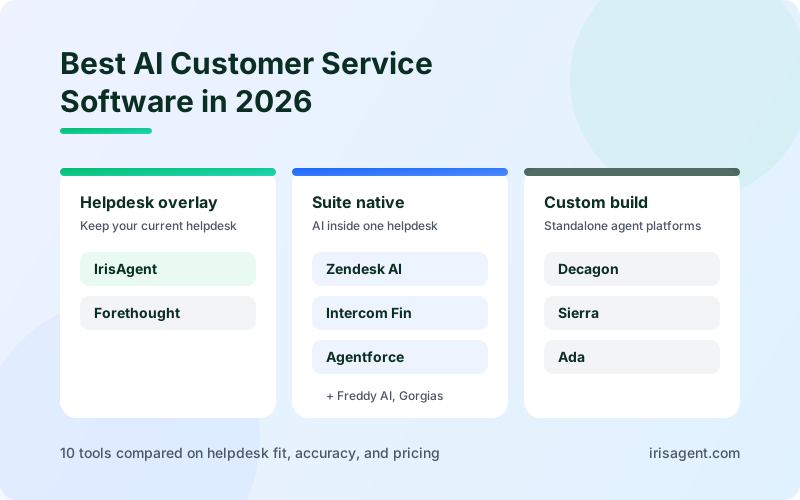
For AI-first options specifically, see our comparison of the best AI customer service software. For helpdesks compared on channel coverage, see the best multichannel helpdesk and live chat platforms, and if you want to self-host, the best open source ticketing systems.
Start with one workflow
Pick the tool that fits your support workflow first, then confirm it works with the systems your agents already use. Whatever you choose, judge it on resolved tickets and clean handoffs, not on feature count.
Choosing a new helpdesk? See the IrisAgent AI Helpdesk, with pricing and channels. If your helpdesk is already in place, IrisAgent adds AI resolution, agent assist, and AutoQA without a migration, and has a free plan to start. Try IrisAgent free or book a demo to see it on your own tickets.
Frequently Asked Questions
What is customer service management software?
Customer service management software is the system a support team uses to receive, track, route, and resolve customer requests across channels such as email, chat, phone, and social media. Most tools combine ticketing, automation rules, a knowledge base, and reporting, and many now include AI that suggests replies or resolves routine requests.
What is the best customer service software in 2026?
It depends on your team. Zendesk and Salesforce Service Cloud lead for multi-team and enterprise support, Freshdesk and Zoho Desk offer the best value per agent, Intercom fits chat-first businesses, HubSpot Service Hub fits HubSpot CRM users, Gorgias fits Shopify stores, and Help Scout fits small email-first teams. To add AI resolution and QA to the helpdesk you already use, IrisAgent is the strongest fit.
What is the best customer support software for a small team?
For a small team, the best customer support software is usually the one with a low per-agent price and fast setup. Freshdesk and Zoho Desk offer strong value per agent, Help Scout suits email-first teams that want a simple shared inbox, and Gorgias fits Shopify stores. If you already have a helpdesk and want AI to answer routine questions, IrisAgent has a Free plan that adds grounded AI answers without switching tools.
How much does customer service software cost?
Helpdesk pricing ranges from free plans for very small teams to about $175 per user per month for enterprise tiers, with most mid-market plans between $25 and $115 per agent per month on annual billing. AI features often cost extra, either per agent or per resolution. IrisAgent has a Free plan, and Standard starts at $500 per month with usage-based or resolution-based options.
What is the difference between a helpdesk and an AI support platform?
A helpdesk is the system of record that organizes customer requests as tickets and gives agents a place to manage them. An AI support platform such as IrisAgent works on top of the helpdesk to resolve routine requests automatically, assist agents on complex ones, and score conversation quality. Many teams use both.
Do I need to switch helpdesks to use AI for customer service?
No. AI layers such as IrisAgent connect to existing helpdesks including Zendesk, Salesforce, Intercom, HubSpot, Gorgias, and Freshworks. Switching helpdesks only makes sense if your current one cannot support your channels, workflows, or reporting.
What features should customer service software have?
Look for ticketing across all your channels, routing and SLA rules, macros or saved replies, a knowledge base, reporting, and integrations with your CRM and order or billing systems. If you are evaluating AI, check whether it only drafts replies or can resolve requests, how it follows your policies, and how it hands off to a person when it is unsure.
Loading the form. Prefer email? Reach us at info@irisagent.com or call +1 617 249 3312.