Automate Discount Code
& Promo Support
"My code won't work" and "can I still get the sale price?" flood your queue every promo period. IrisAgent's AI agent checks the code against your rules, explains exactly why it failed, and applies the valid discount or price adjustment in seconds, consistently, every time.
By the IrisAgent team · Last updated May 31, 2026
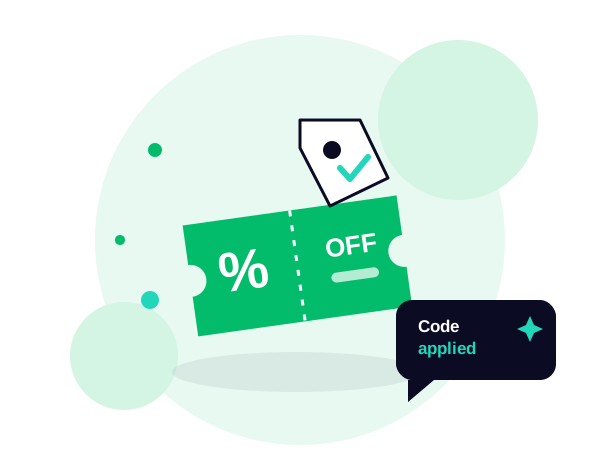
Automating discount and promo support means an AI agent resolves code and pricing tickets end to end: it checks a code's validity and eligibility against your promo rules, explains in plain language why it failed, and applies a valid discount or price-match adjustment per policy, in seconds, across every channel. Only exceptions escalate, giving every customer the same correct answer instead of agent-by-agent guesswork.




Why promo periods bury your support queue
Every sale, launch, or email blast generates a predictable wave of discount tickets: codes that won't apply, expired promos, stacking questions, and "I saw a lower price yesterday" requests. The answers are entirely rules-based, but they pile up exactly when traffic and volume peak.
On a manual queue, an agent has to look up the code, check eligibility (minimum spend, eligible items, expiry, one-per-customer), and decide whether to apply it or comp a price adjustment. It's slow, and it's inconsistent: one agent honors a request, the next declines it, and the contradictory answers erode trust and invite escalations.
Static checkout error messages ("invalid code") don't explain why, so the customer files a ticket to find out, and the queue grows.
How IrisAgent resolves discount and promo tickets
Connect your helpdesk and commerce or promo engine
IrisAgent installs in your helpdesk and connects to your commerce platform and promotion rules so it can read live code validity, eligibility, and cart contents.
Identify the code and the customer's cart or order
The AI matches the request to the specific code and the customer's cart or recent order, so it's reasoning about the real situation, not a generic policy.
Check validity and eligibility against your rules
It applies your promo logic, expiry, minimum spend, eligible products, stacking, and per-customer limits, to determine exactly why a code did or didn't work.
Explain clearly or apply the adjustment
If the code is invalid, IrisAgent explains the precise reason and the path to a valid one. If the request is legitimate, it applies the discount or price-match adjustment per your policy and confirms it.
Escalate the exceptions
Out-of-policy comps, suspected abuse, bulk or wholesale requests, and anything outside your rules route to a human with full context, while standard cases resolve automatically.
The outcome
What it looks like in practice
During a flash sale, a customer messages: "The code SAVE20 isn't working at checkout, what gives?"
IrisAgent checks the code and the cart, sees the order is $5 below the $75 minimum, and replies: "SAVE20 needs a $75 subtotal and you're at $70. Add one more eligible item, or here's a code with no minimum for 15% off, your call." The customer self-resolves, no agent involved.
Another customer asks for a price adjustment because an item dropped 10% a day after they bought it, which is within your 7-day price-match window. IrisAgent confirms eligibility, issues the adjustment automatically, and tells the customer it's done.
operations
Any questions?
We got you.