
AI for IT Help Desk: How to Automate Internal Employee Support
Last updated: September 2026
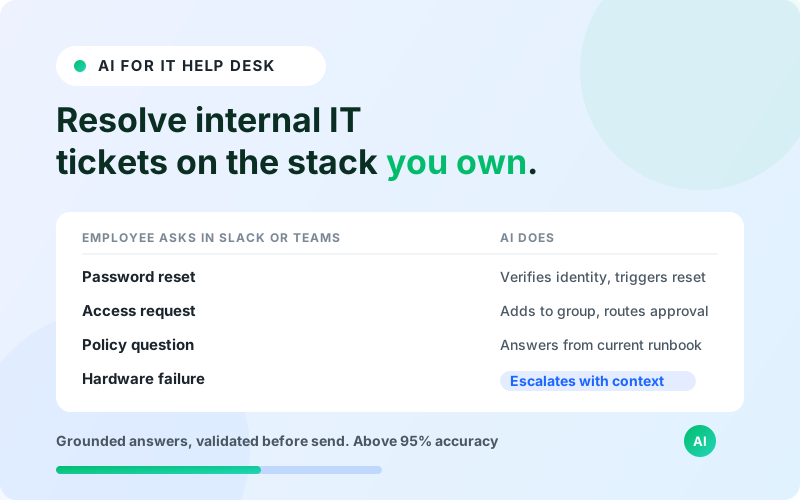
AI for IT help desk is software that resolves internal employee tech tickets end to end: it reads the employee's question in Slack, Teams, or a service desk portal, grounds an answer in your IT knowledge base and past tickets, takes the action when it can (a password reset, a group add, a license grant), and routes the rest to the right engineer with full context. IrisAgent runs this on the help desk you already own, with validated accuracy above 95% through its Hallucination Removal Engine and a first resolved ticket the same day it goes live.
Most internal IT teams are measured on backlog, mean time to resolution, and employee satisfaction while headcount stays flat. The ticket mix makes that hard: a large share of volume is repetitive access and account work that still lands in a human queue. This guide covers what AI for IT help desk actually resolves, how it differs from a customer-facing support bot, how to evaluate a tool against an authority score of 25, where ITSM-native vendors genuinely win, and how IrisAgent fits an internal IT and employee support motion.
What Is AI for IT Help Desk?
AI for IT help desk is an AI agent layer that handles employee-facing IT and service desk requests. It sits on top of your existing tools (ServiceNow, Jira Service Management, Zendesk, Freshservice, or a shared inbox) rather than replacing them. The employee asks a question in natural language, and the AI does one of three things: answers from grounded knowledge, completes a permitted action through an integration, or escalates to a human with a summary and its best guess attached.
The word that matters is grounded. Retrieval-augmented generation (RAG) means the AI pulls answers from your specific runbooks, policies, and ticket history at query time instead of generating them from a language model's training data. Ungrounded models hallucinate on 15% to 30% of responses, which for an IT help desk means a confidently wrong answer about VPN config or an offboarding step. Grounding that in your own sources is what brings the error rate under 5%.
Internal IT is a natural fit for this pattern because the questions repeat, the answers live in documents you control, and many resolutions are a single API call. The blocker has never been the language model. It has been connecting the model to a reliable source of truth and a safe set of actions.
What Internal IT Tickets AI Can Actually Resolve
Not every IT ticket is automatable. The ones that are share three traits: the answer is documented, the action is reversible or low-risk, and the request is high-frequency. These categories cover most of that volume.
Password and account resets. The single highest-frequency internal IT ticket. The AI verifies identity through your IdP, triggers the reset, and confirms, with no queue time.
Access and license requests. Adding an employee to a group, granting a SaaS license, or requesting elevated access with an approval step routed to the manager automatically.
Provisioning and onboarding steps. Walking a new hire through first-day setup, checking which accounts exist, and filing the tickets for the ones that do not.
Device and software questions. VPN setup, MDM enrollment, "how do I install X," printer mapping, and the long tail of "where is the setting for Y."
Policy and entitlement questions. What the travel, expense, or data-handling policy says, pulled from the current version rather than a stale wiki page.
Status and triage. Telling an employee where their open request stands, and classifying new tickets by category, urgency, and owner before a human opens them.
Knowledge gap detection. Flagging the questions employees ask that have no good documented answer, so the IT team knows what runbook to write next.
Everything else (hardware failures, security incidents, anything touching production infrastructure, one-off exceptions) should route to a human fast, with the context already gathered. A good AI help desk is judged as much on how cleanly it hands off as on how much it closes.
AI IT Help Desk vs Customer-Facing AI Support
The architecture is similar. The constraints are not. Teams that buy a customer support bot and point it at the employee base usually find the fit is rough in specific ways.
Dimension | Customer-facing AI support | AI for IT help desk |
|---|---|---|
Primary channel | Website chat, email, in-app | Slack, Microsoft Teams, service desk portal |
Identity | Often anonymous or email-only | Always authenticated through the corporate IdP |
Knowledge source | Public help center, product docs | Internal runbooks, policies, ticket history, config |
Common action | Order status, refund, plan change | Password reset, group membership, license grant |
Systems of record | CRM, billing, order management | ServiceNow, Jira Service Management, Entra ID, Okta |
Risk profile | Wrong answer is a support escalation | Wrong answer can be an access or security event |
Success metric | Deflection and CSAT | MTTR, backlog, and employee satisfaction (often a quarterly eNPS input) |
The identity point is the one that trips teams up. An internal AI agent should never take an action without knowing exactly who is asking and what they are entitled to. That requires a real integration with your identity provider, not a chat widget with a name field.
How to Evaluate an AI IT Help Desk Tool
Use these six criteria. They are ordered by how often they are the reason a deployment stalls.
Grounding and accuracy. Ask how the vendor prevents hallucinations, not whether it "uses AI safely." Look for answer validation against a cited source before send, and a measured accuracy number you can hold them to.
Action depth. A tool that only surfaces knowledge articles is a search box. Confirm which actions it can complete in your identity provider and ITSM, and how approvals and audit logging work for each.
Help desk fit. It should deploy on ServiceNow, Jira Service Management, Freshservice, or Zendesk without a re-platform. If the vendor needs you to move your ticketing system, that is a multi-quarter project wearing an AI label.
Channel coverage. Employees ask in Slack and Teams. The AI has to live there natively, keep context across a threaded conversation, and hand off inside the same thread.
Escalation quality. Test what happens when the AI does not know. It should route by category and urgency, attach a conversation summary and its best attempt, and never close a ticket it did not resolve.
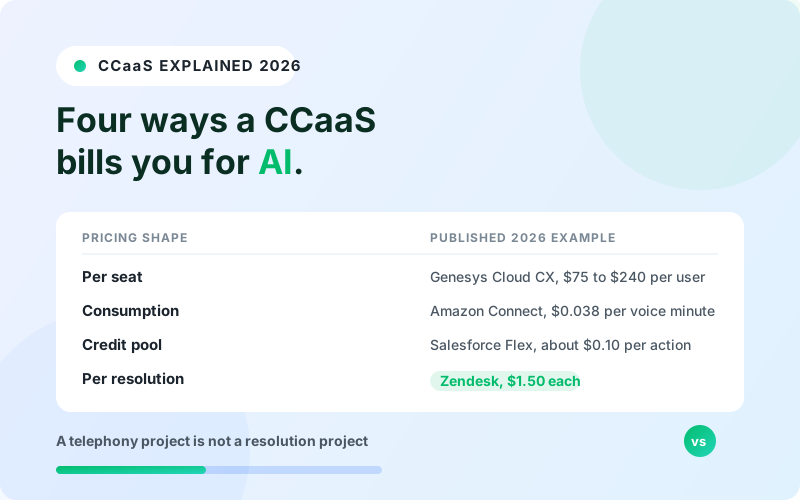
Time to value and pricing. Ask for the date of the first resolved ticket in a comparable deployment. Confirm whether pricing is usage-based, resolution-based, or a platform fee, and model each against your real monthly ticket volume before you sign.
Where ITSM-Native Vendors Win
An honest evaluation names where the specialists are strong. Moveworks and Aisera were built specifically for enterprise IT service management and have spent years on deep ServiceNow integration, IT-specific intent models, and workflow automation across HR, IT, and facilities. ServiceNow's own Now Assist and Virtual Agent are the path of least resistance if your organization already runs ServiceNow as its system of record and wants everything in one contract. Atlassian's Rovo and the AI features in Jira Service Management are the natural fit for teams standardized on Atlassian.
If you are a large enterprise with a mature ITSM practice, a dedicated ITSM AI platform or your incumbent's native AI is a reasonable default. Those tools carry pre-built IT catalogs and connectors that a general platform has to be configured for.
The tradeoff is lock-in and scope. Native ITSM AI ties your automation roadmap to one vendor's platform and pricing. Dedicated ITSM AI platforms are priced for enterprise IT budgets and are typically sales-led, multi-week implementations. For teams that want internal IT and customer support on one grounded platform, or that run a help desk other than ServiceNow, a helpdesk-agnostic option is worth comparing. If budget rules out a commercial ITSM suite altogether, the self-hosted route is an open source IT ticketing system, and we compare the main options with their maintenance trade-offs.
How IrisAgent Fits Internal IT and Employee Support
IrisAgent is a grounded AI support platform that runs on the stack you already operate. The same architecture that resolves customer tickets for Dropbox, Zuora, and Teachmint also powers employee and IT help desk agents: the AI answers internal HR, IT, and policy questions, completes permitted actions, and escalates the rest.
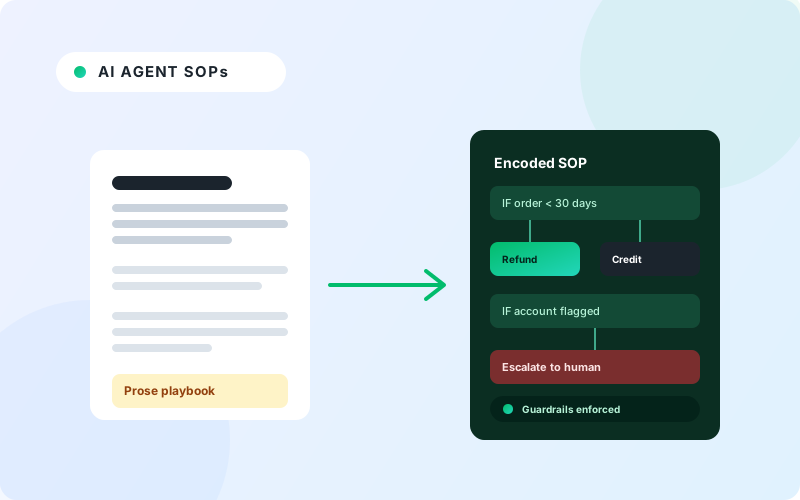
Three things make it a fit for internal IT specifically. First, the Hallucination Removal Engine validates every answer against your runbooks and policies before it sends, which matters more when a wrong answer is an access decision. Second, it deploys in about 24 hours on ServiceNow, Jira Service Management, Freshservice, or Zendesk, and it lives natively in Slack and Teams. Third, it uses intent-based ticket routing and the standard operating procedures your team writes in plain language to decide what to resolve and what to hand off, and it scores every interaction with AutoQA so you can see where the AI is weak.
For regulated organizations, the same platform runs as a private, in-your-environment deployment so employee data and tickets never leave your network. For teams that want the deeper incident-resolution workflow, our guide to automating IT incident resolution covers the troubleshooting side in detail.
IrisAgent will not replace your ITSM platform, run your CMDB, or manage device fleets. It is the resolution layer on top of the tools that do.
Next Steps
AI for IT help desk works when you scope it to the right tickets and hold the vendor to a measured accuracy number.
Pull your last 90 days of internal IT tickets and tag the repetitive, documented, low-risk categories. That is your automatable volume.
Shortlist tools on grounding, action depth, and help desk fit before feature lists.
Require an authenticated identity integration and per-action audit logging for anything that touches access.
Test the escalation path as hard as the resolution path.
Model usage-based versus resolution-based pricing against your real monthly volume.
To see how a grounded AI for IT help desk resolves employee tickets on your existing stack, book a 20-minute IrisAgent demo.
Frequently Asked Questions
What is AI for IT help desk?
AI for IT help desk is software that resolves internal employee IT and service desk tickets automatically. It reads a request in Slack, Teams, or a portal, grounds an answer in your IT knowledge base and past tickets, completes permitted actions such as password resets or license grants, and routes anything it cannot handle to an engineer with full context. It runs on top of your existing ITSM tools rather than replacing them.
How much of an IT help desk can AI actually automate?
AI resolves the repetitive, documented, low-risk share of internal IT volume: password and account resets, access and license requests, onboarding steps, device and software questions, and policy lookups. IrisAgent resolves 60%+ of eligible tickets in mature deployments. Hardware failures, security incidents, and production infrastructure work should route to humans quickly with context attached.
Is a customer support AI chatbot good enough for internal IT?
Usually not without changes. Internal IT needs authenticated identity through your corporate identity provider, grounding in private runbooks rather than a public help center, actions in systems like Entra ID, Okta, and ServiceNow, and native presence in Slack and Teams. A wrong answer on an internal help desk can be an access or security event, so grounding and audit logging matter more.
How is AI for IT help desk different from ITSM automation?
ITSM automation runs predefined workflows: a form submission triggers a fixed sequence of steps. AI for IT help desk understands a free-text request, decides which workflow or answer applies, and can hold a back-and-forth conversation to gather missing details. The two work together: the AI is the conversational front door, and ITSM automation executes the structured back end.
How long does it take to deploy an AI IT help desk agent?
It depends on the tool. Dedicated enterprise ITSM AI platforms are typically multi-week, sales-led implementations. IrisAgent deploys in about 24 hours on ServiceNow, Jira Service Management, Freshservice, or Zendesk, with the first resolved ticket the same day, because it connects to your existing help desk and knowledge base rather than requiring a re-platform.
Loading the form. Prefer email? Reach us at info@irisagent.com or call +1 617 249 3312.