
Best AI Agent Assist Tools for Salesforce Service Cloud (2026)
Last updated: October 2026
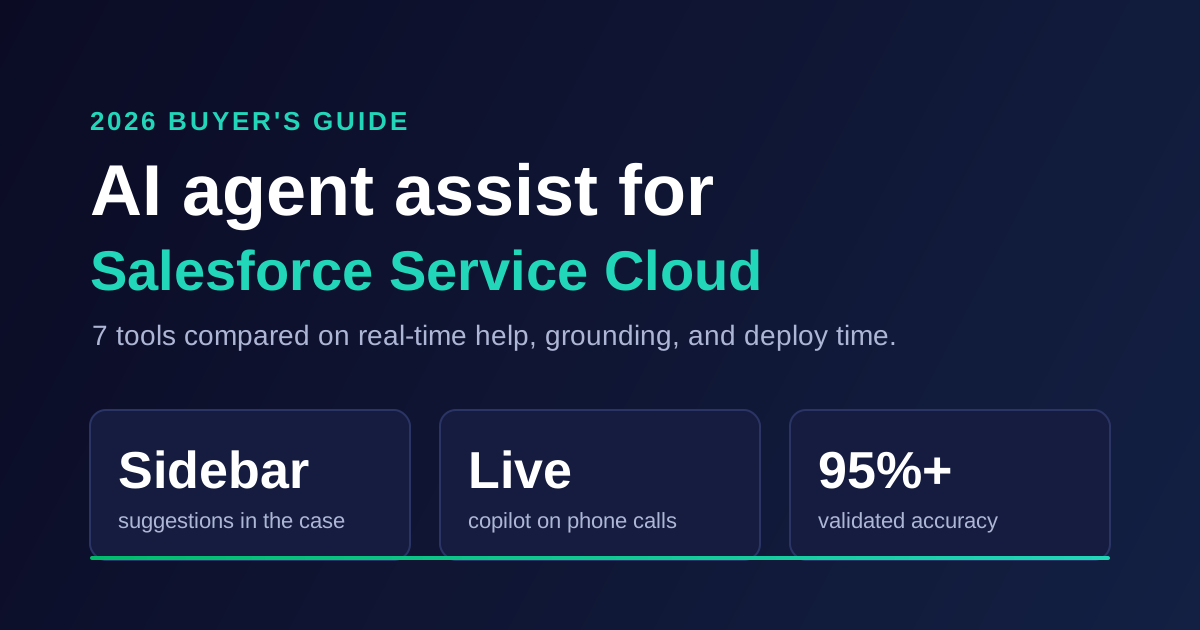
The best AI agent assist tools for Salesforce Service Cloud in 2026 are IrisAgent, Salesforce Agentforce for Service, Forethought, Cresta, Google Cloud Agent Assist, Balto, and eesel AI. IrisAgent runs as an AI overlay inside the Service Cloud case sidebar, drafts grounded replies with validated accuracy above 95%, and goes live in about 24 hours with no migration.
That last point matters more than any feature list. Most Service Cloud teams do not want a new help desk. They want their agents to answer faster inside the console they already use, without a six-month Agentforce build. So the real question is which AI overlay puts the right answer in front of the agent while the case is still open.
This guide compares seven tools on the criteria a support ops lead actually checks: where the assist shows up, whether it works in real time, what it is grounded in, how long it takes to deploy, and how it is priced. If you are looking for AI that answers customers directly instead, see our guide to AI chatbots for Salesforce Service Cloud.
Key takeaways
IrisAgent is the fastest route to grounded agent assist in Service Cloud: case sidebar suggestions, Live Call Copilot for phone, and a roughly 24-hour deploy.
Agentforce for Service is the native option, but it needs Enterprise Edition or above, consumption credits, and real admin time to ground well.
Cresta and Balto are built for live voice coaching in large contact centers, and their Salesforce integrations take weeks, not days.
Forethought has a real Salesforce sidebar, but Zendesk now owns it (March 2026), which is a roadmap risk for Salesforce-first teams.
Test on your own cases. Run any shortlist against 200 closed cases from last month and compare suggested replies to what your best agent actually sent.
What Is AI Agent Assist for Salesforce Service Cloud?
AI agent assist for Salesforce Service Cloud is software that sits inside the Service Cloud console and helps a human agent handle a case. It drafts replies, surfaces the right Salesforce Knowledge article, summarizes long case threads, and suggests the next step. The agent stays in control and sends the final answer.
Some vendors call this an AI overlay or a Service Cloud copilot. The label does not matter. What matters is that the AI works inside the case record, so agents do not copy and paste between tabs.
This is different from a chatbot. A chatbot answers the customer directly and tries to close the case with no human. Agent assist hands a drafted answer to your agent first. Most mature teams run both: full automation on routine cases and agent assist on anything complex, regulated, or high value.
Real time vs async. On chat and email, "real time" means the suggestion is ready when the agent opens the case. On voice, it means prompts appear during the call itself, while the customer is still talking. Those are different engineering problems, and the tools below split cleanly along that line.
How We Evaluated These Service Cloud Agent Assist Tools
We scored each tool on five criteria that decide whether agents actually use the assist or ignore it within a month.
In-console experience. Does the assist live inside the Lightning case page, or in a separate window the agent has to switch to?
Real-time support. Is the suggestion ready when the case opens? Does the tool cover live voice calls, or only chat and email?
Grounding. Is every suggestion pulled from your Salesforce Knowledge, past cases, and CRM data, and does it cite the source? Ungrounded suggestions train agents to stop trusting the tool.
Deploy time. How long from contract to the first agent using it on a live case?
Pricing model. Per seat, per conversation, consumption credits, or a choice of models? Can finance predict the bill?
We built this list from vendor documentation, product pages, and published integration guides. Where a vendor does not publish a number, we say so instead of guessing.
The 7 Best AI Agent Assist Tools for Salesforce Service Cloud in 2026
1. IrisAgent
Best for: Service Cloud teams that want grounded agent assist inside the console this quarter, without a migration.
IrisAgent is an AI overlay that runs on top of Salesforce Service Cloud. As a case arrives, Agent Assist puts suggested resolutions in the case sidebar, drawn from similar past cases, Salesforce Knowledge, and CRM context. Agents insert a suggestion straight into the email composer through the IrisAgent Sidebar: Inline Email component on the Lightning case page.
For phone queues, Live Call Copilot adds live transcription, grounded answers, procedures, and call wrap-up while the call is happening. Every suggestion runs through the Hallucination Removal Engine, which validates the draft against its source before the agent sees it. If the AI cannot ground an answer, it says so and hands off instead of guessing.
What it does well:
Validated accuracy above 95%, with every suggestion checked against your Knowledge or past cases first
Case sidebar plus inline email insert, so agents never leave the Lightning case page
Live Call Copilot for real-time help on voice, not only chat and email
About 24 hours to go live, with separate sandbox and production connections so you can test first
AutoQA scores 100% of AI and human conversations, so you can see whether assisted replies are actually better
Flexible pricing with usage-based and resolution-based plans; a Free plan includes the Salesforce connector, and the Standard plan starts at $500 per month and adds agent assist inside Salesforce
In production at Dropbox (160,000 agent minutes saved, average handle time cut by 2 minutes), Zuora, and Teachmint
Where it is not a fit:
If you want a fully managed outsourced team handling your queue, IrisAgent is a platform, not a BPO
If you have already standardized every workflow on Agentforce and have a dedicated Salesforce AI team, the native path may be simpler politically
See how IrisAgent works inside Salesforce Service Cloud
2. Salesforce Agentforce for Service
Best for: Salesforce-committed enterprises with admin capacity and Data Cloud already in place.
Agentforce for Service is Salesforce's native AI layer for Service Cloud. On the agent side it drafts replies for a human to review, summarizes cases, and grounds answers in Salesforce Knowledge. For teams that want one vendor and one contract, it keeps everything inside Salesforce.
What it does well:
Native to Service Cloud, with deep access to your Salesforce data model
One vendor for procurement, security review, and support
Strong fit if your Knowledge base is clean and your org already runs on Data Cloud
Where it is not a fit:
Agentforce requires Enterprise Edition or higher, and advanced grounding often depends on Data Cloud (now Data 360)
Pricing has shifted toward Flex Credits, reported at $500 per 100,000 credits with standard actions consuming credits per use. Check the current Agentforce for Service pricing page before you model it
Good grounding means building and maintaining prompts, topics, and actions. Plan for weeks of admin work, not hours
We compare the native path in more depth in our guide to Agentforce alternatives for customer support.
3. Forethought
Best for: existing Forethought customers who already run its Assist product in Salesforce.
Forethought's Salesforce app adds a sidebar with search across past cases, support articles, and macros, plus AI-suggested replies and autocomplete inside the agent's reply. It was one of the more credible assist products in the category, and its Salesforce page still positions it against Agentforce directly.
What it does well:
A real Salesforce sidebar with past-case and article search
Reply suggestions and autocomplete inside the composer
Mature retrieval on agent-facing answers
Where it is not a fit:
Zendesk completed its acquisition of Forethought in March 2026. For a Salesforce-first team, your assist vendor is now owned by a competing help desk
Forethought has historically required a 20,000-ticket data minimum, which rules out smaller queues
Pricing is quote-only across all tiers, with no self-serve trial
4. Cresta
Best for: large contact centers that need live coaching on voice and chat.
Cresta is a real-time agent assist and coaching platform built for high-volume contact centers. It prompts agents during live conversations with suggested responses, next-best actions, and compliance reminders. Cresta lists Salesforce among its chat integrations.
What it does well:
Genuine live prompting during calls and chats
Strong coaching and QA analytics for large agent teams
Built for voice-heavy, sales-and-service hybrid floors
Where it is not a fit:
Enterprise sales cycle and enterprise pricing; not built for a 30-agent SaaS support team
Implementation runs in weeks, with more setup than a sidebar app
Its strength is live coaching, not grounded answers from your Salesforce Knowledge on async email cases
5. Google Cloud Agent Assist
Best for: enterprises with developer resources running their contact center on Google Cloud.
Google Cloud Agent Assist gives agents real-time suggestions, knowledge surfacing, and smart replies through Google's Contact Center AI platform. Google publishes an official Salesforce integration guide for embedding Agent Assist in the Salesforce agent desktop.
What it does well:
Flexible, API-first building blocks with strong speech recognition
Real-time voice and chat suggestions
Good fit for teams already standardized on Google Cloud
Where it is not a fit:
It is a toolkit, not a finished product. You need engineers to configure, connect, and maintain it
Grounding quality depends on how well your team builds and tunes the knowledge connectors
Usage-based cloud pricing is hard to forecast before you have production volume
6. Balto
Best for: phone-heavy teams that want live call guidance inside Salesforce.
Balto is a real-time guidance tool for voice agents. It listens to the call and surfaces prompts, answers, and next-best actions as the conversation happens, checking each prompt off once the agent uses it. Balto launched its Salesforce integration in 2022, which moved the guidance into the Salesforce interface instead of a separate app.
What it does well:
Live prompts during calls, triggered by what the customer says
Runs inside Salesforce, so agents do not juggle windows
Pulls answers from your knowledge base, CRM, and top performers
Where it is not a fit:
Built for voice. Email and chat cases get far less from it
Balto's own FAQ puts most integrations at roughly 45 days, and new integrations at about 60
Pricing is not published
7. eesel AI
Best for: small Service Cloud teams that want a self-serve AI layer and can live without native depth.
eesel AI is an AI layer that sits on top of an existing help desk, including Salesforce. It learns from resolved tickets, macros, and documents in tools like Google Docs, Notion, and Confluence, and drafts replies for agents. Its own Service Cloud guide cites a Team plan from $239 per month on annual billing.
What it does well:
Fast, self-serve setup
Pulls knowledge from scattered tools outside Salesforce
Published entry pricing, which is rare in this category
Where it is not a fit:
It is not a native Salesforce product, so console depth is thinner than a Lightning component built for the case page
No live voice assist
It does not market a validation layer that checks each suggestion against its source before the agent sees it
Quick Comparison: AI Agent Assist for Salesforce Service Cloud
Tool | Inside the Service Cloud console | Real-time support | Grounded in Salesforce Knowledge and past cases | Typical deploy time | Pricing model |
|---|---|---|---|---|---|
IrisAgent | Yes, case sidebar plus inline email insert | Chat, email, and live calls (Live Call Copilot) | Yes, validated before the agent sees it | About 24 hours | Usage-based or resolution-based; Free plan; Standard from $500/month |
Agentforce for Service | Yes, native | Chat, email, voice with Service Cloud Voice | Yes, best with Data Cloud | Weeks of admin work | Flex Credits and per-user add-ons |
Forethought | Yes, sidebar app | Chat and email | Yes, past cases and articles | Weeks; 20,000-ticket minimum | Quote only |
Cresta | Via integration | Live voice and chat | Partial, coaching-led | Weeks | Enterprise quote |
Google Cloud Agent Assist | Via integration you build | Live voice and chat | Depends on your build | Weeks to months | Usage-based cloud pricing |
Balto | Yes, inside Salesforce | Live voice | Partial, knowledge base and CRM | About 45 to 60 days | Not published |
eesel AI | Via app | Chat and email | Yes, plus external docs | Days | From $239/month (annual) |
Want to see the sidebar on your own cases? IrisAgent connects to a Salesforce sandbox first, so you can compare its suggestions to real closed cases before anything touches production. See pricing and plans.
How to Choose an AI Agent Assist Tool for Service Cloud
Start with your channel mix, not the vendor list. The right tool for a 200-seat phone floor is the wrong tool for a 40-agent email queue.
If most cases are email and chat, you need grounded suggestions ready the moment the case opens, inside the Lightning case page. Prioritize grounding and in-console depth. IrisAgent, Agentforce, and Forethought lead here.
If most volume is voice, you need prompts during the call. Look at Live Call Copilot, Cresta, Balto, and Google Cloud Agent Assist. Then check how each one writes the call summary back to the case.
If you are a Salesforce shop with spare admin capacity, Agentforce is a reasonable default. Budget the credits and the build time honestly, and ask how you will measure whether its suggestions are any good.
Here is what that looks like in practice. Picture Maya, a support ops lead running 55 agents on Service Cloud for a B2B payments company. Her team handled 9,000 email cases a month, and agents spent the first four minutes of each case searching Knowledge and old cases.
She shortlisted three tools and ran each against 200 closed cases from the prior month. The winner was the one whose drafted replies matched what her best agent had actually sent, with a source cited every time.
That test is the single best predictor of adoption. If agents have to rewrite every suggestion, they stop opening the sidebar within two weeks.
Common Mistakes to Avoid
Buying for the demo, not your Knowledge base. Every assist tool looks great on a clean demo org. Yours has duplicate articles, outdated macros, and cases closed with "resolved over the phone." Test on that.
Ignoring grounding until agents complain. An assist tool that guesses 15% of the time costs more agent time than it saves, because agents must double-check everything. Ask each vendor what happens when the AI cannot find a source.
Treating voice and email as one problem. A live call copilot and a case sidebar are different products. Make sure your shortlist covers the channel that drives your handle time.
Skipping QA on assisted replies. If you cannot score assisted conversations, you cannot prove the tool works.
Consider Daniel, a CX director who rolled out a copilot to 120 agents. Six weeks later, handle time had dropped but CSAT had slipped two points. Only after scoring every conversation did his team find agents sending drafts unedited on billing cases. A per-category review rule fixed it within a week.
Over-scoping the first rollout. Start with one queue and one case type. Expand once the numbers hold.
How IrisAgent Delivers Grounded Agent Assist in Service Cloud
IrisAgent connects to your Salesforce org through OAuth, installs as an app, and adds the IrisAgent Sidebar: Inline Email component to your Lightning case page. You share the API names of any custom fields you want it to read. From there, the IrisAgent team sets up the AI models on your cases and Knowledge.
When a case arrives, IrisAgent Agent Assist pulls similar resolved cases, the relevant Knowledge articles, and CRM context, then drafts a suggested resolution in the sidebar. The Hallucination Removal Engine checks the draft against its sources before the agent sees it. One click inserts it into the email composer, where the agent edits and sends.
The same platform covers the rest of the queue. Case Triggers can send a grounded answer straight to the customer for routine case types, or post it as a private note for review. Live Call Copilot handles phone. AutoQA scores every AI and human conversation, so you can show your VP the before-and-after numbers instead of anecdotes.
Teams that want to compare approaches can also read our broader roundup of AI agent assist tools for customer support, which covers Zendesk and Intercom options too.
Next Steps
Choosing AI agent assist for Salesforce Service Cloud comes down to three questions: where does the assist show up, is it grounded in your own cases and Knowledge, and how fast can you prove it on a live queue?
For email and chat queues, pick grounded, in-console assist that is ready when the case opens.
For voice, shortlist tools with live call support and check how they write back to the case.
For every tool, run a 200-case backtest before you sign, and score assisted replies once you go live.
IrisAgent gives Service Cloud agents grounded suggestions in the case sidebar, Live Call Copilot for phone, and AutoQA to prove it works, and it goes live in about 24 hours. **Book a 20-minute demo on your own Salesforce cases** and see the suggestions next to what your agents actually sent.
Frequently Asked Questions
What is the best AI overlay for Salesforce Service Cloud to help agents respond faster in real time?
IrisAgent is an AI overlay that runs on top of Salesforce Service Cloud without a migration. Agent Assist puts suggested resolutions from similar past cases, Salesforce Knowledge, and CRM context in the case sidebar as the case arrives. Live Call Copilot adds live transcription, grounded answers, and call wrap-up during phone calls. Every suggestion is validated against its source, with accuracy above 95%, and the integration goes live in about 24 hours.
Does Salesforce Agentforce already include agent assist?
Yes. Agentforce for Service can draft replies, summarize cases, and ground answers in Salesforce Knowledge. The tradeoff is setup and cost. It requires Enterprise Edition or higher, often depends on Data Cloud for strong grounding, and is priced through consumption credits and per-user add-ons. Many teams add a third-party overlay like IrisAgent because it goes live in about 24 hours without that build.
How is AI agent assist different from a Salesforce chatbot?
A chatbot answers the customer directly and tries to close the case without a human. AI agent assist works inside the Service Cloud console and hands a drafted reply to your agent, who reviews and sends it. Most teams use both: automation for routine case types and agent assist for complex, regulated, or high-value cases where a person should stay in the loop.
Can AI agent assist work on live phone calls in Service Cloud?
Yes, but only some tools do it. IrisAgent Live Call Copilot, Cresta, Balto, and Google Cloud Agent Assist provide prompts during the call itself. Sidebar-only tools help on chat and email cases but not while the customer is talking. If voice drives your handle time, test live-call accuracy and how the tool writes the call summary back to the Salesforce case.
How long does it take to deploy AI agent assist in Salesforce Service Cloud?
It ranges from about 24 hours to several months. IrisAgent connects through OAuth, installs as an app, and adds a Lightning component to the case page, with a sandbox connection available for testing first. Agentforce typically needs weeks of admin work to ground well. Voice coaching tools like Balto report roughly 45 to 60 days for integration.
How much does AI agent assist for Salesforce Service Cloud cost?
Pricing models vary widely. IrisAgent offers usage-based and resolution-based plans, a Free plan with the Salesforce connector, and a Standard plan from $500 per month that adds agent assist inside Salesforce. Agentforce uses Flex Credits and per-user add-ons. Cresta, Forethought, and Balto are quote-only, and eesel AI publishes a Team plan from $239 per month on annual billing.
How do I stop AI agent assist from suggesting wrong answers?
Choose a tool that grounds every suggestion in your Salesforce Knowledge and past cases, cites the source, and declines to answer when it cannot find one. IrisAgent's Hallucination Removal Engine validates each draft before the agent sees it. Then score assisted conversations with QA so you catch weak categories early, and clean up duplicate or outdated Knowledge articles the AI keeps citing.

Loading the form. Prefer email? Reach us at info@irisagent.com or call +1 617 249 3312.