
AI voice agents for your Ozonetel phone lines





How IrisAgent works with Ozonetel
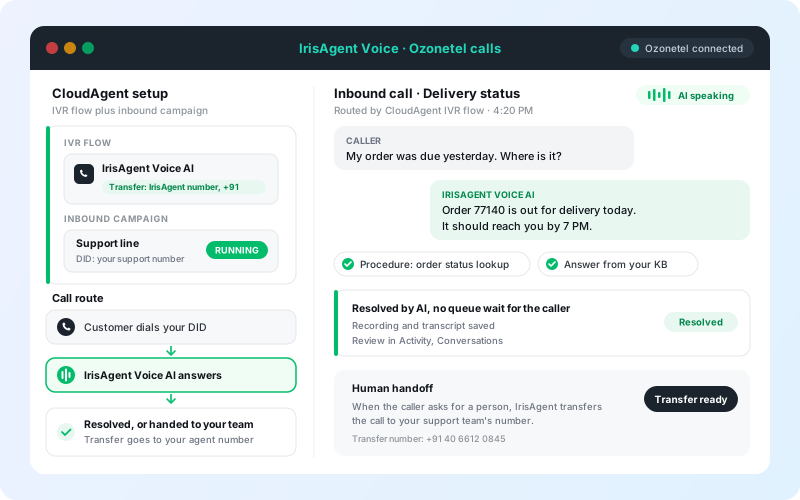
Ozonetel CloudAgent keeps running your phone lines. An IVR flow, selected in an inbound campaign on your DID, transfers calls to an IrisAgent number, and IrisAgent Voice AI answers them. When a caller needs a person, IrisAgent transfers the call to your team.
Stays the same in Ozonetel
- Your DIDs and the numbers customers dial
- Your CloudAgent account and admin access
- Your other campaigns, dispositions, and wrap-up settings
- Which DIDs route to IrisAgent, set by you in the inbound campaign
What IrisAgent adds
- A voice agent that answers from your knowledge base and past tickets
- Procedures for lookups, refund checks, and ticket creation
- Human handoff to the agent or queue number you choose
- Recordings and transcripts in Activity, Conversations
By Palak Dalal Bhatia, CEO & Co-founder, IrisAgent · Last updated November 10, 2026
Answer Ozonetel calls with AI
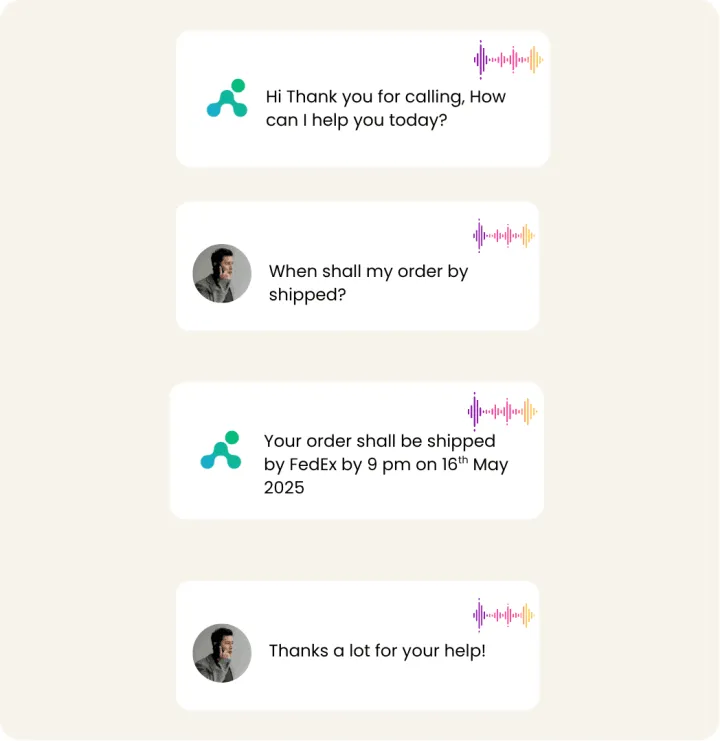
Callers hear answers grounded in your knowledge base and past tickets, in English or in the caller's own language with multilingual auto-detect.
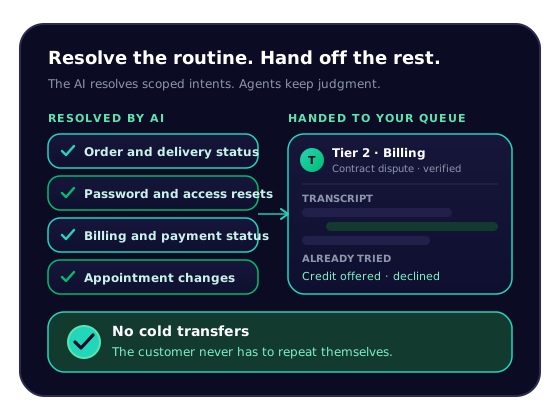
Transfer to your team when a person is needed
The transfer is immediate. If no one picks up, the call follows your phone routing, such as voicemail.
Review every call
Add AutoQA to score calls against rules you write in plain English, for the AI and your agents in one dashboard.

Grounded answers, secure by default
SOC 2 Type II and HIPAA controls, with PII redacted before storage. See security.
Set up Ozonetel with IrisAgent
The IrisAgent team turns on Voice AI and provisions your number. Then you build one IVR flow in CloudAgent and run it in an inbound campaign on your DID.
Before you start
- An Ozonetel CloudAgent account with admin access
- A DID (phone number) in Ozonetel that receives customer calls
- Access to the CloudAgent Admin Console to edit campaigns and IVR settings
- An IrisAgent account, connected to your ticketing platform or using a public website as the knowledge source
- The external phone number provided by the IrisAgent team
Sign up for IrisAgent
Get your Voice AI number.
- Sign up by connecting your ticketing platform or a public website as a knowledge source.
- The IrisAgent team turns on Voice AI and gives you an external phone number for it.
Create an IVR flow
In the CloudAgent Admin Console.
- Sign in to the Ozonetel CloudAgent Admin Console.
- Go to Admin > Configurations > IVR Flows and click New IVR Flow.
- Enter a Flow Name (for example, "IrisAgent Voice AI") and set Flow Type to IVR.
- Enable Transfer and set the flow to transfer calls to the IrisAgent phone number. Include the country code (for example, +91 or +1).
- Click Save.
Create an inbound campaign
Connect your DID to the IVR flow.
- Go to Campaigns, click Create Campaign, and choose Inbound Campaign.
- Enter a Campaign Name.
- Select the DID your customers dial.
- Under IVR Flows, select the flow you just created.
- Set Dispositions and Wrap-up Time as needed, then click Save.
- Click Start/Stop to activate the campaign. Its status changes from "READY" to "RUNNING".
Register the IrisAgent number (optional)
Only if Ozonetel needs the number registered for routing.
- Go to Admin > Configurations > Manage Numbers and select Phone Numbers.
- Click New Number, enter the IrisAgent number with country code, and click Save.
Turn on human handoff
In IrisAgent Voice AI settings.
- In Voice AI settings, open the Call transfer tab.
- Turn on Human handoff.
- Enter the Transfer phone number in international format: a direct agent, ring group, or contact-center number.
- Optional: enter an Extension (up to 10 digits), dialed after the destination answers.
- Enter the Message before transfer. Default: "I'll connect you with a human agent now."
- Click Save transfer settings. Never use a DID that runs the IrisAgent campaign, or the call will loop.
Test it
Place a real phone call. A browser test does not check the phone route.
- Call your campaign's DID from an external phone.
- Confirm you hear the IrisAgent Voice AI greeting.
- Ask a few common customer questions and check the answers.
- Trigger your handoff condition (for example, ask for a person) and confirm the destination rings.
- Review the call in Activity > Conversations.
Full guide: Voice AI on Ozonetel · Voice AI overview
Flexible pricing
Pick the model that matches your call volume. Your Ozonetel plan stays with Ozonetel.
USAGE-BASED
$400
per month
From 2,000 included minutes, scaling to custom plans for higher volume.
RESOLUTION-BASED
$0.99 to $2
per resolved call
Your rate sits in this range based on monthly volume. Nothing charged when the call goes to a human. No per-seat fee.
Any questions?
We got you.

Related: Voice AI · AI call center · AI answering service · All telephony integrations · Ozonetel setup guide