
Telephony integrations for IrisAgent Voice AI
Choose your phone system
Step-by-step setup for each provider, using the routing tools you already have.
8x8
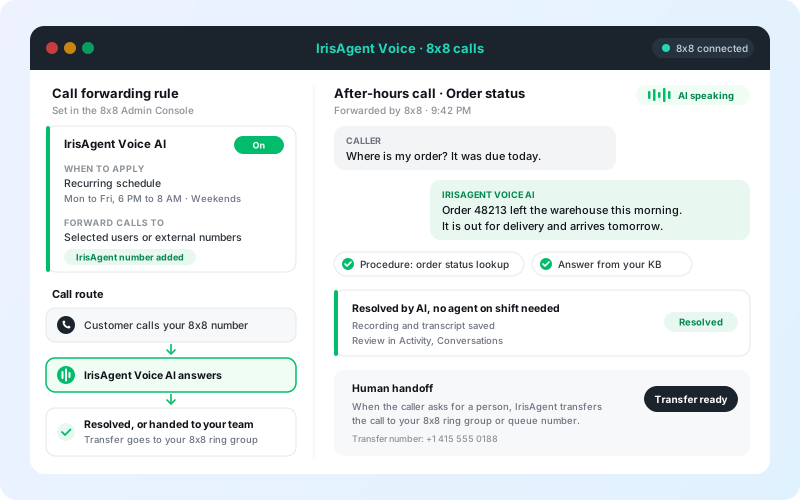
Forward calls with an 8x8 call forwarding rule, all day or on a recurring after-hours schedule.
View setup →GoTo Connect
Route calls with a GoTo Connect dial plan, all day or only outside business hours.
View setup →Exotel
Route Exophone calls with an App Bazaar call flow that connects to your IrisAgent number.
View setup →Ozonetel
Route CloudAgent calls with an IVR flow and an inbound campaign on your DID.
View setup →Another phone system
Any system that can forward calls to an external number works. We will map the routing with you.
Talk to us →How it works
Call routing plus transfer. No re-platforming.
Get your IrisAgent number
The IrisAgent team turns on Voice AI and provisions a phone number for you.
Route calls from your phone system
Forward all calls, or only some, such as after hours, to the IrisAgent number. Your number stays the same.
Hand off to your team
Turn on Human handoff and enter your agent, ring group, or queue number for calls that need a person.
Related: Voice AI · AI call center · AI answering service · Voice AI docs