
AI for your Puzzel contact center





How IrisAgent works with Puzzel
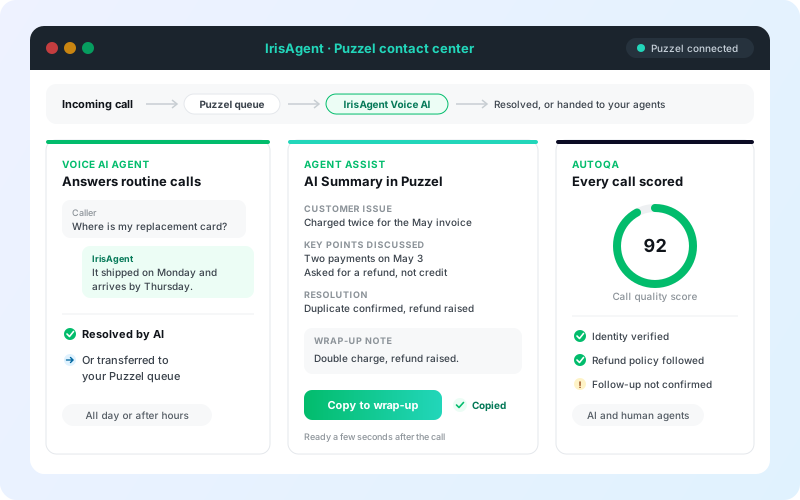
Puzzel stays your contact center. IrisAgent adds an AI layer on top: Voice AI agents for the calls you route to them, AI help for your agents in the Puzzel Agent Application, and quality scoring across every call.
Stays the same in Puzzel
- Your numbers, queues, menus, and routing
- The Puzzel Agent Application your agents use
- Call recording and the Puzzel Archive
- Wrap-up fields and reporting
What IrisAgent adds
- Voice AI agents that resolve routine calls and transfer the rest
- An AI Summary tab with one-click wrap-up notes
- Live call copilot with grounded answers during the call
- AutoQA scoring for AI and human agents
By Palak Dalal Bhatia, CEO & Co-founder, IrisAgent · Last updated November 11, 2026
One AI layer for your Puzzel calls
Start with one product or run all four. Each one is grounded in your knowledge base and past tickets.
VOICE AI AGENTS
Answer routine calls
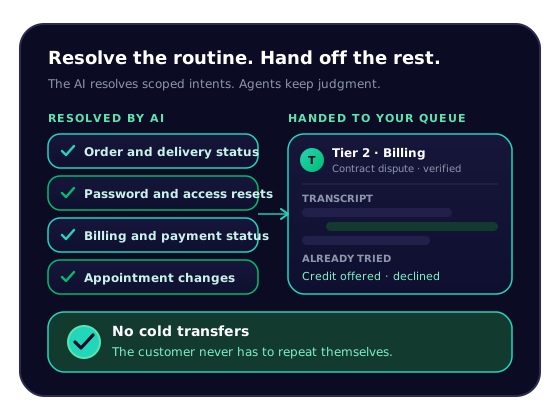
Route a Puzzel queue, menu option, or after-hours traffic to IrisAgent. The AI resolves routine calls and transfers the rest to your agents.
Voice AI →AGENT ASSIST
AI call summaries in Puzzel
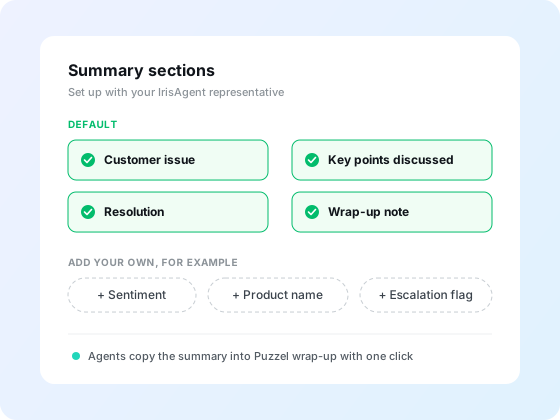
An AI Summary tab in the Puzzel Agent Application writes the customer issue, key points, resolution, and wrap-up note after every recorded call.
Agent assist →LIVE CALL COPILOT
Help agents during the call
Live transcription, grounded answers, and procedure guidance beside the agent. On Puzzel, live in-call support uses a SIPREC media fork.
Live call copilot →AUTOQA
Score every call
Score 100% of calls for AI and human agents against rules you write in plain English, instead of a small manual sample.
AutoQA →Voice AI agents for the calls you choose
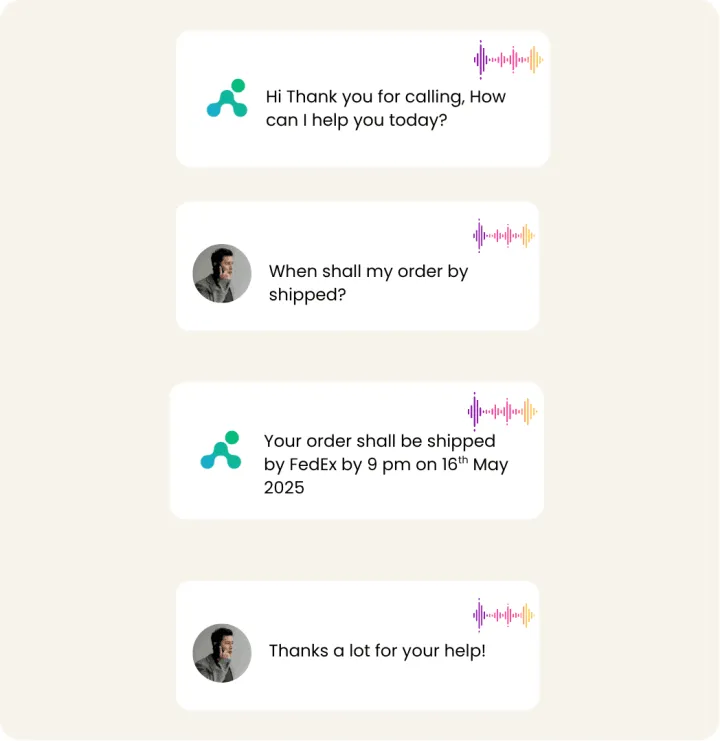
Procedures handle lookups, refund checks, and ticket creation, so routine calls end resolved.
Hand off to your Puzzel queues
The transfer is immediate, and unanswered calls follow your own Puzzel routing.
AI call summaries inside the Puzzel Agent Application
Agents click Copy to wrap-up. Need more sections, such as sentiment or an escalation flag? We add them for you.

Score every call with AutoQA
Review results for Voice AI and your Puzzel agents in one dashboard, instead of sampling a few calls a week.
Grounded answers, secure by default
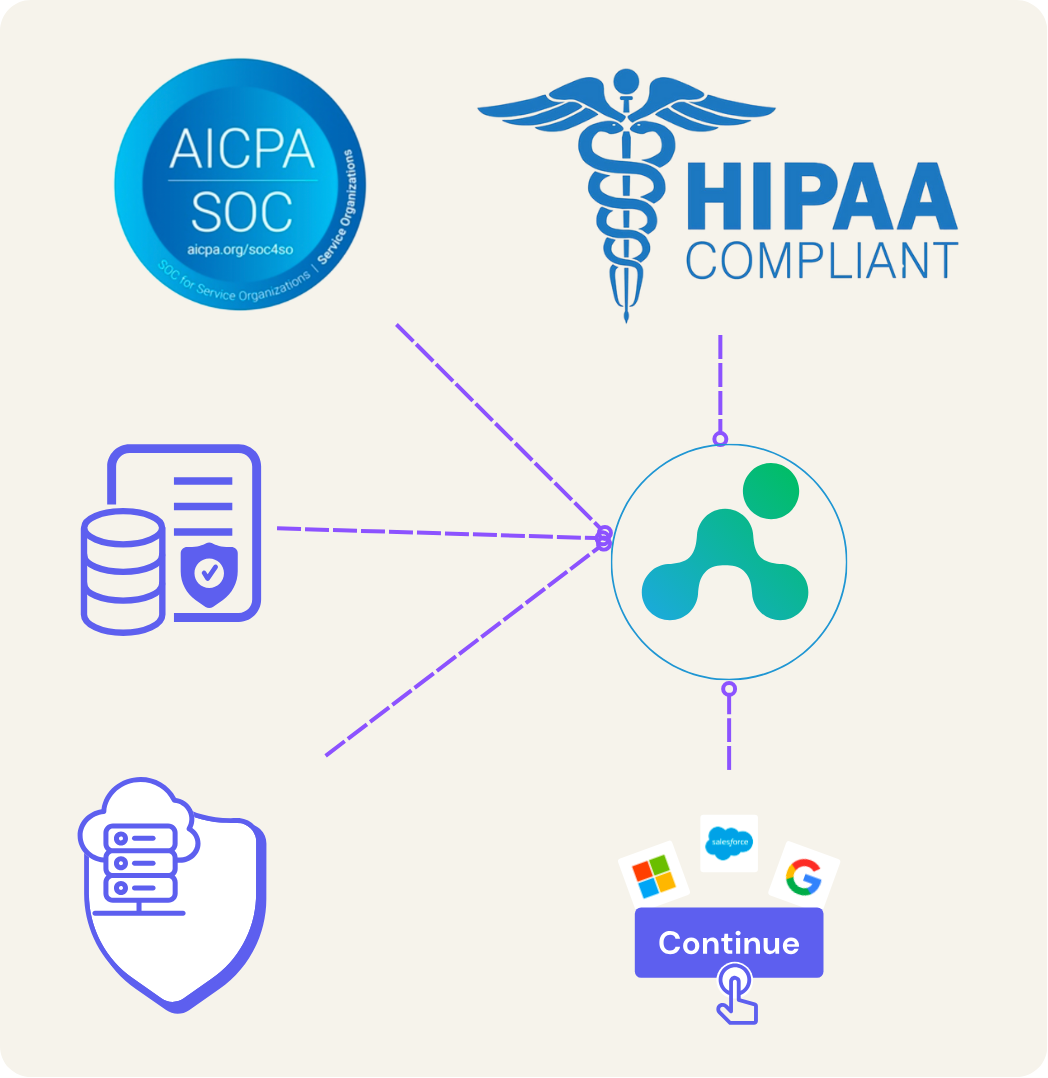
SOC 2 Type II and HIPAA controls, with PII redacted before storage. Call summaries use a dedicated, read-only PAWS account. See security.
Set up Puzzel with IrisAgent
Two setups, run either or both. Live call copilot and AutoQA are set up with your IrisAgent representative.
Voice AI agents on Puzzel
Before you start
- A Puzzel Contact Centre tenant with admin access to the Administration Portal
- An IrisAgent account, connected to your ticketing platform or using a public website as the knowledge source
- The phone number the IrisAgent team provisions for your Voice AI
Get your IrisAgent number
From the IrisAgent team.
- Sign up by connecting your ticketing platform or a public website as a knowledge source.
- The IrisAgent team turns on Voice AI and provisions a phone number for it.
Route calls from Puzzel
Choose which calls the AI answers.
- In Puzzel, add the IrisAgent number as an external destination in the call flow, queue, or menu option you choose.
- Send all calls, or only some: after hours, overflow, or one menu option. Your numbers stay the same.
- Not sure where to set it? We map the routing to your Puzzel setup with you.
Turn on human handoff
In IrisAgent Voice AI settings.
- In Voice AI settings, open the Call transfer tab and turn on Human handoff.
- Enter the Transfer phone number of the Puzzel queue your agents answer, plus an optional Extension and Message before transfer.
- Click Save transfer settings. The transfer number must never route back to the IrisAgent number, or the call will loop.
Test it
Place a real phone call.
- Call your Puzzel number from an outside phone and confirm the IrisAgent greeting.
- Ask for a person and confirm your Puzzel queue rings.
- Review the call in Activity > Conversations.
Full guide: Voice AI overview
AI call summaries in the Puzzel Agent Application
Before you start
- A Puzzel Contact Centre tenant with admin access to the Administration Portal
- Permission to add widgets in Administration > Widgets > Widget Administration
- Recording enabled on the queues you want summarized
- An IrisAgent account with Voice AI enabled. Ask your IrisAgent representative to enable it.
Sign up for IrisAgent
Get your Tenant ID and Widget API Key.
- Sign up by connecting your ticketing platform or a public website as a knowledge source.
- Ask your IrisAgent representative to enable Voice AI and the Puzzel integration.
- They give you a Tenant ID and a Widget API Key for step 3.
Create a PAWS service account
IrisAgent needs read access to the Puzzel Archive to fetch recordings.
- Sign in to the Puzzel Administration Portal.
- Go to Users > Administrators and create an administrator for the integration (for example, irisagent-integration), so you can audit its activity separately.
- Grant Archive read access to recordings and call metadata, and Real-time read access to queue and call information.
- Generate API credentials and note the Customer Number, Username, and Password.
- Share them with your IrisAgent representative through the secure channel they provide.
Add the widget in Puzzel
In the Puzzel Administration Portal.
- Go to Widgets > Widget Administration and click Add Widget.
- Set Name to IrisAgent Call Summary, URL to https://widgets.irisagent.com/puzzel/summary, Tab title to AI Summary, and Default tab to Off.
- Add three Widget Properties: irisTenantId (String, your Tenant ID), irisApiKey (Password, your Widget API Key), and irisEnvironment (Dropdown, production).
- Under Feature Policy, allow clipboard-write. Copy to wrap-up needs it.
- Save the widget.
Assign the widget to agents
Choose which agent groups see the AI Summary tab.
- Go to Widgets > Widget Configuration.
- Select the agent user groups that should see the widget.
- Enable IrisAgent Call Summary for those groups and save.
Customize the summary (optional)
Change the sections agents see.
- By default, summaries include Customer issue, Key points discussed, Resolution, and Wrap-up note.
- To add sections such as sentiment, product name, or an escalation flag, ask your IrisAgent representative.
Test it
Use a test agent and a recorded queue.
- Sign in to the Puzzel Agent Application as a test agent and confirm the AI Summary tab appears.
- Place a test call into a recorded queue, answer it, and end it.
- Within a few seconds, the AI Summary tab should show the summary.
- Click Copy to wrap-up and check that the summary appears in Puzzel's wrap-up fields.
- No summary? Check that recording is on for the test queue, look for [IrisAgent] messages in the browser console, or email support@irisagent.com with the call ID.
Full guide: Voice AI on Puzzel
Flexible pricing
Voice AI agents use the model that fits your call volume. Agent assist, live call copilot, and AutoQA are quoted with your plan. Your Puzzel subscription stays with Puzzel.
USAGE-BASED
$400
per month
From 2,000 included minutes, scaling to custom plans for higher volume.
RESOLUTION-BASED
$0.99 to $2
per resolved call
Your rate sits in this range based on monthly volume. Nothing charged when the call goes to a human. No per-seat fee.
See IrisAgent pricing for every product.
Any questions?
We got you.

Related: Voice AI · Live call copilot · AutoQA · AI call center · AI answering service · All telephony integrations · Puzzel setup guide