
Grounded AI vs. Hallucination-Prone Chatbots: How to Tell the Difference
Last updated: October 2026
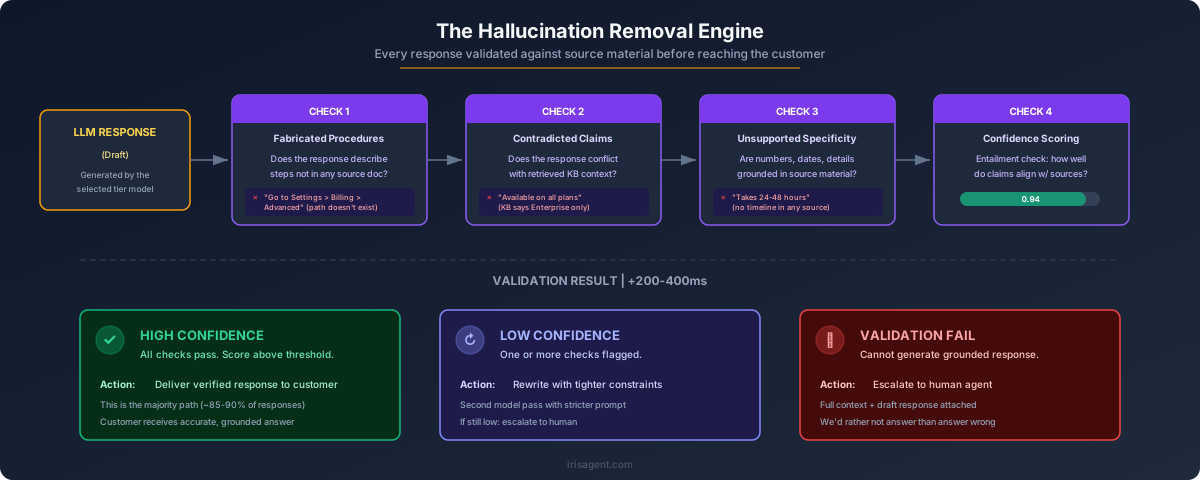
Every AI chatbot looks accurate in a vendor demo. The demo questions are chosen, the knowledge base is clean, and nobody asks about the refund exception your team argued over last quarter. The difference between a grounded AI system and one that guesses only shows up when a customer asks something the bot does not know. A grounded system says so and hands off. A hallucination-prone one fills the gap with a confident, plausible answer that is wrong.
This guide is for support leaders evaluating an AI helpdesk or chatbot before signing. It skips the definitions (see What Is an AI Hallucination? and What Is Retrieval-Augmented Generation for those) and focuses on how to tell the two kinds of system apart: a side-by-side comparison, the warning signs to watch for in a demo, a pilot test plan you can run against any vendor, and what grounding costs.
Grounded AI vs. Hallucination-Prone Chatbots at a Glance
The table below compares how each type of system behaves on the questions that matter in customer support. Use it as a checklist during vendor calls: ask each vendor to show you, not tell you, which column they belong in.
Question | Grounded AI | Hallucination-prone chatbot |
|---|---|---|
Where answers come from | Your knowledge base, past tickets, procedures, and live system data retrieved for each question | Mostly the model's general training, loosely steered by a prompt or a few uploaded docs |
When the knowledge base has no answer | Says it does not know, asks a clarifying question, or escalates | Generates a plausible answer anyway |
Citations and sources | Every answer traces back to a specific article, ticket, or procedure you can check | No sources, or generic links that do not support the claim |
Policy and refund handling | Quotes your actual policy and follows procedures you approved | Paraphrases from general knowledge and invents terms, windows, or exceptions |
Live account and order data | Looks up the real order, account, or subscription before answering | Guesses at status, dates, or balances from the conversation alone |
Confidence thresholds and escalation | Escalation rules you control: out-of-scope topics, negative sentiment, explicit requests for a human | Escalates only when the customer demands it, or never |
How quality is reviewed | Every conversation scored against your own quality rules | Spot checks, thumbs up or down, or a deflection dashboard |
Failure mode | Hands off too early on edge cases (costly but safe) | Confidently wrong answers that create refunds, escalations, and churn |
No system is perfect. The practical question is which way it fails. A grounded system that is unsure fails toward a human. A hallucination-prone system fails toward the customer.
Warning Signs in a Demo
Demos are built to impress, so watch for what is missing as much as what is shown. These are the most reliable red flags:
It answers everything confidently. Real knowledge bases have gaps. If the bot never hesitates, never asks a clarifying question, and never says "I do not have that information," it is filling gaps with guesses.
No sources on any answer. Ask the vendor to show which article or ticket each answer came from. If they cannot, you will not be able to audit it after launch either.
It invents policies, dates, or numbers. Ask about a policy you know is not in the demo knowledge base, such as a specific return window or a fee. A grounded system declines. A guessing system produces a specific, believable number.
There is no "I don't know" path. Ask the vendor what happens when retrieval finds nothing relevant. If the answer is "the model handles it," that means the model improvises.
Deflection rate is the only metric. Deflection counts conversations that did not reach a human, including the ones where the customer gave up after a wrong answer. Ask how the vendor measures whether answers were correct. Our guide on what counts as a resolution covers this in depth.
The demo only uses the vendor's own content. A system tuned on a polished sample knowledge base tells you little about how it handles your outdated, overlapping, real one.
A Pilot Test Plan to Run Against Any Vendor
A short pilot on your own data is the only reliable way to separate grounded systems from guessing ones. Load your real knowledge base, then build a test set from the question types below. Score each answer as correct, correctly declined or escalated, or wrong. A wrong answer delivered with confidence should count against the vendor far more than an unnecessary handoff. For a broader evaluation framework, see How to Test an AI Customer Service Agent.
1. Out-of-scope questions
Ask things your knowledge base does not cover: a competitor's product, a feature you do not offer, legal or medical advice, a question about an unrelated topic. The correct behavior is to decline or escalate. Any specific, helpful-sounding answer here is a hallucination.
2. Outdated or contradictory knowledge
Find two articles that disagree, or an article that describes an old version of your pricing or product. See which one the AI uses, whether it notices the conflict, and whether it can show you its source. A grounded system should surface the source so you can fix the content. A guessing system blends the two into something neither article says.
3. Policy edge cases
Write questions that sit on the boundary of a policy: a return one day past the window, a refund on a discounted bundle, a cancellation mid-billing cycle. These are where invented exceptions do the most damage, because the customer will hold you to whatever the bot said.
4. Multi-turn follow-ups
Start with an easy question, then follow up with "what if I already paid?" or "does that apply to my plan?" Many systems ground the first answer and then drift on the follow-ups, answering from the conversation instead of from your knowledge.
5. Requests that need live data
Ask "where is my order?", "when does my subscription renew?", or "why was I charged twice?" The answer depends on a specific customer's record. A grounded system either looks it up from your connected systems or says it needs to hand off. A guessing system produces a delivery date or a renewal date that sounds right.
Run the same test set against every vendor on your shortlist, with the same knowledge base, and read the transcripts yourself. The vendor with the highest answer rate is often not the one with the highest correct-answer rate.
What Grounding Costs, and Why It Is Worth It
Grounding is not free, and a vendor that claims otherwise is skipping a step. Expect these trade-offs:
A lower raw answer rate at first. A grounded system declines questions it cannot support, so it will escalate more than a bot that answers everything. That number rises as you fill knowledge gaps, and every decline points you to the gap.
Knowledge base work. Grounding exposes stale, duplicate, and contradictory articles. Cleaning them up takes time, but your human agents benefit from the same cleanup.
Integration effort for live data. Answering account and order questions correctly means connecting the systems that hold that data. Without it, the right answer for those questions is a handoff.
Slightly more processing per answer. Retrieving sources and checking the answer against them adds work compared with a single model call.
The alternative costs more. A single invented refund policy can turn into dozens of escalations, goodwill credits, and customers who no longer trust your support channel. Industry estimates consistently put the cost of a human-handled contact at several times the cost of an automated one, and a wrong automated answer often produces both: the bot conversation and the human follow-up to repair it. Grounding is what makes automation savings real rather than deferred. For the specific controls that bring hallucination rates down, see How to Reduce AI Hallucinations in Customer Support.
How the IrisAgent AI Helpdesk Applies Grounding
The IrisAgent AI Helpdesk is built around grounded answers on every channel. Here is how each part of the comparison table maps to the product:
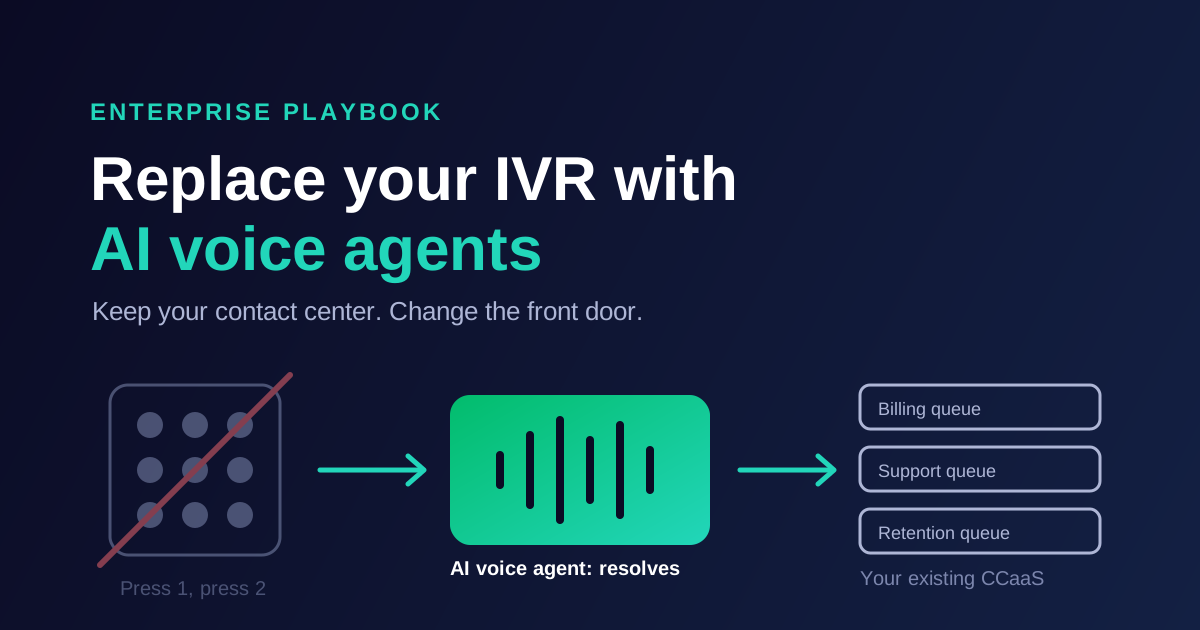
One grounded AI across every channel. The same AI, knowledge, procedures, and routing rules work across live chat, WhatsApp, email, phone, and SMS, so a customer gets the same answer whether they message or call.
Answers from your own knowledge. The AI answers from your knowledge base, past tickets, and procedures, not from general model knowledge, and anything outside that knowledge goes to your team.
Escalation rules you control. The AI escalates when a customer asks for a human, when the question falls outside your knowledge base, when sentiment turns negative, or when a conversation matches a procedure you have marked for human review.
Full-context handoff. Every escalation carries the complete transcript and captured details, so the agent never asks the customer to repeat themselves. On phone, Voice AI transfers callers with the transcript and an AI summary attached.
The AI steps back when a human takes over. Once an agent joins a conversation, the AI stops responding on that thread. Agents can still use AI to draft and polish replies.
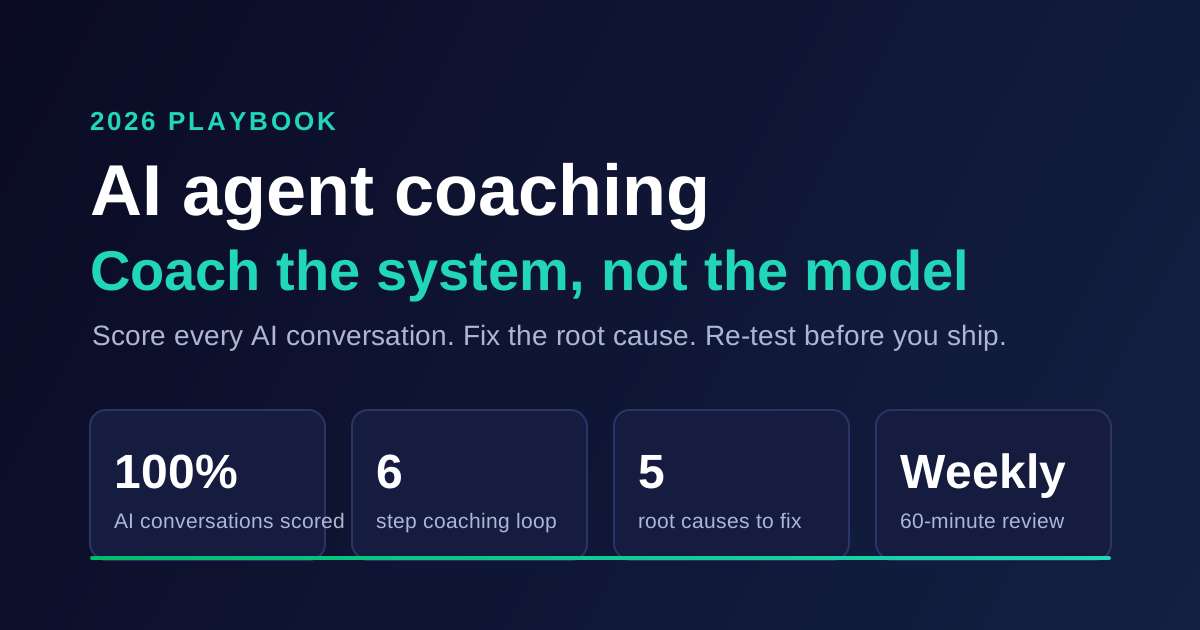
AutoQA on every conversation. AutoQA scores conversations against your own quality rules, so you know the AI is not just fast but right, and topic analytics surface new and trending issues colored by sentiment.
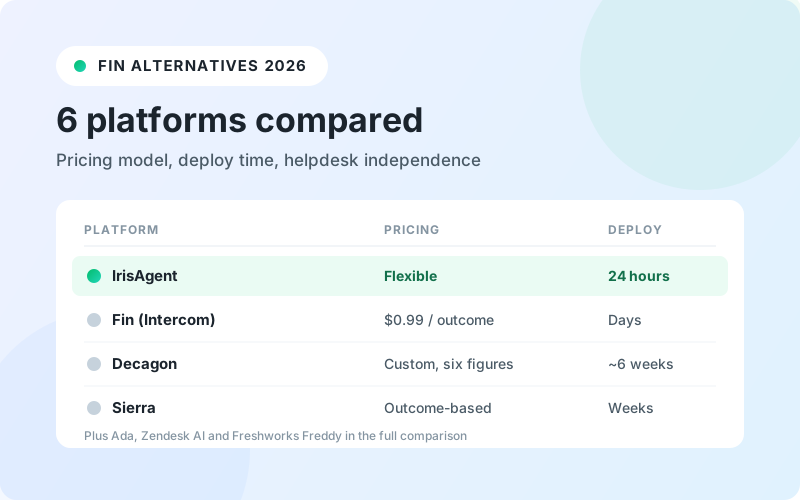
The helpdesk is $35 per agent per month on a 12-month term, or $45 month-to-month, with AI features priced separately and phone carrier and WhatsApp fees passed through at cost. IrisAgent is SOC 2 Type II compliant. It runs as a standalone helpdesk or on top of Zendesk, Salesforce, Intercom, Freshdesk, HubSpot, or Zoho, so you can pilot grounded AI without migrating. If you are weighing a full switch, our Zendesk alternatives guide compares the options.
A Short Checklist Before You Sign
Run your own pilot with your real knowledge base, including out-of-scope, contradictory, policy edge case, multi-turn, and live data questions.
Require a visible source for every answer the AI gives.
Confirm you control the escalation rules, and test that handoffs carry the full conversation.
Ask how every conversation is quality-reviewed, not just how many were deflected.
Measure correct-answer rate and wrong-answer rate separately, and weight confident wrong answers heavily.
Learn More
See how grounded AI works across every channel in the IrisAgent AI Helpdesk, or read why accuracy is the metric that matters in Most Accurate AI Customer Support: A Buyer's Guide. For background, start with Grounding LLMs and Understanding AI Hallucinations.
Frequently Asked Questions
What is the difference between grounded AI and a hallucination-prone chatbot?
Grounded AI answers only from your verified knowledge: your knowledge base, past tickets, procedures, and live account or order data retrieved for each question. When that knowledge does not cover a question, it says so or escalates to a person. A hallucination-prone chatbot answers mostly from the model's general training and fills gaps with confident, plausible answers that may be wrong, such as invented refund windows or delivery dates.
How can I tell if an AI chatbot is grounded during a vendor demo?
Ask questions the demo knowledge base does not cover and watch what happens. Warning signs include answering everything confidently, showing no sources for its answers, inventing specific policies, dates, or fees, having no "I don't know" or escalation path, and reporting deflection rate as the only quality metric.
What questions should I include in an AI chatbot pilot test?
Use your own knowledge base and include five question types: out-of-scope questions, questions where articles are outdated or contradict each other, policy edge cases, multi-turn follow-ups, and requests that need live account or order data. Score each answer as correct, correctly escalated, or wrong, and weight confident wrong answers far more heavily than unnecessary handoffs.
Does grounding make an AI helpdesk escalate more often?
At first, yes. A grounded system declines questions it cannot support, so its raw answer rate starts lower than a bot that answers everything. Each decline points to a knowledge gap, and the answer rate rises as you fill those gaps. The trade-off is worth it because a wrong automated answer usually costs more than a handoff: it creates the bot conversation and the human follow-up to repair it.
Loading the form. Prefer email? Reach us at info@irisagent.com or call +1 617 249 3312.