
Best AI Overlays for Zendesk to Automate Ticket Resolution (2026)
Last updated: October 2026
The best AI overlay for Zendesk is one that resolves tickets end to end inside your existing Zendesk instance, grounds every answer in your own knowledge base and ticket history, and goes live without a migration. IrisAgent is built for exactly that: it auto-resolves 60%+ of tickets on top of Zendesk, holds validated accuracy above 95%, and deploys in 24 hours. Below, we rank eight Zendesk AI overlays plus Zendesk's own native AI agents by the one question that matters most: does the tool close the ticket, or does it only help an agent close it faster?
What is an AI overlay for Zendesk?
An AI overlay for Zendesk is software that sits on top of your Zendesk Support and Guide instance and adds AI resolution, agent assist, and ticket automation without replacing the helpdesk. Your tickets, macros, triggers, views, and reporting stay in Zendesk. The overlay reads tickets through the Zendesk API, answers or acts on them, and writes the result back to the same ticket. If you later change helpdesks, the overlay moves with you.
This is the opposite of a rip-and-replace AI platform, which asks you to move your inbox into a new system. For a deeper look at why most support teams choose the overlay route, see Keep Your Helpdesk. Add IrisAgent.
Resolution vs assist: the distinction most lists miss
Most "best Zendesk AI apps" lists mix two very different product types:
Resolution overlays answer and close tickets on their own, across email, chat, and messaging, and hand off to a human with full context only when they should.
Assist overlays make human agents faster with draft replies, summaries, translations, and macro suggestions, but a person still sends every answer.
Both are useful. But if your goal is to automate ticket resolution, an assist tool only lowers handle time. It does not take tickets off the queue. Know which one you are buying before you compare prices.
For a practical guide to scoping which tickets AI should resolve, setting guardrails, and measuring resolution quality on Zendesk, see Can AI Resolve Zendesk Tickets?
How we evaluated each Zendesk AI overlay
Autonomous resolution. Can it close a ticket end to end, including actions like refunds, order lookups, or account changes, or does it only draft replies?
Grounding and hallucination controls. Does it validate answers against your Guide articles, past tickets, and internal docs before a customer sees them?
Native Zendesk fit. Is it on the Zendesk Marketplace, does it write back to the same ticket, and does it respect your triggers and views?
Time to go live. Days, not quarters.
Pricing model. Per seat, per interaction, per resolution, or a choice. Per-resolution pricing ties your bill to success, so model it at your real volume.
Clean handoff. When the AI should not answer, does the agent get the summary, intent, and suggested next step?
Zendesk AI overlays compared
Tool | Resolves tickets on its own | Grounding controls | Time to go live | Pricing model |
|---|---|---|---|---|
IrisAgent | Yes, plus agent assist and triage | Hallucination Removal Engine, 95%+ validated accuracy | 24 hours | Free plan; usage-based or resolution-based |
Intercom Fin (on Zendesk) | Yes | Grounded in your help content | Days | Per resolution |
Ada | Yes | Grounded in your knowledge sources | Weeks to months | Custom quote |
CoSupport AI | Yes | Vendor-reported factual checks | Days to weeks | Custom quote |
eesel AI | Partial (chatbot plus copilot) | Grounded in connected docs | Days | Interaction-based plans |
Macha AI | Partial (Auto Reply module) | Grounded in help center | Days | Per agent, modular |
Stylo | No, assist only | Knowledge-grounded drafts | Days | Custom quote |
Knots | No, ticket operations only | Not applicable | Days | Per app, per agent |
Zendesk native AI agents (baseline) | Yes | Grounded in Guide | Days | Seats plus Copilot add-on plus per-resolution meter |
The 8 best AI overlays for Zendesk in 2026
1. IrisAgent: best overall overlay for automating ticket resolution
IrisAgent installs from the Zendesk Marketplace and runs inside your existing Zendesk Support, Guide, and messaging setup. It resolves routine tickets end to end, assists agents on the rest from the ticket sidebar, and automates tagging, routing, and prioritization, all from one install. See how it works on Zendesk on the AI for Zendesk page. If launch speed is your main constraint, our guide to AI support tools that go live in under 48 hours includes a checklist of what IT needs to approve.
What separates IrisAgent from other overlays is grounding. Its Hallucination Removal Engine checks every answer against your knowledge base, historical tickets, and product documentation before it is sent, which is how it holds validated accuracy above 95% across enterprise deployments. When it should not answer, it hands off to an agent with a summary, the detected intent, and a suggested resolution.
Resolution features:
Autonomous resolution on email, chat, and Zendesk messaging, with clean handoff to agents
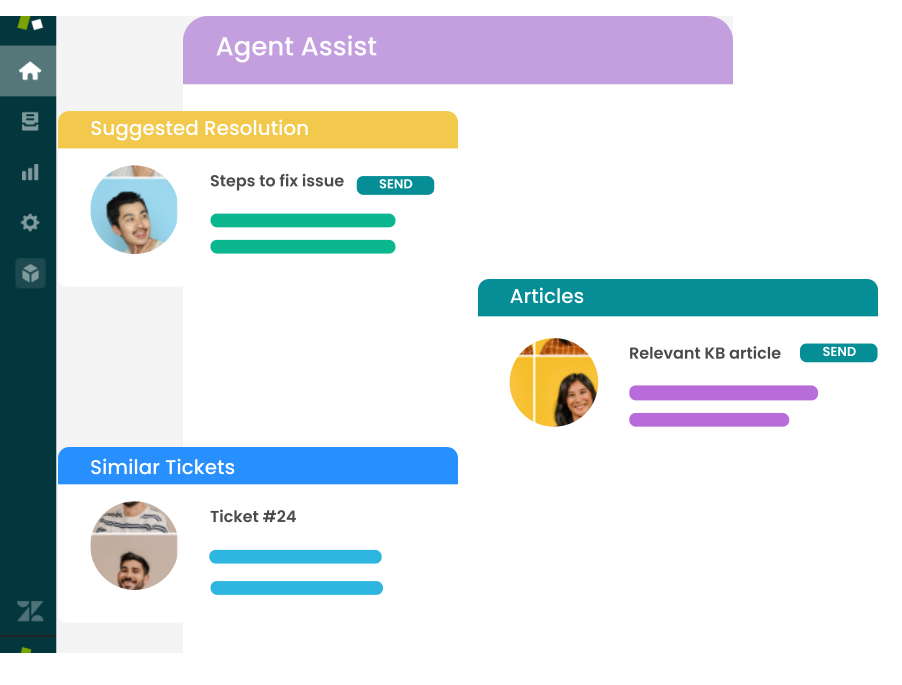
Agent assist in the Zendesk sidebar: suggested answers, similar resolved tickets, and one-click replies
AI tagging, routing, and prioritization by intent, sentiment, and product area
Grounded in Zendesk Guide, past tickets, macros, and Jira bugs
Same grounded AI on Voice AI for Zendesk Talk and on WhatsApp
SOC 2 Type II, with HIPAA and GDPR support for regulated teams
Proof: Dropbox, Zuora, and Teachmint run IrisAgent on their support stack. At Dropbox it saved 160,000 agent minutes and cut average handle time by 2 minutes.
Pricing: Free plan at $0. Standard from $500 per month. Enterprise is custom. You choose usage-based or resolution-based pricing, with no six-figure platform minimum. See pricing.
Best for: Teams that want real ticket resolution on Zendesk with high accuracy, in 24 hours, without moving off Zendesk.
2. Intercom Fin: best for teams already comfortable with per-resolution pricing
Fin is Intercom's AI agent, and it can run on top of Zendesk rather than requiring the Intercom helpdesk. It answers customer conversations using your help center content and passes unresolved ones to Zendesk agents.
Autonomous answers on chat and email, with handoff to Zendesk
Strong out-of-the-box conversational quality
Reporting on resolution rate inside Fin
Pricing: Per resolution ($0.99 per resolution on Intercom's published pricing), so cost rises as automation rises.
Trade-off: Fin's best experience is still inside Intercom's own helpdesk. On Zendesk, agent assist and ticket triage are thinner, and the per-resolution bill needs a volume forecast. Compare options in our Fin alternatives guide.
3. Ada: best for very high-volume, chat-first deflection
Ada is an enterprise AI agent platform with a prebuilt Zendesk integration for escalation and ticket creation. It is built for large consumer brands handling very high conversation volume.
Autonomous AI agents across web chat, social, SMS, and email
Pre-built Zendesk handoff and ticket creation
Analytics on containment, resolution, and CSAT
Pricing: Custom quote, typically resolution-based.
Trade-off: Implementation is heavier than most overlays, and smaller teams rarely reach the volume where the cost makes sense. See Ada alternatives for lighter options.
4. CoSupport AI: best for maximum-automation experiments
CoSupport AI offers an autonomous agent for Zendesk alongside a reply assistant for agents. It markets very high automation rates and a patented approach to factual response generation.
Autonomous agent plus agent-facing reply assistant
Email, chat, and social channels
Pricing: Custom, based on volume.
Trade-off: Newer vendor with less Zendesk Marketplace social proof. Validate its resolution claims on your own ticket sample before committing.
5. eesel AI: best low-cost starting point
eesel AI adds a copilot and a customer-facing chatbot on top of Zendesk. It ingests your help center plus tools like Confluence, Notion, and Google Docs, and is quick to set up.
AI copilot that drafts replies inside Zendesk
Chatbot trained on connected knowledge sources
Simulation mode to test on past tickets
Pricing: Plans based on monthly AI interactions rather than seats. Check eesel's pricing page for current tiers.
Trade-off: Interaction caps can bind as volume grows, and ticket triage and sentiment are lighter than resolution-first platforms.
6. Macha AI: best modular add-on approach
Macha sells separate Zendesk apps (Copilot, Auto Reply, Translations, Summarize) so you install only what you need.
Pick-and-choose AI modules
Auto Reply for simple automated responses
Built-in translation for multilingual queues
Pricing: Per agent, by module.
Trade-off: Several small apps are harder to govern than one platform, and Auto Reply is narrower than a full resolution agent.
7. Stylo: best assist tool for mature Zendesk teams
Stylo has built AI for Zendesk since 2020. It focuses on agent productivity: grounded reply drafts, ticket summaries, translation, and macro improvement.
Knowledge-grounded reply generation
Ticket summarization and translation
AI-enhanced macros
Pricing: Custom, with a free trial.
Trade-off: It is an assist overlay, not a resolution overlay. Agents still send every reply, so it lowers handle time rather than ticket volume.
8. Knots: best for ticket operations, not answers
Knots covers the operational side of Zendesk: AI field autofill, round-robin assignment, sentiment detection, and a GPT reply editor.
AI autofill for tags, priority, and category
Round-robin assignment
Sentiment on incoming tickets
Pricing: Individual apps priced per agent.
Trade-off: It does not resolve tickets. Pair it with a resolution overlay if automation is the goal.
The baseline: Zendesk's native AI agents and Copilot
Zendesk's own AI is not an overlay, but it is the option every overlay is compared against. Zendesk AI agents handle conversations natively, Copilot assists human agents, and since Zendesk acquired Forethought in March 2026, Forethought's agent technology is being folded into the Zendesk suite.
Pricing: Suite plans start at $55 per agent per month (annual). Copilot is a $50 per agent per month add-on. AI agents bill per automated resolution after a small included allowance, and Zendesk does not publish the per-resolution rate, so get a written quote.
Choose native when you want one vendor, one contract, and reporting in Explore, and you are comfortable with a bill that grows as automation grows. Choose an overlay when you need answers grounded in systems outside Zendesk Guide, want a pricing model you can pick, or want to keep the option to change helpdesks. Our IrisAgent vs Zendesk AI comparison walks through this decision in detail.
Native Zendesk AI vs a grounded overlay for B2B SaaS support
The split usually comes down to where your answers live and how costly a wrong one is. Native Zendesk AI is strongest when the answer sits in a Zendesk Guide article and maps cleanly to one intent: shipping delays, return windows, password resets. B2B SaaS tickets are rarely that tidy. When a customer asks why their API request returned a 400, a link to the general API guide is not an answer. The fix may live in an API reference, a Confluence page, a Jira bug, and three past tickets at once.
A grounded overlay retrieves across all of those sources, answers only from what it found, cites the source, and escalates when nothing supports an answer.
Factor | Native Zendesk AI | Grounded overlay |
|---|---|---|
Where answers live | Mostly in Zendesk Guide | Guide plus docs, wikis, Jira, and past tickets |
Typical tickets | Repetitive consumer questions with one answer | Technical troubleshooting and multi-step questions |
Accuracy bar | A generic answer is tolerable | A wrong answer erodes product trust |
Pricing | Per automated resolution on top of seats | Depends on vendor; IrisAgent offers usage-based or per-resolution |
Migration | None | None |
Technical users notice a generic answer immediately. If your queue looks like the right-hand column, weight grounding above every other feature on this list.
How to choose the right Zendesk AI overlay
If your goal is fewer tickets in the queue, shortlist resolution overlays only: IrisAgent, Fin, Ada, or CoSupport AI. Then test each on the same 100 real tickets.
If wrong answers carry real risk (B2B SaaS, fintech, healthcare), weight grounding and validated accuracy above everything else. IrisAgent is built for this case.
If budget predictability matters to finance, model per-resolution pricing at your forecast volume, and compare it with a usage-based plan.
If you only want faster agents, an assist overlay like Stylo or Macha is enough.
If routing and tagging are the bottleneck, Knots or IrisAgent's triage covers it. Our guide to AI ticket routing and triage software goes deeper.
Measure the pilot on resolution, not deflection. A ticket that a customer abandoned is not a resolved ticket. Our breakdown of AI support resolution rate benchmarks explains why vendor numbers rarely compare.
Measure accuracy, not just volume. Native reporting covers ticket counts and time to resolution, but for technical support you also need to know whether the steps given were correct. Score AI and human replies against your documentation on every conversation, not a sample. IrisAgent's AutoQA does this inside Zendesk and flags the missing or outdated articles behind wrong answers. Without a tool, have a senior engineer audit about 5% of resolved technical tickets each week and log the failure patterns.
What a grounded overlay will not fix
Grounding stops the model from inventing answers. It does not fix the content it reads. If your docs describe a deprecated endpoint, a grounded overlay will cite that endpoint faithfully. Before a pilot, remove conflicting articles, update the API references for the intents you plan to automate, and make sure internal runbooks match the current product. For the full checklist, see how to reduce AI hallucinations in customer support.
Getting started
The fastest way to evaluate a Zendesk AI overlay is to connect it to a sandbox or a single queue, run it on recent tickets, and compare its answers with what your agents actually sent. Most tools on this list offer a free plan or trial.
If you want one install that resolves tickets, assists agents, and automates triage on Zendesk, with grounded answers and a 24-hour go-live, see IrisAgent for Zendesk or book a Zendesk demo.
Related reading:
Frequently Asked Questions
What is the best AI overlay for Zendesk to automate ticket resolution?
IrisAgent is the best AI overlay for Zendesk when the goal is automated ticket resolution. It installs from the Zendesk Marketplace, resolves 60%+ of tickets end to end, validates every answer against your knowledge base and past tickets for 95%+ accuracy, and goes live in 24 hours. Intercom Fin and Ada also resolve tickets on Zendesk, but both price per resolution.
Can AI resolve Zendesk tickets without replacing Zendesk?
Yes. An AI overlay connects to Zendesk through its API and Marketplace apps, answers or acts on tickets, and writes results back to the same ticket. Your macros, triggers, views, and reporting stay in Zendesk, and agents keep working in the Zendesk workspace.
What is the difference between an AI overlay and Zendesk's native AI agents?
Zendesk's native AI agents and Copilot are built into the Zendesk suite and billed as seats, a Copilot add-on, and a per-resolution meter. An overlay is a third-party layer that runs on top of Zendesk, can ground answers in systems outside Zendesk Guide, offers its own pricing model, and moves with you if you change helpdesks.
How much does AI for Zendesk cost?
It depends on the model. Zendesk Copilot is $50 per agent per month on top of Suite seats, and Zendesk AI agents bill per automated resolution. Intercom Fin lists $0.99 per resolution. IrisAgent has a free plan, Standard from $500 per month, and lets you choose usage-based or resolution-based pricing.
How long does it take to deploy an AI overlay on Zendesk?
Lighter assist tools can be running in a day. Resolution overlays vary widely: IrisAgent goes live in 24 hours, while enterprise platforms like Ada often take weeks to months to implement.
Is native Zendesk AI or a grounded AI overlay better for B2B SaaS support?
Native Zendesk AI works well when answers live in Zendesk Guide and map to one intent, like shipping or password resets. B2B SaaS tickets often need answers drawn from API references, internal wikis, Jira, and past tickets, so a grounded overlay that retrieves across those sources, cites them, and escalates when nothing supports an answer is usually the better fit.
Does a grounded AI chatbot for Zendesk need to be trained on our data?
Not in the traditional sense. A grounded system indexes your existing documentation and resolved tickets for retrieval rather than learning general behavior from them, so it can start drafting cited answers soon after your knowledge sources are connected. Accuracy then depends mostly on how current those sources are.



Loading the form. Prefer email? Reach us at info@irisagent.com or call +1 617 249 3312.